3
Setup
3-26 VarioLink 2221/2821/3621
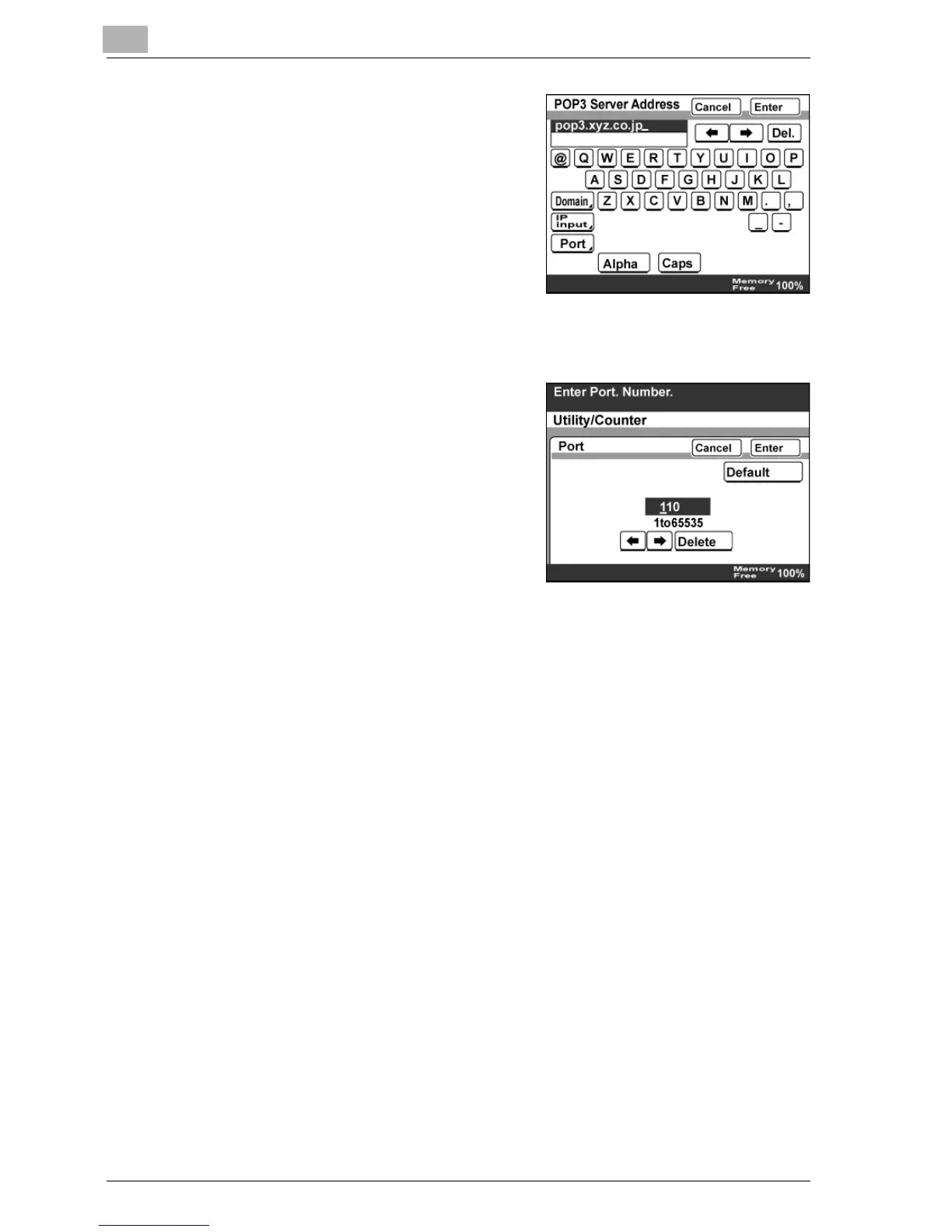
4 To specify the host name, touch
[Host Name], type in the host name,
and then touch [Enter].
5 To change the port, touch [Port]. The Port screen appears.
6 Type in the port number using the
keypad, and then touch [Enter].
– To return to the default setting,
touch [Default].
7 Touch [Enter].



 To Next Page