Temporary Basal Rates and Presets 7
98
7 Temporary Basal Rates and Presets
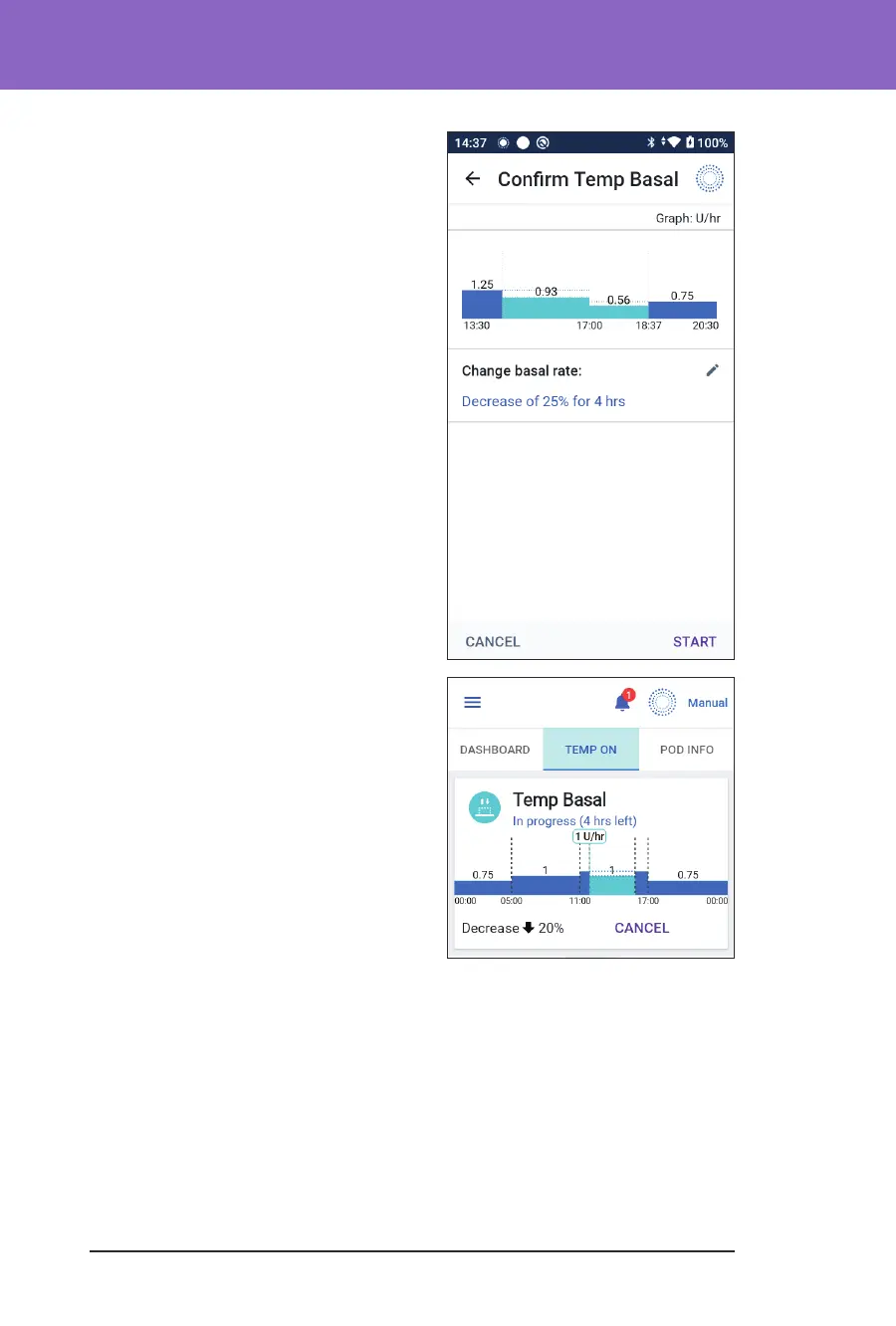
4. Examine the temp basal graph at
the top of the screen. e proposed
temp basal is displayed over the Basal
Programme in progress.
• e lighter blue shaded area
shows the proposed temp basal
rate for each segment.
• If you set a decrease, the Basal
Programme in progress is shown
as a horizontal dotted line.
5. Tap CONFIRM to continue.
6. Review the temp basal details. If
corrections are needed, tap on the
row to change. en enter your
corrections and conrm them.
7. To start the temp basal, tap START.
en tap START again.
Once the temp basal starts, the Home
screen's INSULIN tab is highlighted in
light blue and is renamed to TEMP ON,
which indicates that the temp basal is in
progress. e TEMP ON tab now shows
that the temp basal is in progress, what
the basal rate change is and how much
time remains.
At the end of the temp basal time period,
the Pod will go back to delivering the
scheduled Basal Programme.



 To Next Page