43
Omnipod 5 System Overview 33 Omnipod 5 System Overview
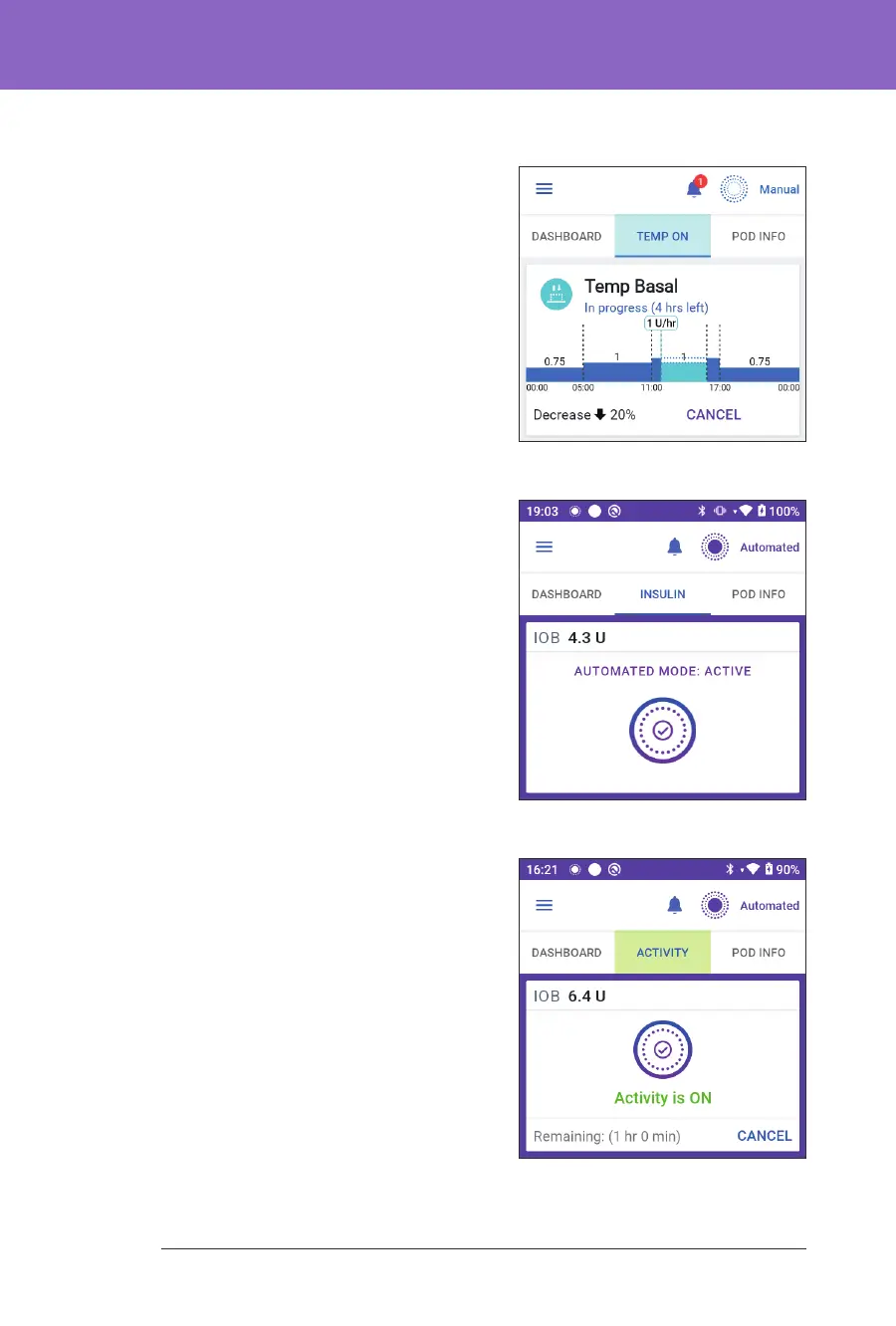
Temp basal
When a temp basal is running, the
INSULIN tab label changes to TEMP ON
and is highlighted in light blue. It displays
the temp basal graph and allows you to
cancel the temp basal. See “7.1. About
Temporary Basal Rates” on page 96.
Automated Mode
In Automated Mode, the INSULIN
tab shows AUTOMATED MODE:
ACTIVE and displays LAST BOLUS and
SENSOR INFO. For more information
on using Automated Mode, see “About
Automated Mode” on page 263.
Activity feature
In Automated Mode, when the Activity
feature is enabled, the INSULIN tab label
changes to ACTIVITY, is highlighted in
green, and shows Activity is ON. See
“23.1. About the Activity Feature” on
page 278 for more information.



 To Next Page