235
Understanding SmartBolus Calculator Calculations 1818 Understanding SmartBolus Calculator Calculations
SmartBolus Calculator
Time-Out
e SmartBolus Calculator considers the values
you input for a given bolus calculation valid for up
to 5 minutes from initial entry of the value into the
SmartBolus Calculator. If 5 minutes or more have
elapsed, you will be notied that you must refresh the
SmartBolus Calculator and input the values again.
Time Zones e SmartBolus Calculator relies on accurate,
updated insulin delivery history and data logging
from your Omnipod 5 System. If a time zone change
is detected by the Controller, the system will notify
you. Update time zones on your Omnipod 5 App
according to your healthcare provider’s guidance.
Insulin on Board (IOB)
Aer a bolus is delivered, the amount of insulin that is active in the body decreases
over several hours. e IOB from a bolus decreases based on your dened
Duration of Insulin Action value within your prole settings.
When using the SmartBolus Calculator, your Omnipod 5 System may, due to
IOB, decrease your suggested bolus amount to help prevent giving too much
insulin.
Note: You must bring your Controller near the Pod to get the most recent IOB
value on your Omnipod 5 App Home screen.
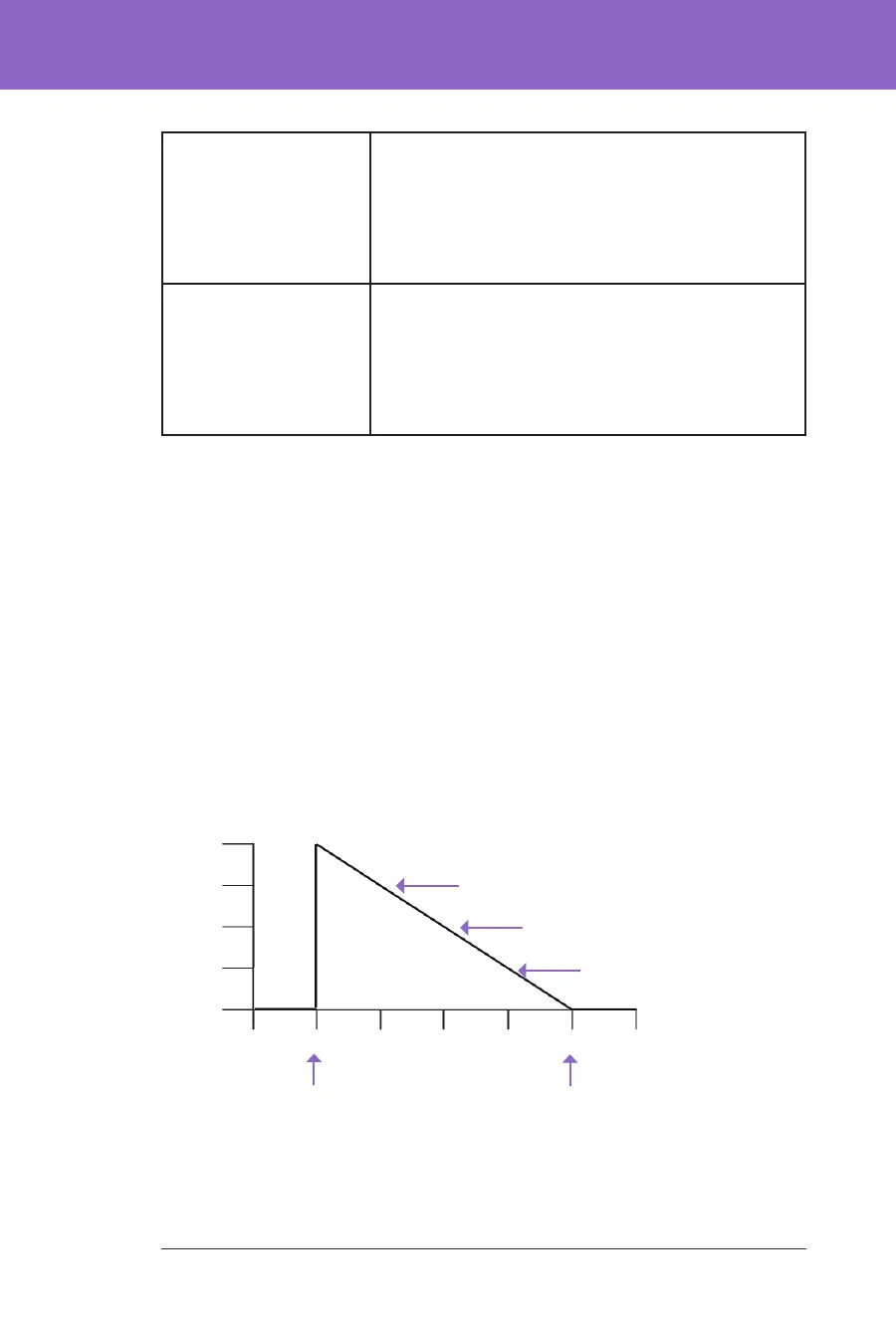
Bolus IOB depletion
e graph below shows the IOB from an 8 unit bolus depleting over the set
Duration of Insulin Action of 4 hours.
In the Omnipod 5 System, the correction IOB can also change depending on the
SmartAdjust technology calculations. It can increase or decrease automatically.
11 pm10 pm
9 pm
8 pm
7 pm6 pm5 pm
Take 8 U bolus at 6 pm
Duration of Insulin Action set to 4 hrs
4 hrs after the bolus,
IOB has returned to zero
3 hrs after the bolus: IOB = 2 U
2 hrs after the bolus: IOB = 4 U
1 hr after the bolus: IOB = 6 U
0
2 U
4 U
6 U
8 U
IOB (U)



 To Next Page