Omnipod 5 System Overview 3
38
3 Omnipod 5 System Overview
3.4. Status Bar
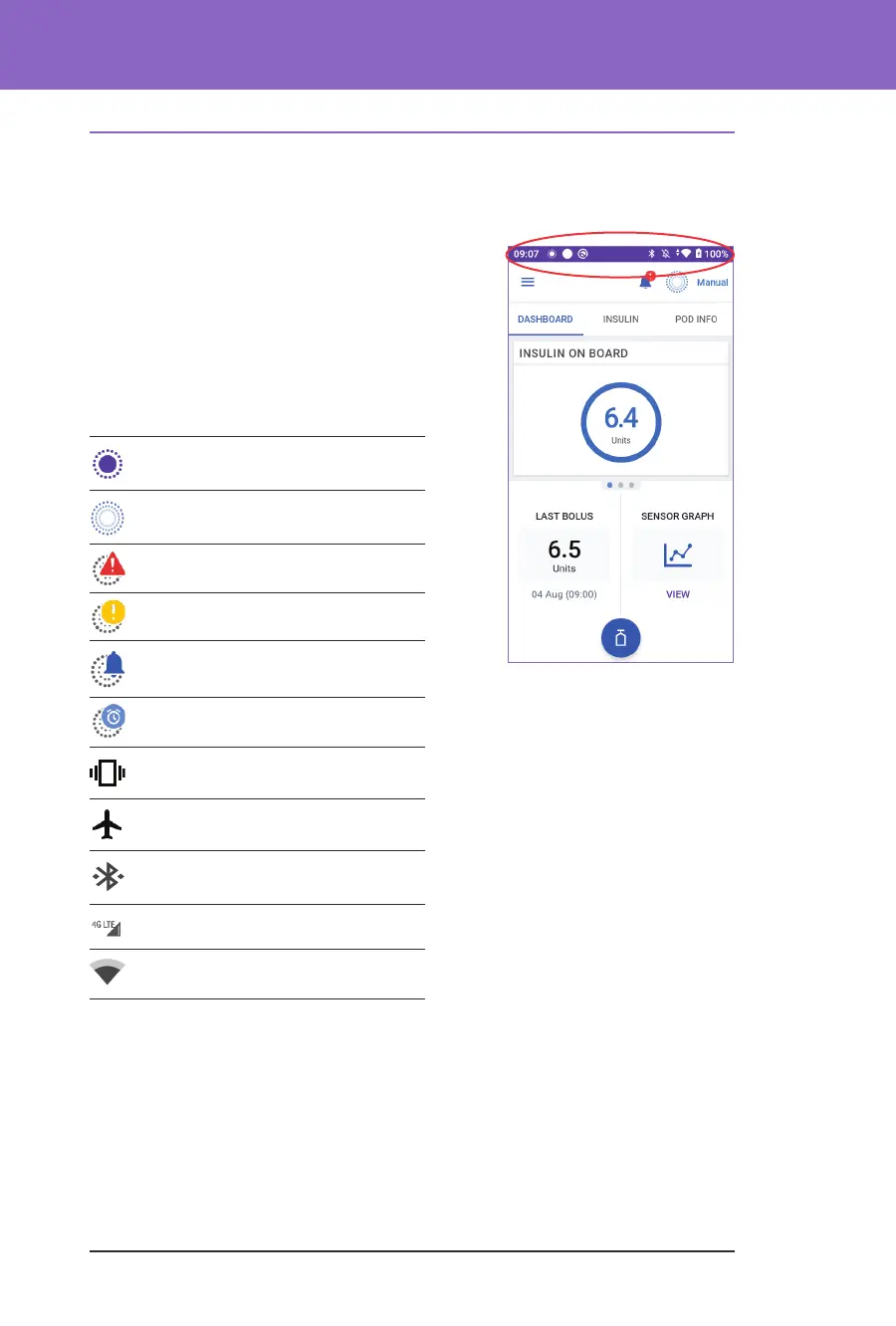
At the top of the screen is a status bar that shows icons for both the Omnipod 5
App and your Controller. e following icons will display when applicable:
• Omnipod 5 Status icon
• Battery level
• Battery charging indication
• Current time
Status bar icon denitions:
Omnipod 5 status (system mode
and IOB) – Automated Mode
Omnipod 5 status (system mode
and IOB) – Manual Mode
Hazard alarm
Advisory alarm
Action Item notication
Reminder
Vibrate/Mute
Flight mode ON
Bluetooth wireless technology
setting ON
Mobile connectivity
Wi-Fi
Note: Swipe down from the status bar for more details on what's currently
displayed on the status bar. en, swipe up to close.
Note: Device-specic icons such as Wi-Fi and vibrate/mute may vary in
appearance.



 To Next Page