System Terminology and Navigation 2
30
2 System Terminology and Navigation
Screen time-out and brightness
e screen on the Controller turns black, called “timing-out”, aer a period of
inactivity. To control the screen time-out and brightness settings, see “Screen
Display” on page 117. e screen dims 6-10 seconds before it times out. If the
screen dims, tap the screen to prevent it from timing out.
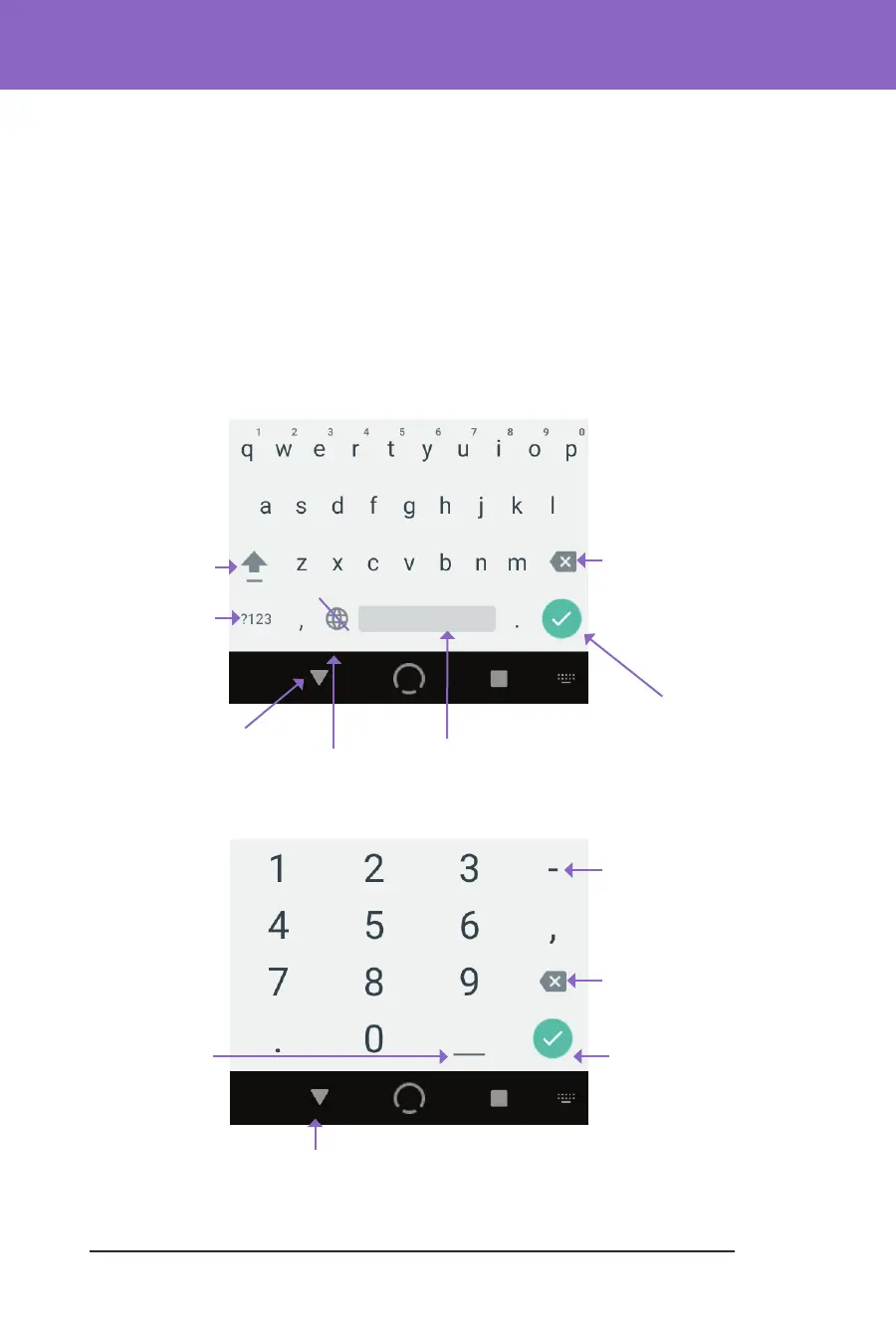
Entering Numbers and Text
Tapping in an editable eld can bring up a keypad or number pad.
Using a keypad
Using a number pad
Open a dierent
keypad
Change
between upper
and lower case
Close keypad
after entering text
(DONE)
Minimise
keypad after
entering text
No function
Delete most
recent entry
Space bar
Not used
Close keypad
after entering
text (DONE)
Minimise
keypad after
entering text
Delete most
recent entry
Not used



 To Next Page