61
Setting Up Your Omnipod5 Application 44 Setting Up Your Omnipod5 Application
Create a Basal Programme
e next step is to create a Basal Programme. For a description of basal rates, basal
segments and Basal Programmes, see “Basal Programmes” on page 89.
¾ Tap NEXT on the Create Basal Programme description screen to continue.
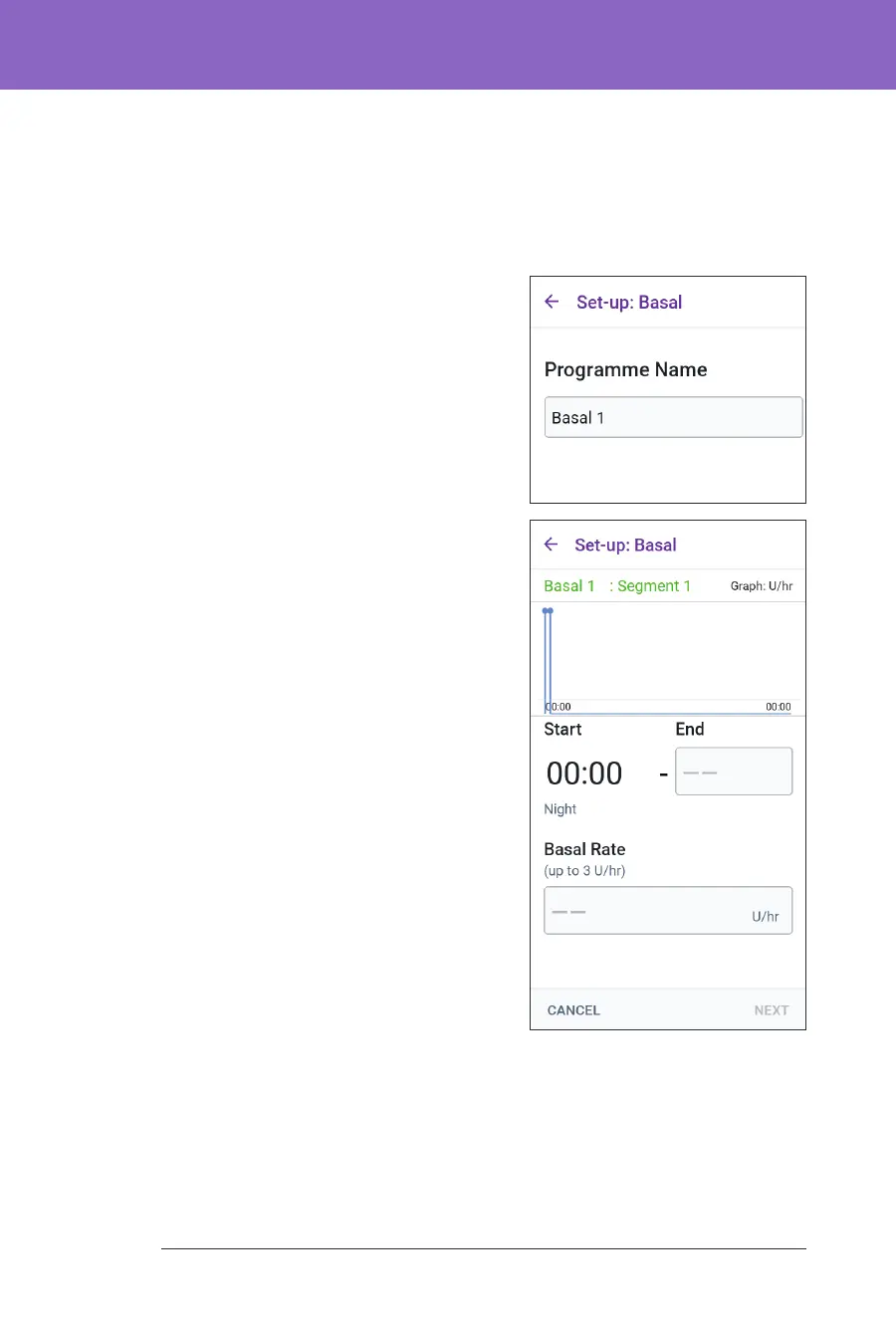
Name the Basal Programme
e default name for the Basal Programme
is Basal 1.
1. To change the name, tap the
Programme Name eld and enter the
new name, then tap Done.
2. Tap NEXT.
Dene the segments
You can create up to 24 segments within
your midnight-to-midnight Basal
Programme. e Start Time for the rst
segment is always 12:00 AM.
1. Tap the End Time eld and scroll to
select the desired end time.
2. Tap the Basal Rate eld and scroll to
select the basal rate for the segment.
Note: e Maximum Basal Rate that
you entered earlier is displayed under
the Basal Rate text. You cannot enter a
basal rate greater than this number.
Note: e two vertical blue lines on the
graph near the top of the screen show
the start and end time for the basal
segment. e selected basal rate for
the segment is shown between the two
vertical lines.
3. Check the values of your start and end
times and the basal rate. en tap NEXT.
4. If the Basal Programme does not cover 12:00 AM-12:00 AM, you must add
additional segments. Repeat steps 1-3 as needed until your nal segment ends
at midnight.



 To Next Page