253
About the DexcomG6 1919 About the DexcomG6
19.6. Communication Messages
e DASHBOARD displays the following communication messages:
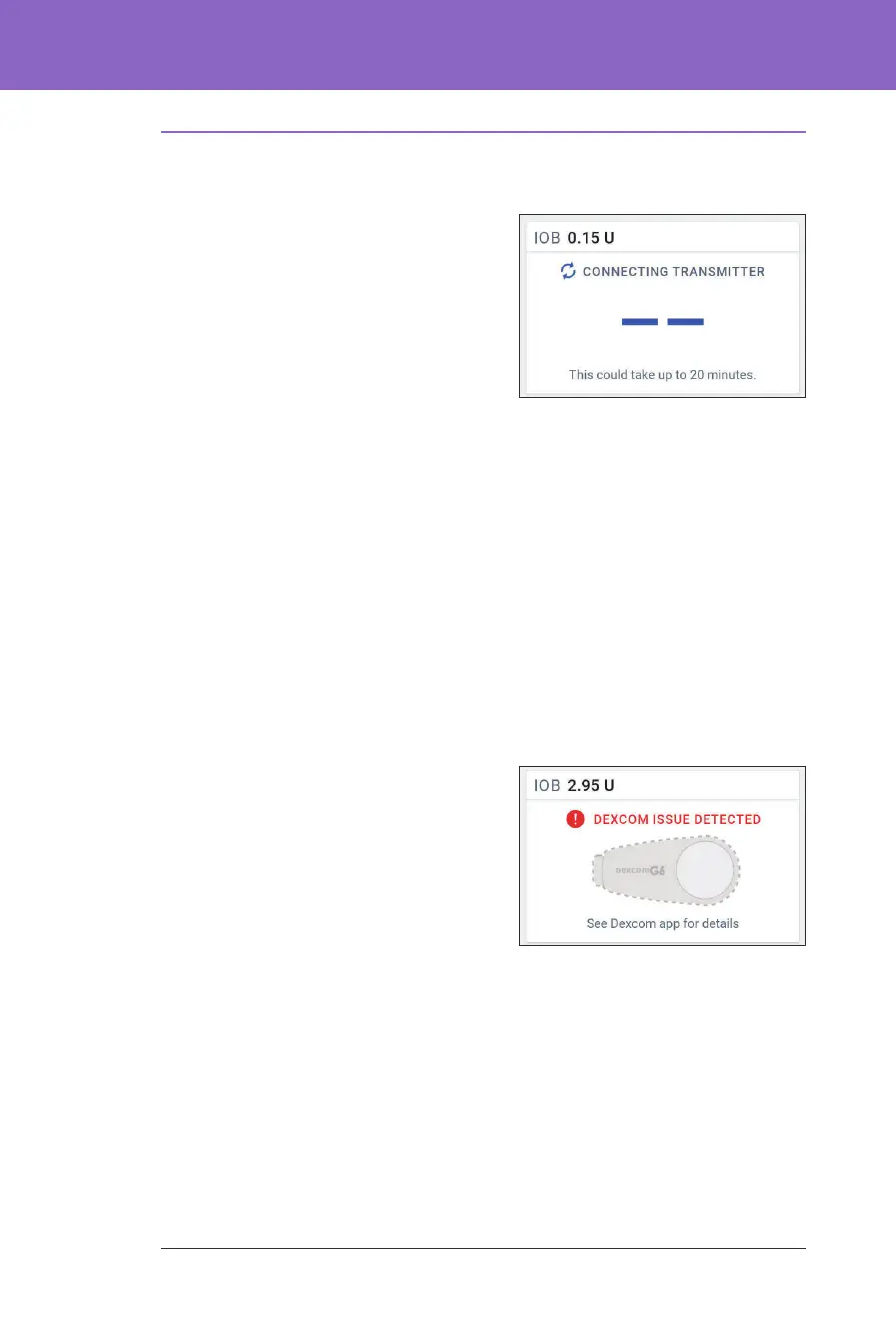
• CONNECTING TRANSMITTER:
Occurs aer you have entered a
Transmitter serial number (SN) and
the Pod is attempting to connect with
the Transmitter.
• WAITING FOR DEXCOM SET-UP:
When the Transmitter is connected
but sensor glucose values
are unavailable because the
Dexcom G6 is in Sensor warm-up or requires calibration. See the Dexcom G6
app for details. No action is required within the Omnipod 5 App.
• SEARCHING FOR POD: When Pod communication was not established
within the most recent 5-minute update interval. Tap MORE
INFORMATION for potential causes and recommended actions.
• SEARCHING FOR SENSOR: When the Sensor is active and connected to the
Omnipod 5 Pod but the most recent sensor glucose value was not acquired
within the 5-minute window. ere may be no valid sensor glucose value
available due to a Pod/Sensor communication issue or a temporary Sensor
issue (recoverable without any user action). Tap MORE INFORMATION for
recommended action. Review Pod and Sensor placement. Pod and Sensor
should be at least 8 cm (3 inches) apart and within the line of sight.
• DEXCOM ISSUE DETECTED: When
sensor glucose values are not available
due to a Sensor error (including
Sensor expiration). See the
Dexcom G6
app for details. No action is required
within the Omnipod 5 App
• TRANSMITTER ERROR: When the
Transmitter connected with the
Omnipod 5 System has expired or experienced a non-recoverable error. Tap
NEED HELP for potential causes and recommended actions. To set up a new
Transmitter, see “20.3. Connecting the Dexcom G6 Transmitter” on page 257.
• TRANSMITTER NOT FOUND: When the Pod tried to connect with a
Transmitter but aer 20 minutes was unable to do so. Tap NEED HELP for
potential causes and recommended actions. See “26.3. Sensor FAQs” on
page 317 for additional information.
Note: For all Sensor-related issues, refer to your Dexcom G6 CGM System
Instructions for Use.



 To Next Page