257
Connecting DexcomG6to the Pod 2020 Connecting DexcomG6to the Pod
20.3. Connecting the DexcomG6 Transmitter
Warning: ALWAYS conrm the Dexcom G6 Transmitter serial number
(SN) you save in the Omnipod 5 App matches the one you are wearing.
In cases where more than one person in the household uses the DexcomG6,
mismatching Transmitter serial numbers (SN) could result in over-delivery
or under-delivery of insulin, which can lead to hypoglycaemia and
hyperglycaemia.
If you had previously connected a Transmitter and your Transmitter has expired,
or you have deleted the Transmitter serial number (SN) and wish to reconnect,
you must enter a new SN.
To connect the
Dexcom G6 Transmitter:
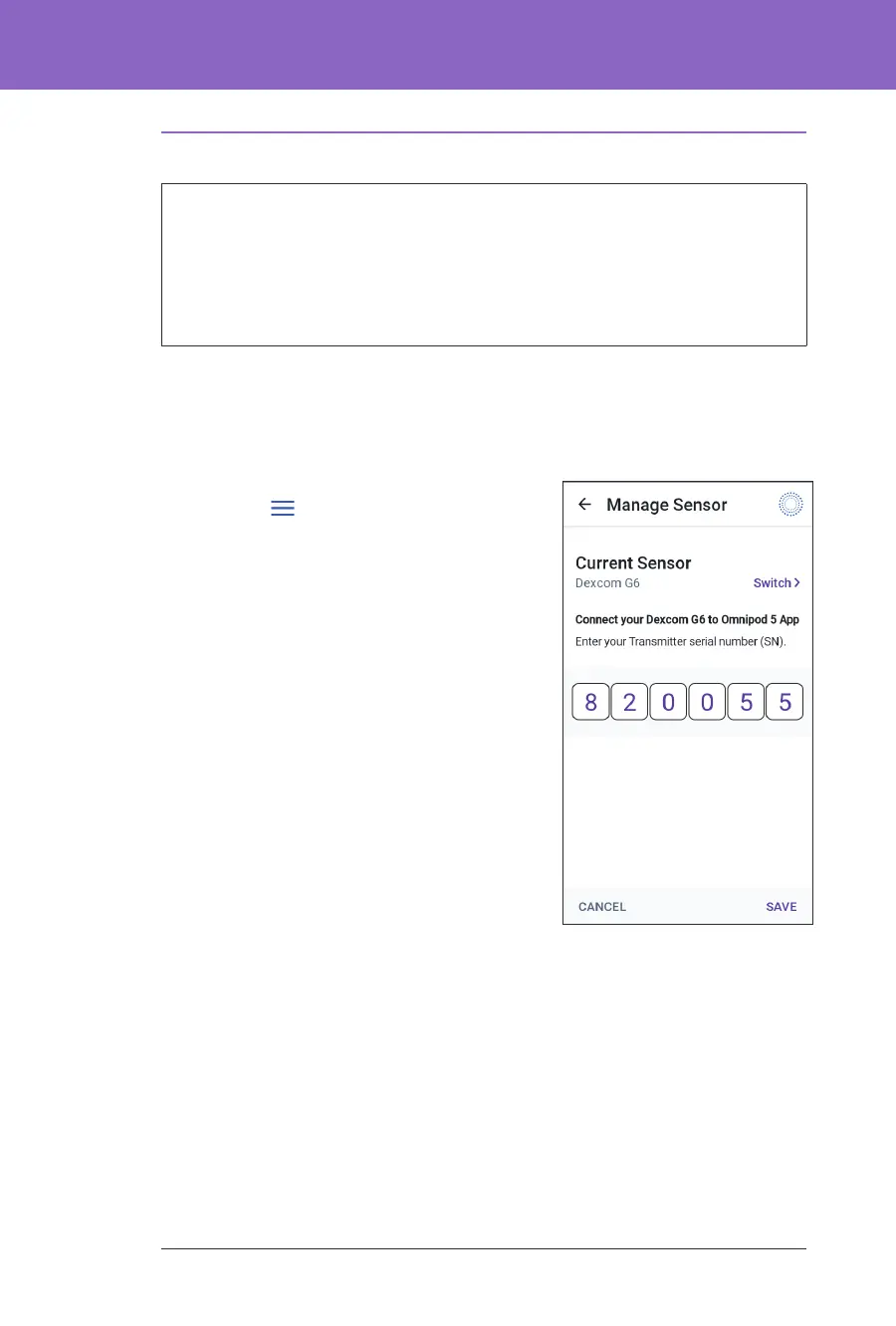
1. From the Home screen, tap the Menu
button (
) > Manage Sensor.
e Manage Sensor screen displays the
saved SN.
Note: If the Transmitter SN was
previously deleted, the SN eld is empty.
(See “20.4. Disconnecting the Transmitter
from the Pod” on page 258).
2. Tap ENTER NEW.
3. Tap the SN eld to display the
alphanumeric keypad.
4. Enter the SN printed on the back of your
Transmitter or on the Transmitter box,
then tap Done.
5. Tap SAVE.
Note: If you tap CANCEL or exit the
current screen (by pressing the back arrow), the SN is not saved. Tap
CONFIRM to start connecting your Transmitter to your Pod. e connection
process can take up to 20 minutes.
6. Tap CONFIRM to start connecting your Transmitter to your Pod.
e connection process can take up to 20 minutes.
When Pod communication is successful, the screen displays “Connecting
Transmitter”.
If the Pod is unable to connect with the Transmitter within 20 minutes,
the message “Transmitter Not Found” displays. Tap NEED HELP for more
information. See “26.3. Sensor FAQs” on page 317 for additional information.



 To Next Page