279
Activity Feature 23
23 Activity Feature
23.2. Starting the Activity Feature
Before you begin, do the following:
¾ Switch to Automated Mode if currently
using Manual Mode. See
“22.1.Switching from Manual Mode to
Automated Mode” on page 274.
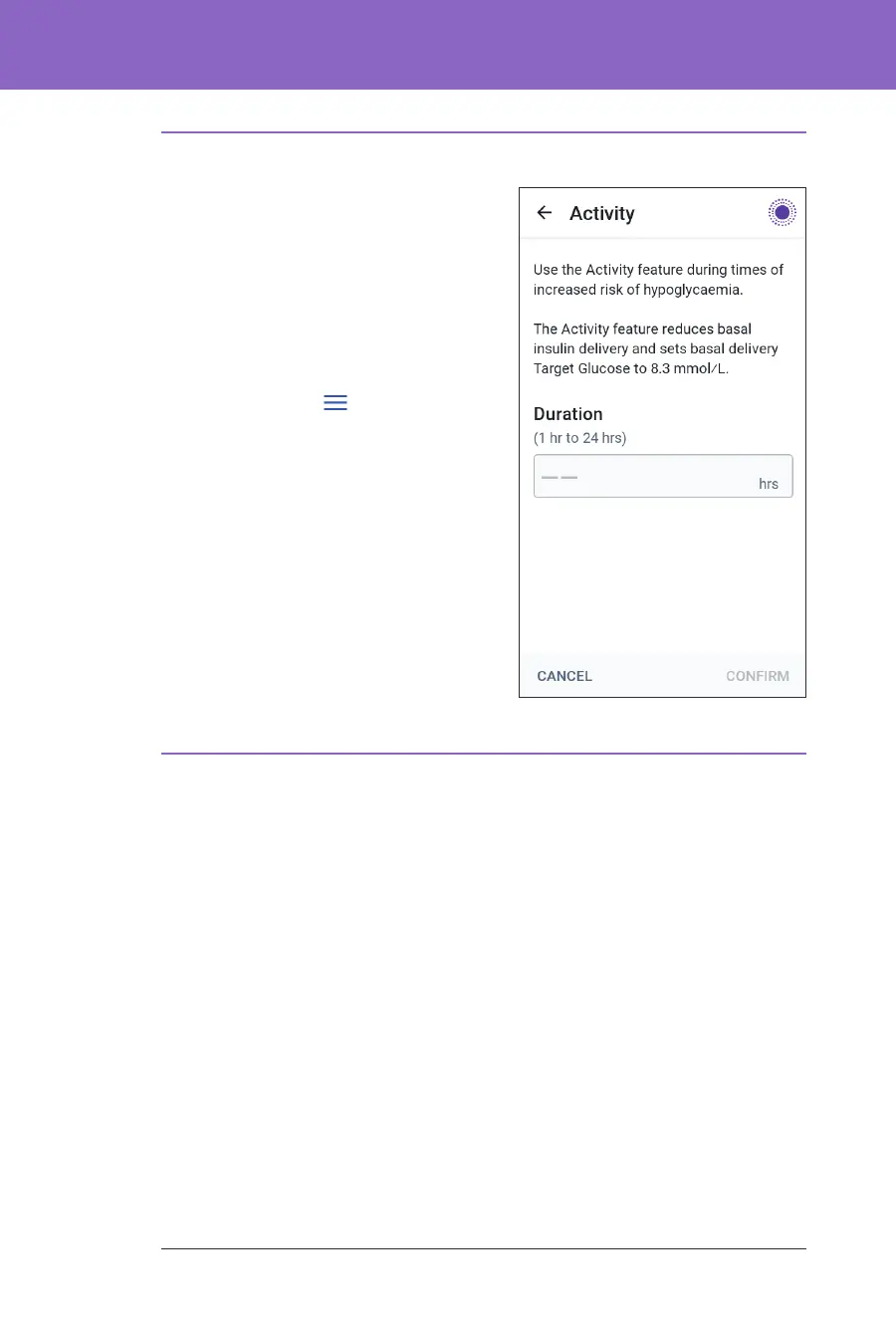
To enable Activity:
1. Navigate to:
Menu button (
) > Activity
2. Tap the Duration eld and select the
Activity feature duration.
3. Tap CONFIRM.
4. From the Conrmation screen, tap
START.
e INSULIN tab changes to a green
ACTIVITY tab when the Activity feature
is enabled.
23.3. Cancelling the Activity Feature
e Activity feature automatically stops at the end of the selected duration;
Automated Mode continues, using the Target Glucose dened in your user
settings. e Pod beeps when the Activity feature time period completes or when
you cancel it.
To cancel Activity before the end of its time period:
1. Navigate to the Home screen ACTIVITY tab.
2. Tap CANCEL.
3. Tap YES to conrm cancellation.
e Omnipod 5 App cancels Activity and full automated insulin delivery
starts.
Note: You may see a decrease in insulin on board (IOB) when cancelling the
Activity feature.



 To Next Page