109
Blood Glucose Readings 88 Blood Glucose Readings
Glucose reading Screen display
Above 33.3 mmol/L or HIGH HIGH
1.1–33.3 mmol/L <blood glucose reading>
0–1 mmol/L or LOW LOW
How Blood Glucose Readings are Displayed
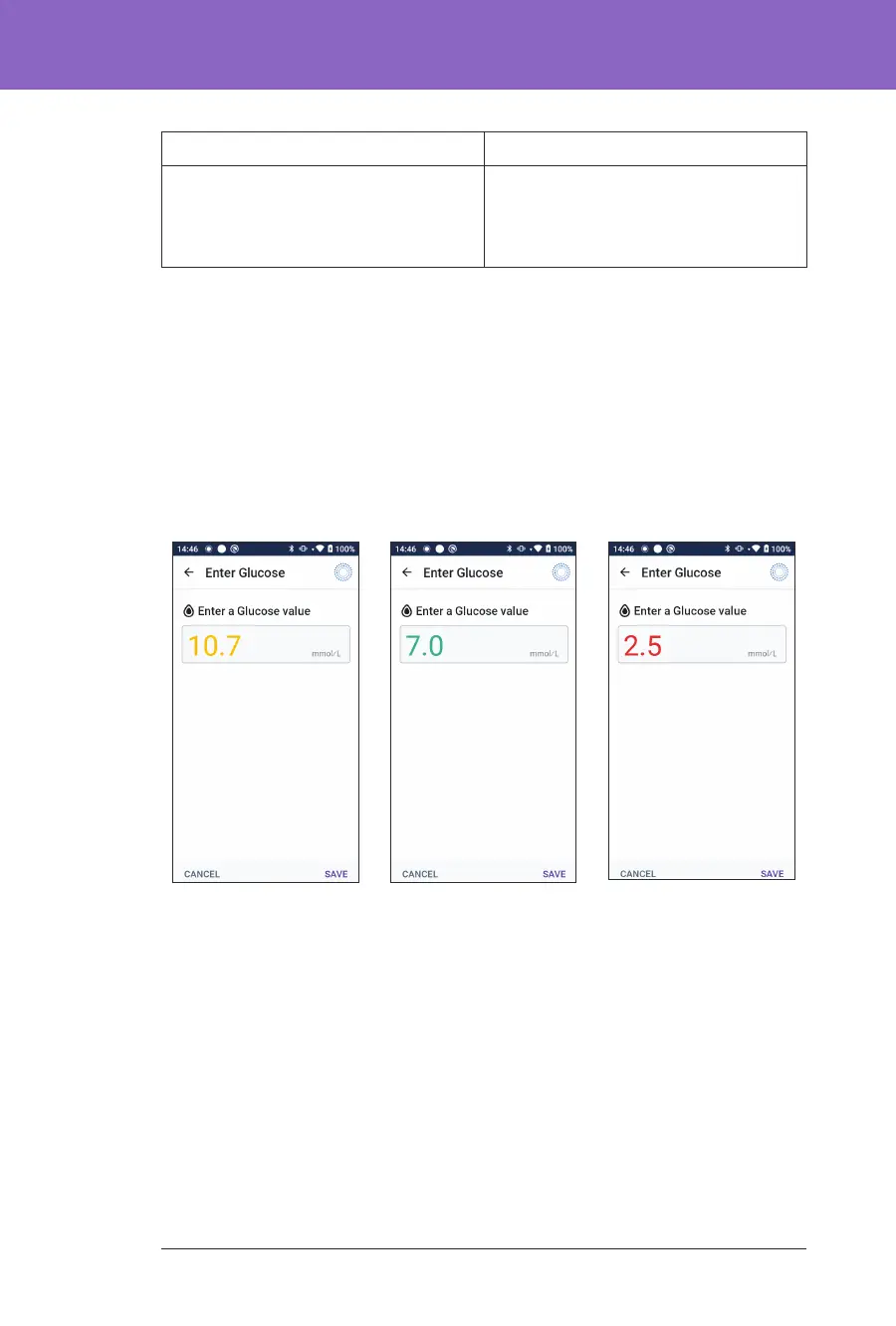
e Omnipod 5 App displays the blood glucose reading with a colour. e text
colour is:
• Yellow if your blood glucose is above your Glucose Goal Range.
• Green if your blood glucose is within your Glucose Goal Range.
• Red if your blood glucose is below your Glucose Goal Range.
To change your Glucose Goal Range, see page 134.



 To Next Page