Omnipod 5 System Overview 3
34
3 Omnipod 5 System Overview
3.1. Omnipod 5 App and Dexcom Communication
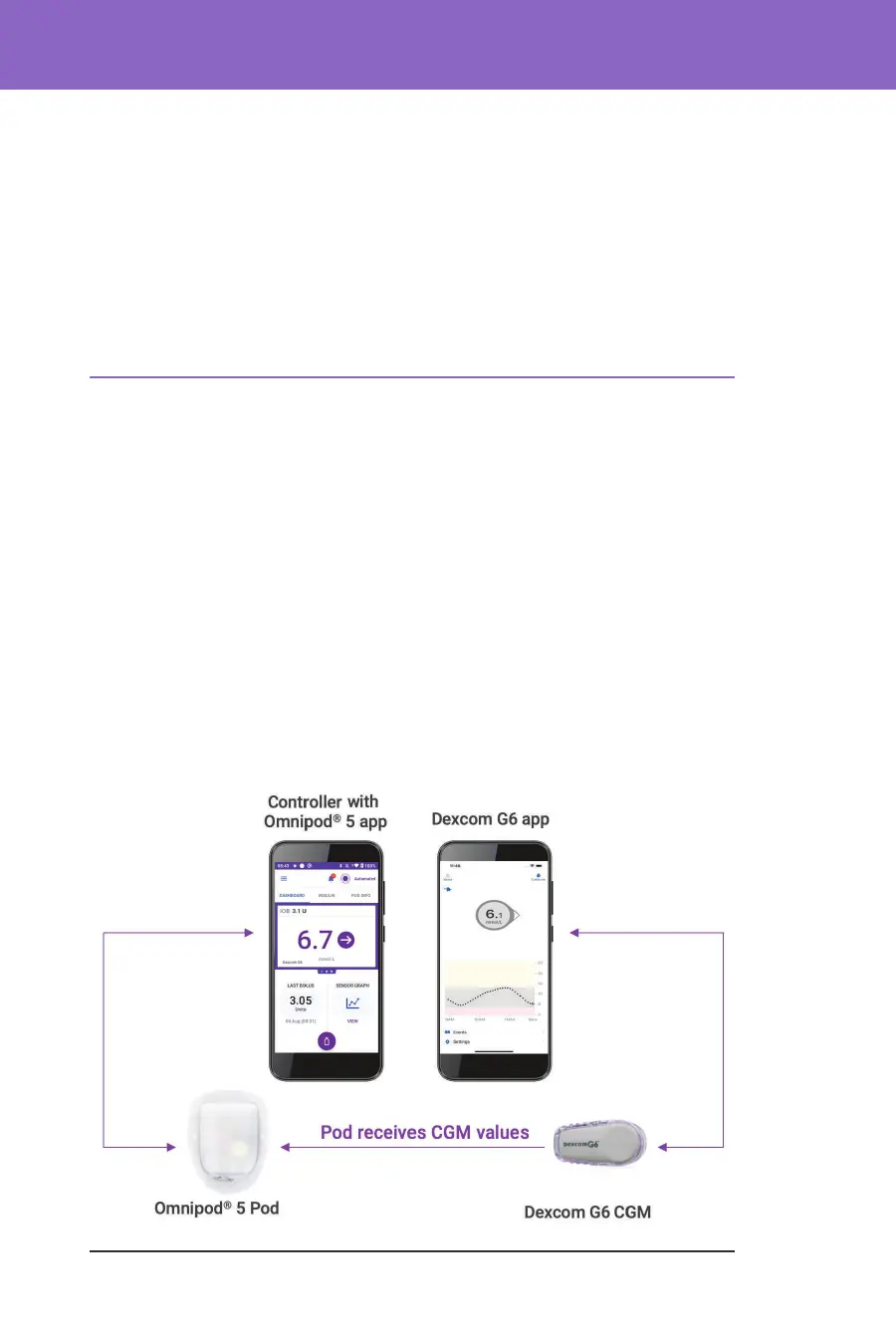
e Omnipod 5 System communicates with the Dexcom G6 Continuous
Glucose Monitoring (CGM) System.
• e Pod delivers insulin to your body, receives commands from the
Omnipod 5 App, receives sensor glucose values from the Dexcom
Transmitter, sends sensor glucose values to the Omnipod 5 App and
automatically adjusts insulin delivery in Automated Mode.
• Your Dexcom G6 Transmitter sends sensor glucose values to the Pod and to
the Dexcom G6 app. e Omnipod 5 App does not communicate directly
with the Dexcom G6 app. For Dexcom-specic information, refer to your
Dexcom G6 CGM System Instructions for Use.
• e Controller lets you control the Pod using the Omnipod 5 App.
Action Item notications ..............................................49
Reminder notications
................................................49
Status
..................................................................49
Conrmation Messages
...................................................49
3.8. Manual and Automated Mode Overview ..........................49
Available tasks in each mode
.........................................49
Identifying System modes
................................................52



 To Next Page