75
Activating and Changing Your Pod 55 Activating and Changing Your Pod
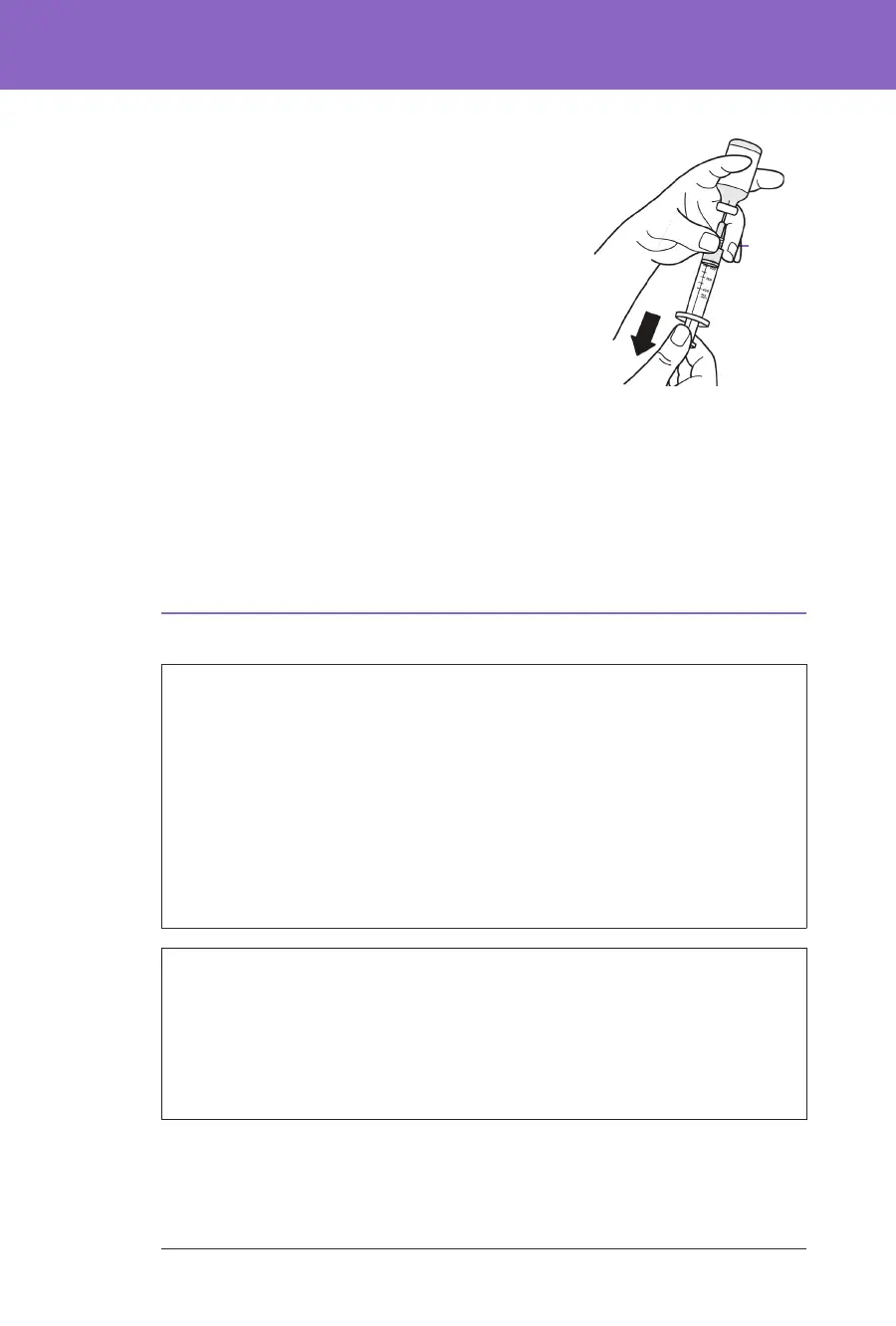
7. Turn the vial of U-100 insulin and the ll
syringe upside down. Pull down on the plunger
to withdraw the desired amount of insulin from
the vial into the ll syringe.
• Fill the syringe at least to the MIN
(minimum) ll line.
• To ll the Pod with enough insulin to deliver
200 units, pull the plunger down until it
stops. is will be below the 200 mark.
8. With the needle still in the vial, ick the side of
the syringe with your ngertip to dislodge any
air bubbles so they collect at the top of the syringe. en push in the plunger
to expel any air bubbles out of the syringe and into the insulin vial. Pull
down on the plunger again, if necessary, to rell the ll syringe to the desired
amount of insulin.
9. Remove the needle from the vial.
5.4. Filling, Activating, Applying and Starting the Pod
Warning: NEVER use a Pod if, while you are lling the Pod, you feel
signicant resistance while pressing the plunger down on the ll syringe. Do
not try to force the insulin into the Pod. Signicant resistance may indicate
that the Pod has a mechanical defect. Using this Pod could result in under-
delivery of insulin, which can lead to hyperglycaemia.
Warning: NEVER inject large bubbles or pockets of air when lling the Pod
with insulin. Air in the system takes up space where insulin should be and
can aect insulin delivery. Doing so could result in over-delivery or under-
delivery of insulin, which can lead to hypoglycaemia or hyperglycaemia.
Caution: ALWAYS insert the ll syringe into the ll port and not into any
other location on the Pod. Do not insert the ll syringe more than once into
the ll port. Use only the ll syringe and needle that came with your Pod. e
ll syringe is intended for single use only and should only be used with the
Omnipod 5 System. Failure to follow the instructions above may result in
damage to your Pod.
5.2. Setting Up a New Pod
1. Navigate to: Menu button ( ) > Pod
or
Home > POD INFO
2. Tap SET UP NEW POD.
5.3. Fill the Syringe with Insulin
Warning: NEVER inject large bubbles or pockets of air when lling the Pod
with insulin. Air in the system takes up space where insulin should be and
can aect insulin delivery. Doing so could result in over-delivery or under-
delivery of insulin, which can lead to hypoglycaemia or hyperglycaemia.
e next step is to ll the syringe that came with the Pod (the “ll syringe”) with
insulin
1. Use an alcohol prep swab to clean the top of the
insulin vial.
2. Securely twist the ll needle onto the ll syringe.
3. Pull outwards to remove the protective cap
from the needle.
4. Determine how much insulin you will put
into the Pod. For example, to use the Pod for
72 hours, determine how much insulin you
will use over the next 72 hours. Your healthcare
provider can help you determine the correct
amount.
Note: e Pod requires a minimum of 85 units of U-100 insulin to begin
operation. e Pod can deliver up to 200 units of U-100 insulin.
5. Draw air into the ll syringe up to the amount of insulin you want.
6. Insert the needle into the insulin vial and inject the air. Injecting air makes it
easier to withdraw insulin from the vial.
Pull apart
MIN
ll line



 To Next Page