Basal Programmes 6
90
6 Basal Programmes
6.1. About Basal Programmes
While in Manual Mode, Basal Programmes are used to deliver a steady amount
of insulin throughout the day. is is known as your basal insulin. Dierent days
can have dierent routines. e Omnipod 5 System lets you create dierent Basal
Programmes for your dierent routines. For example, you may use one Basal
Programme on weekdays and a dierent one on weekends.
Before you create or change a Basal Programme, do the following:
• Cancel your temp basal if it is running. See “7.3. Cancelling a Temp Basal or
Temp Basal Preset” on page 99.
• Switch to Manual Mode if currently using Automated Mode. See
“22.2. Switching from Automated Mode to Manual Mode” on page 276.
Tip: Write a list of the basal segments to guide you through entering the values for
each segment. You can write this list on the pages at the end of this User Guide.
6.2. Reviewing All Basal Programmes
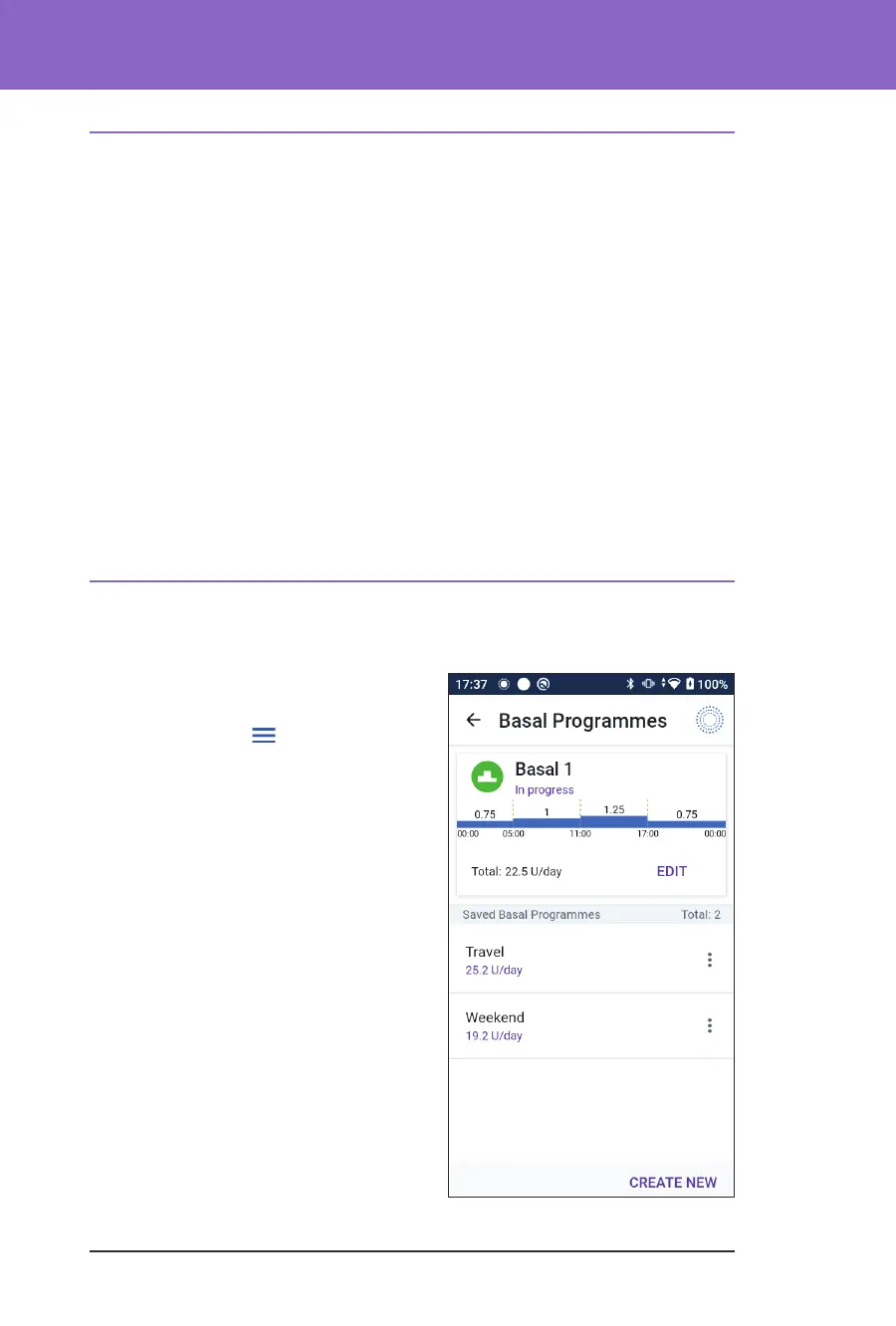
To review all Basal Programmes:
1. Navigate to the list of Basal
Programmes:
Menu button (
) > Basal
Programmes
A list of Basal Programmes appears
with the Basal Programme in
progress at the top.
2. Scroll up or down as needed to see
additional Basal Programmes.
3. Tap on the name of a saved Basal
Programme to see its graph and basal
rates. Tap outside the graph to close
that graph.



 To Next Page