Alarms, Action and Reminder Notications 13
160
13 Alarms, Action and Reminder Notications
13.7. Advisory Alarm List
Caution: ALWAYS respond to Pod Expired, Low Pod Insulin, and Pod
Shutdown Advisory Alarms when they occur. ese alarms escalate to
Hazard Alarms if no action is taken. When Hazard Alarms occur, insulin
delivery stops.
Advisory alarms inform you of a situation that needs your attention in the near
future.
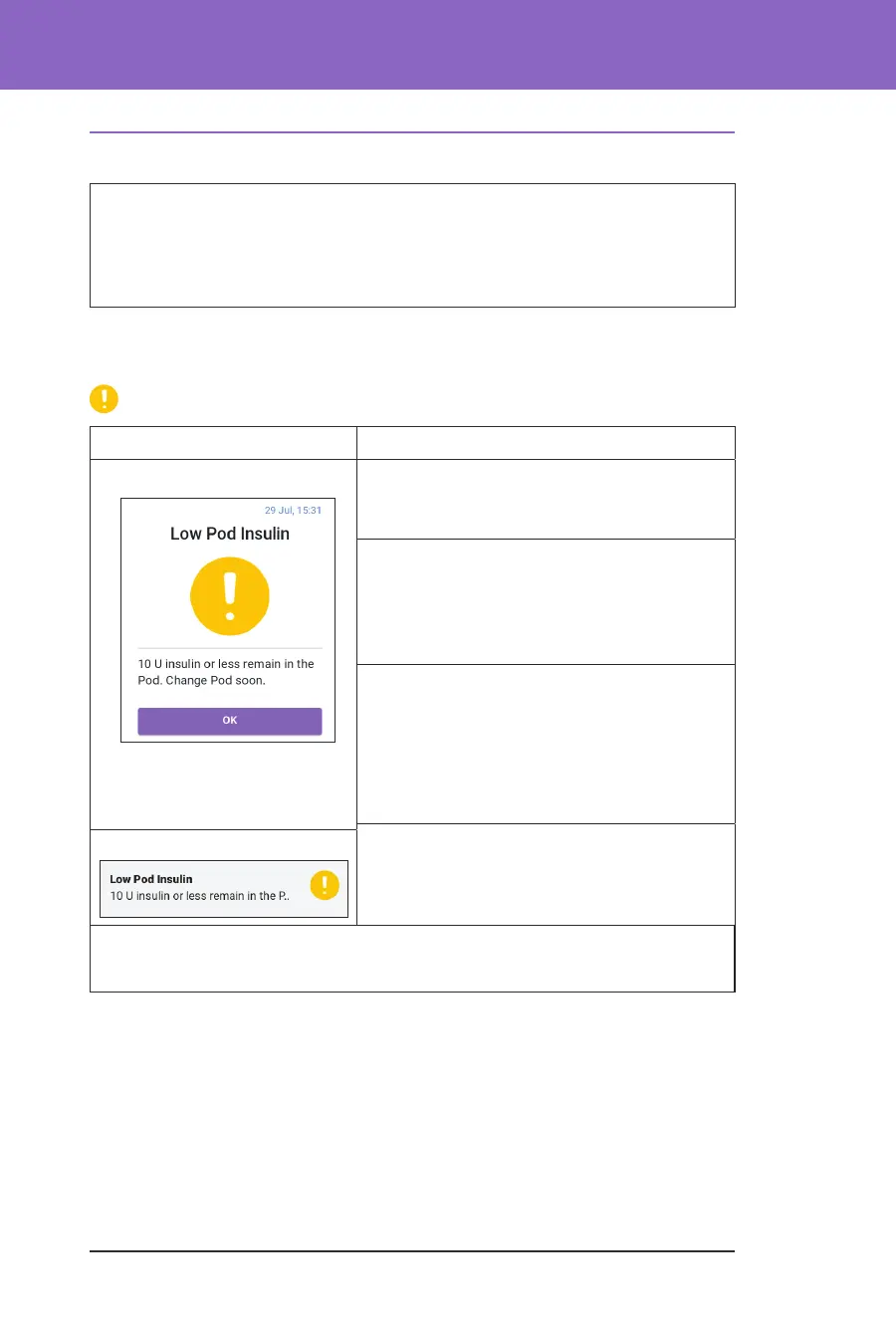
Low Pod Insulin
Screen Alert Description
Omnipod 5 App: Why it occurs: e amount of insulin in
the Pod is below the value specied in your
settings.
Pod sound:
• 8-beep tone pattern
• Tone pattern sounds once every
3 minutes for 60 minutes
Controller sound and vibration:
• 3-second tone
• 3-second vibration
• Vibration and tone repeat every
15 minutes until acknowledged
What to do:
1. Tap OK.
2. Change your Pod.
Lock Screen:
Note: is escalates to the Pod Out of Insulin hazard alarm if ignored.
Note: To change this value, see “Low Pod Insulin” on page 121.



 To Next Page