Alarms, Action and Reminder Notications 13
152
13 Alarms, Action and Reminder Notications
13.6. Hazard Alarm List
Warning: ALWAYS respond to Hazard Alarms as soon as they occur. Pod
Hazard Alarms indicate that insulin delivery has stopped. Failure to respond
to a Hazard Alarm could result in under-delivery of insulin, which can lead to
hyperglycaemia.
Hazard alarms make you aware of serious situations. Always respond to a hazard
alarm immediately. Some alarm messages give you a unique number called a
reference number. Give that number to Customer Care if you call about that
alarm.
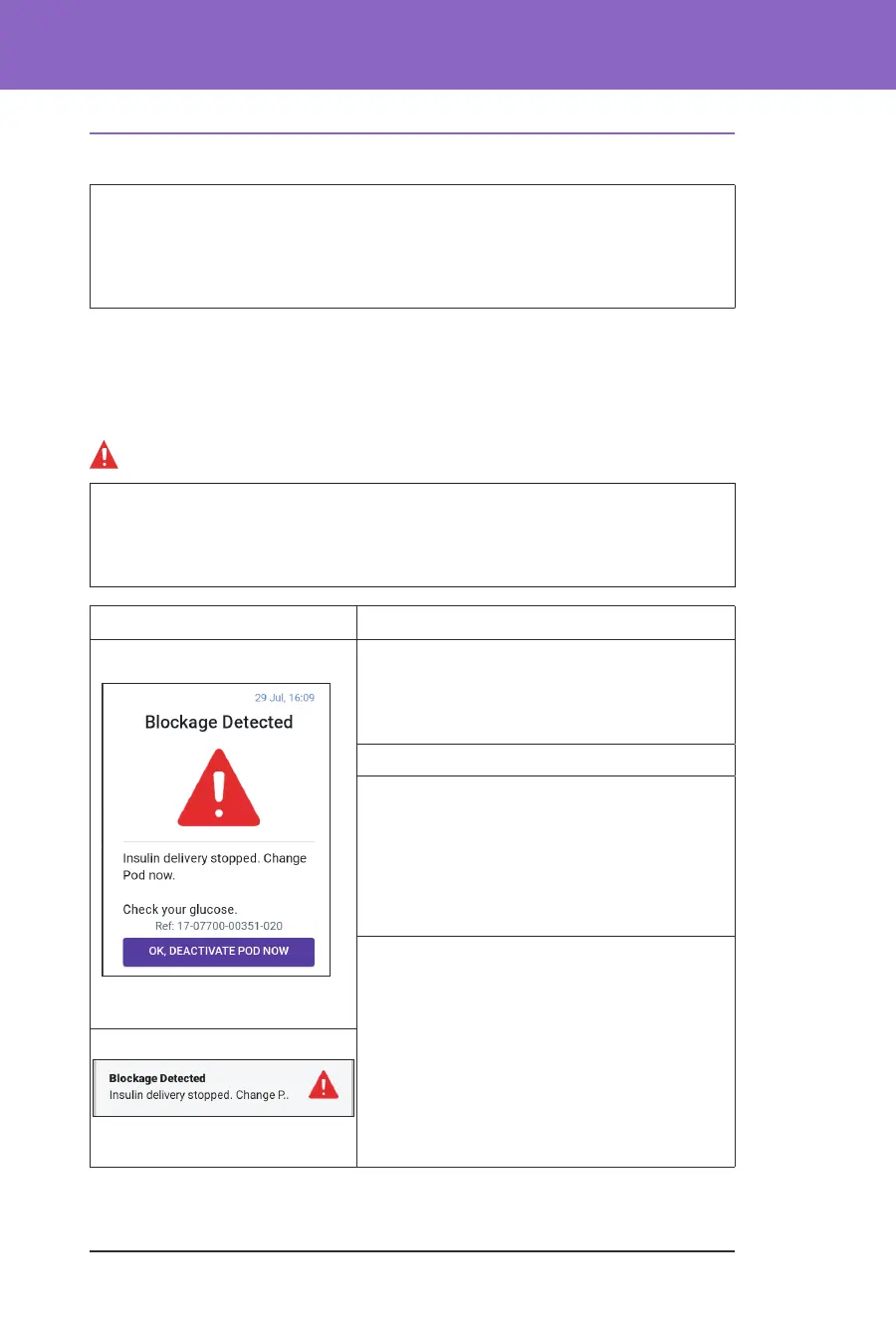
Blockage Detected
Warning: ALWAYS monitor your glucose and follow your healthcare
provider's treatment guidelines when you stop receiving insulin due to a
blockage (occlusion). Not taking action promptly could result in under-delivery
of insulin, which can lead to hyperglycaemia or diabetic ketoacidosis (DKA).
Screen Alert Description
Omnipod 5 App:
Why it occurs: A blockage (occlusion) was
detected from a blocked cannula, a Pod
malfunction or from using old or inactive
insulin, which has stopped insulin delivery.
Pod sound: Continuous tone
Controller sound and vibration:
• 30-second tone
• 30-second vibration
• Vibration and tone repeat every
15 minutes until acknowledged
What to do:
1. Tap OK, DEACTIVATE POD NOW.
2. Change your Pod.
3. Check your blood glucose.
Lock Screen:



 To Next Page