Alarms, Action and Reminder Notications 13
172
13 Alarms, Action and Reminder Notications
Update Time Zone
Caution: ALWAYS be aware of possible changes to your time zone when
travelling. If you do not update your time zone, your insulin therapy will be
delivered based on your old time zone, which may cause disruptions in your
insulin delivery schedule and inaccurate history logs. Talk to your healthcare
provider about how to manage your insulin delivery while travelling between
time zones.
Screen Alert Description
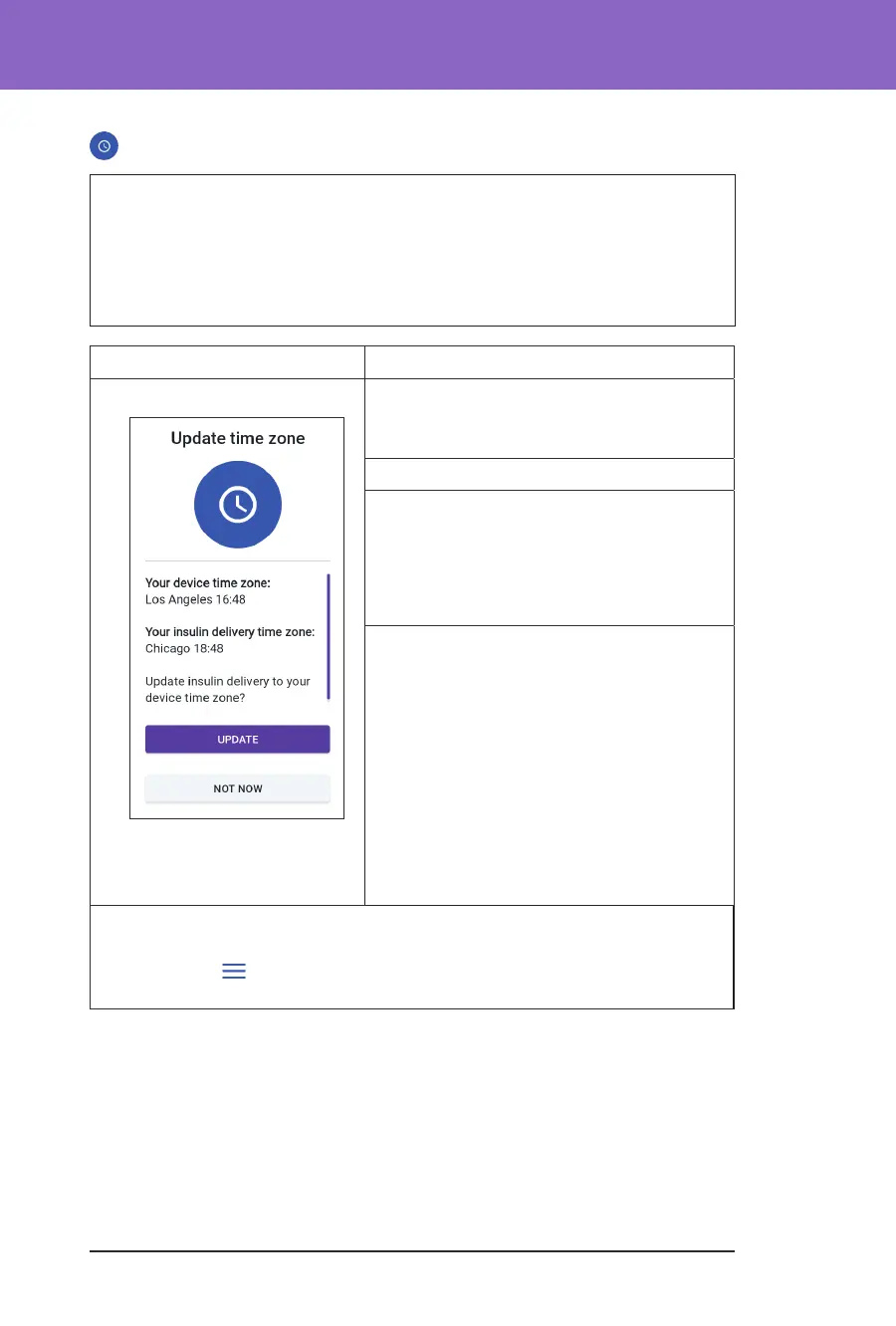
Omnipod 5 App: Why it occurs: Your Controller time zone
does not match the Omnipod 5 App insulin
delivery time zone.
Pod sound: None
Controller sound and vibration:
• 3-second tone
• 3-second vibration
• No repetition
What to do:
1. Tap UPDATE when prompted to update
your insulin delivery time zone.
2. If you are in Automated Mode, follow
the on-screen instructions to switch
to Manual Mode and pause insulin
delivery.
3. Aer the time zone is updated, you
may start insulin delivery and return to
Automated Mode.
Note: Correct time is essential for correct insulin delivery and history
records. If you tap NOT NOW, you can nd this Action Item notication at
Menu button (
) > Notications and every 24 hours you will be reminded to
carry out the update.



 To Next Page