Omnipod 5 System Overview 3
46
3 Omnipod 5 System Overview
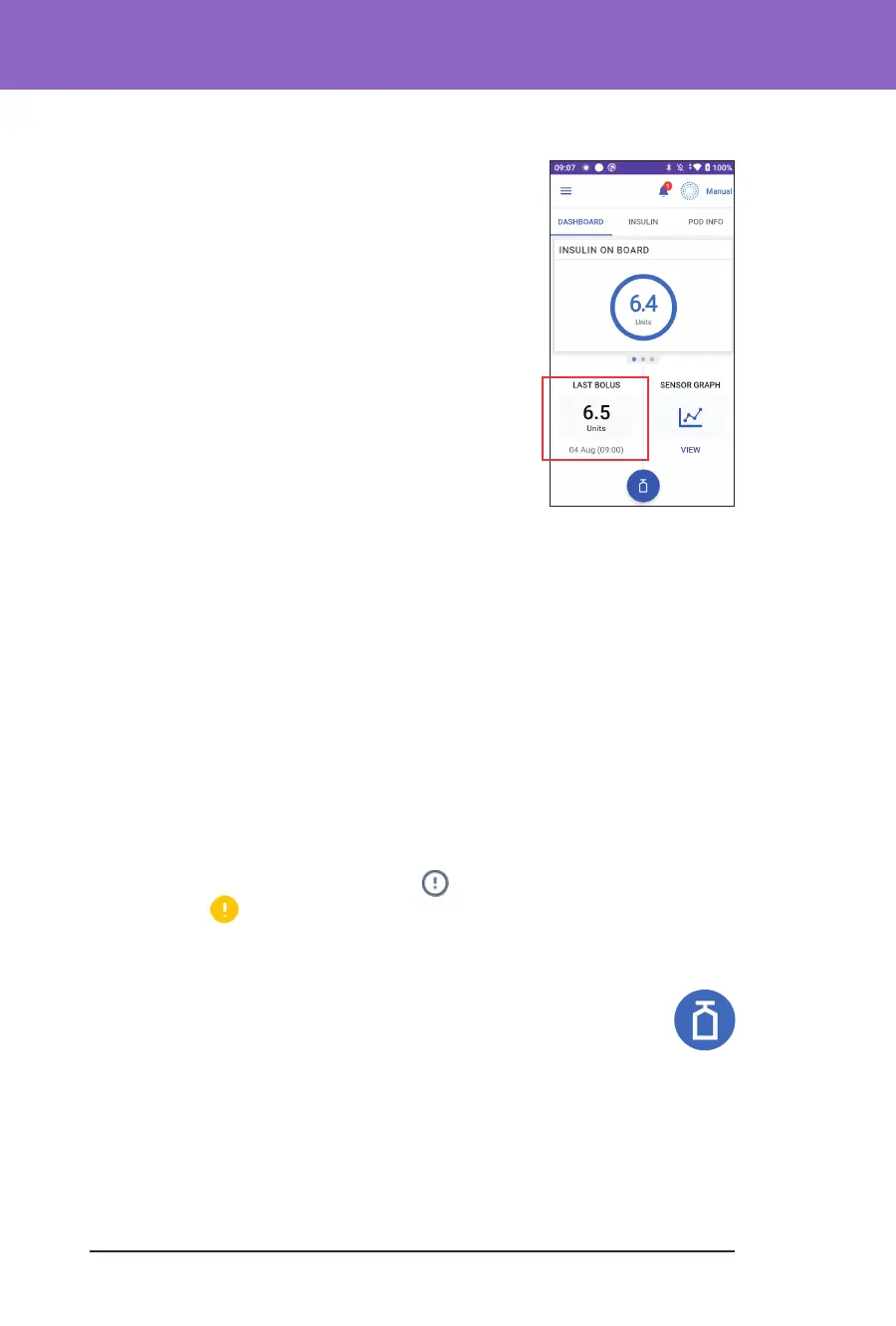
Bolus Information and Button
e lower le section of the Home screen displays
bolus information. e Bolus button is at the bottom.
Between boluses
When a bolus is not being delivered, the section is
labelled LAST BOLUS and shows the amount and time
of the most recent bolus.
During a bolus
When a bolus is being delivered, the last bolus
information is replaced by an estimate of the insulin
on board (IOB):
• During an immediate bolus, the IOB estimate is
updated every second.
• During an extended bolus, the IOB estimate is updated based on:
• Previous boluses
• Amount of insulin already delivered from the ongoing bolus
• Amount of insulin projected to be delivered within the time period
dened by your Duration of Insulin Action setting
Bolus information if there is no Pod communication
If the Pod is out of range of the Controller and cannot conrm the recent bolus
amount, an estimated bolus amount is shown. Once the Pod is in range again and
the bolus delivery is conrmed, the conrmed bolus amount is shown.
Estimated and unconrmed bolus amounts
e Omnipod 5 App estimates bolus amounts during an ongoing bolus and
when the Pod is out of range. A grey icon (
) marks estimated bolus amounts.
A yellow icon (
) marks unconrmed bolus amounts (see "When the Pod has
not conrmed a bolus delivery" on page 136).
Bolus button
e Bolus button provides access to the SmartBolus Calculator. e
Bolus button is not available while an immediate or extended bolus is
being delivered, or when there is no active Pod.



 To Next Page