Setting Up Your Omnipod5 Application 4
62
4 Setting Up Your Omnipod5 Application
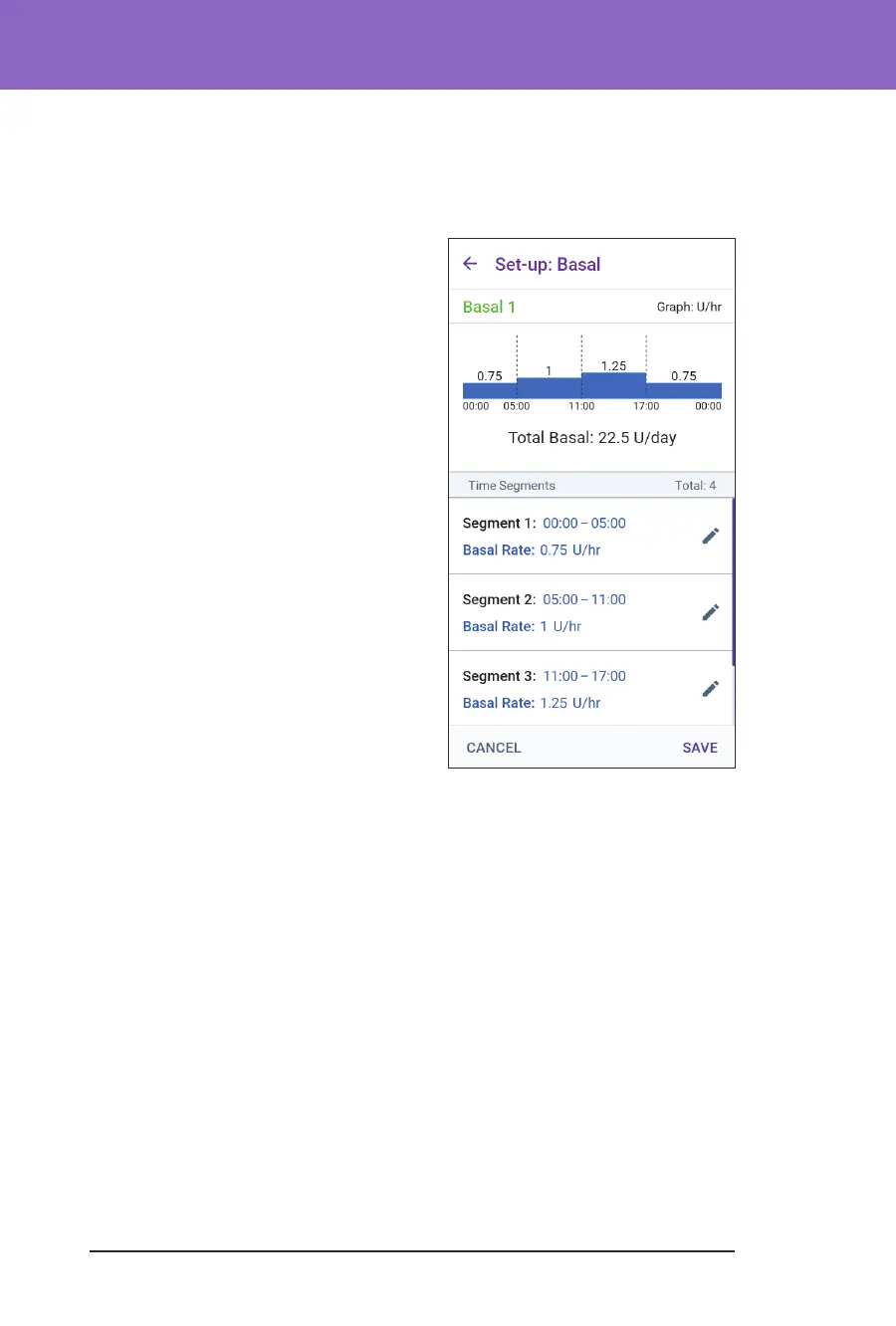
Review the Basal Programme
e next screen summarises the start and end times, and the basal rate for each
segment of the Basal Programme.
1. Tap CONTINUE to review your Basal
Programme.
2. Check that the graph and the
individual segment values are correct.
e total daily amount of basal
insulin to be delivered by this Basal
Programme is listed below the graph.
3. To change an end time or basal rate for
a segment:
a. Tap the row containing the
segment you would like to change.
b. Tap the End Time eld and enter
the new end time for the segment.
c. Tap the Basal Rate eld and enter
the desired basal rate.
d. Tap NEXT.
e. Set the end time and basal rate for
any following segments, as needed.
4. When the Basal Programme is
correct, tap
SAVE.
5. To add a new segment:
a. Tap the row containing the start time of the new segment.
b. Tap the End Time eld and enter the start time of the new segment as the
end time of this segment.
c. Change the basal rate, if necessary.
d. Tap NEXT.
e. Set the end time and basal rate for any following segments, as needed.
6. To delete a segment:
a. Note the end time of the segment you want to delete.
b. Tap the segment before the segment you want to delete.
c. Tap the End Time eld and enter the end time of the segment you want to
delete. is “overwrites” the segment you want to delete.
d. Tap NEXT.



 To Next Page