Activating and Changing Your Pod 5
76
5 Activating and Changing Your Pod
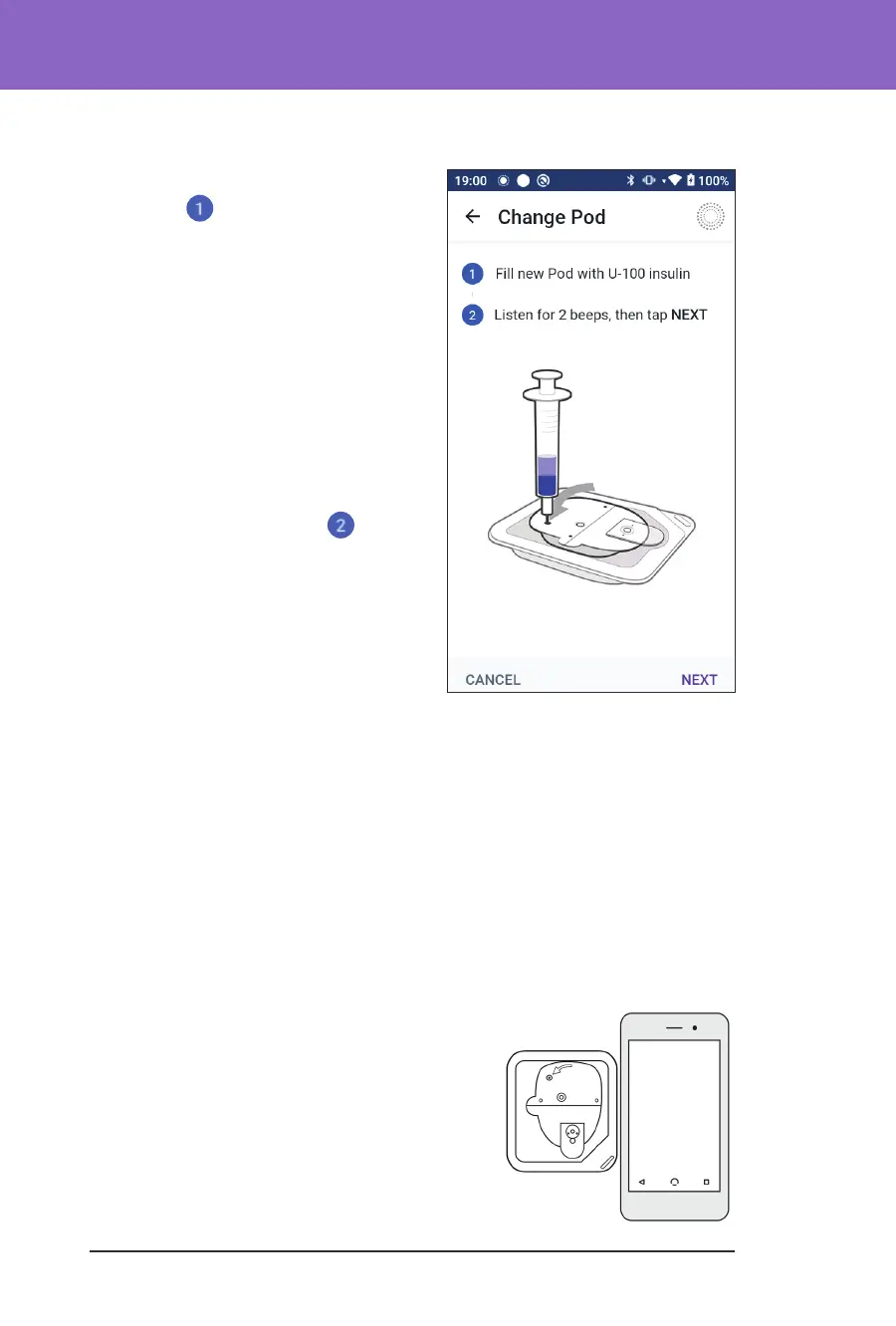
Fill the Pod with Insulin
To ll the Pod with insulin
(screen step
)
1. Locate the arrow on the underside
of the Pod. e arrow points to the
insulin ll port.
Tip: You can leave the Pod in its tray
during lling and activating.
2. Insert the ll syringe straight down –
not at an angle – into the ll port.
3. Depress the ll syringe plunger to
transfer the insulin into the Pod.
Listen for two beeps from the Pod during
the lling process (screen step
):
4. Be sure to completely empty the ll
syringe, even aer hearing the two
beeps.
Note: e Pod must contain a
minimum of 85 units of insulin to
function. e Pod beeps twice aer
it has been lled with 85 units of insulin. If you lled the Pod with more than
85units and still do not hear the two beeps, contact Customer Care.
Note: Aer lling the Pod, continue to the next step immediately. If two
hours pass before activating the lled Pod, the Pod becomes unusable.
5. Remove the needle from the insulin ll port. e port is self-sealing; insulin
will not leak aer the needle is removed.
6. Discard the ll needle in a sharps container.
Activate the Pod
To activate the Pod:
1. Place the Controller next to the Pod so
they are touching. e Pod should be in its
plastic tray during this process.
Note: ALWAYS ensure that no other
Pods are being activated within 6 metres
(20 feet) of your Omnipod 5 App before
lling a Pod. If the App detects more
than one Pod, you will not be able to
proceed.



 To Next Page