77
Activating and Changing Your Pod 55 Activating and Changing Your Pod
2. Tap NEXT.
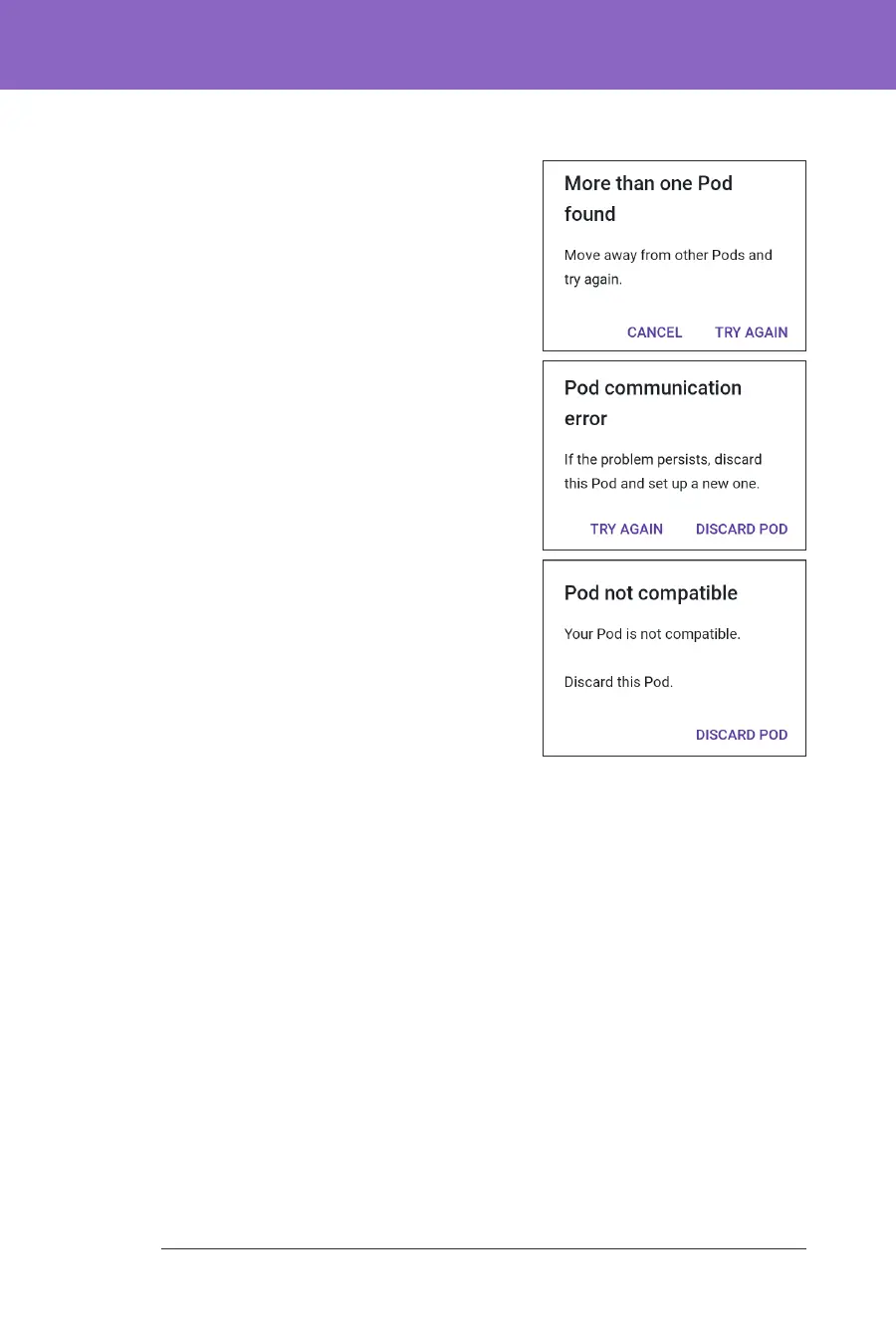
• If more than one, non-paired, lled
Omnipod 5 Pod is in range, the
Omnipod 5 App informs you of this
and prevents you from completing
activation. Move at least 6 metres
(20 feet) away from any other lled
Omnipod 5 Pod and tap TRY AGAIN.
• Only Omnipod 5 Pods are
compatible with the Omnipod 5
System. If you try to use an older Pod
that cannot communicate with the
system, the Omnipod 5 App informs
you of this and prevents you from
completing activation. Tap DISCARD
POD and restart Pod activation with
an Omnipod 5 Pod.
• If the Omnipod 5 App is able to
communicate with the Pod but
detects an incompatible Pod, the
Omnipod 5 App informs you of this
and prevents you from completing
activation. Tap DISCARD POD
and restart Pod activation with an
Omnipod 5 Pod.
3. Listen for the tone from the Omnipod 5
App that indicates that the Pod is activated and ready to be applied.
Note: Aer activating a Pod, the Omnipod 5 App should always be able to
communicate with a Pod that is up to 1.5 metres (5 feet) away. Depending on the
location, the Omnipod 5 App may be able to communicate with a Pod that is as
much as 15 metres (50 feet) away.
Note: Aer activating, the Pod beeps every 5 minutes until you apply it. If you do
not apply it and do not begin insulin delivery within 60 minutes aer activating,
the Pod becomes unusable.
If you see a communication error message when you attempt to activate your Pod,
and you are not using an older Pod, see “Error when activating a Pod” on page 324.



 To Next Page