131
Browsing Your History and Records 1111 Browsing Your History and Records
When insulin delivery is unconrmed
Aer delivering a bolus or basal dose of insulin, the Pod sends a conrmation to
the Omnipod 5 App once completed. If a bolus, basal or total insulin delivery has
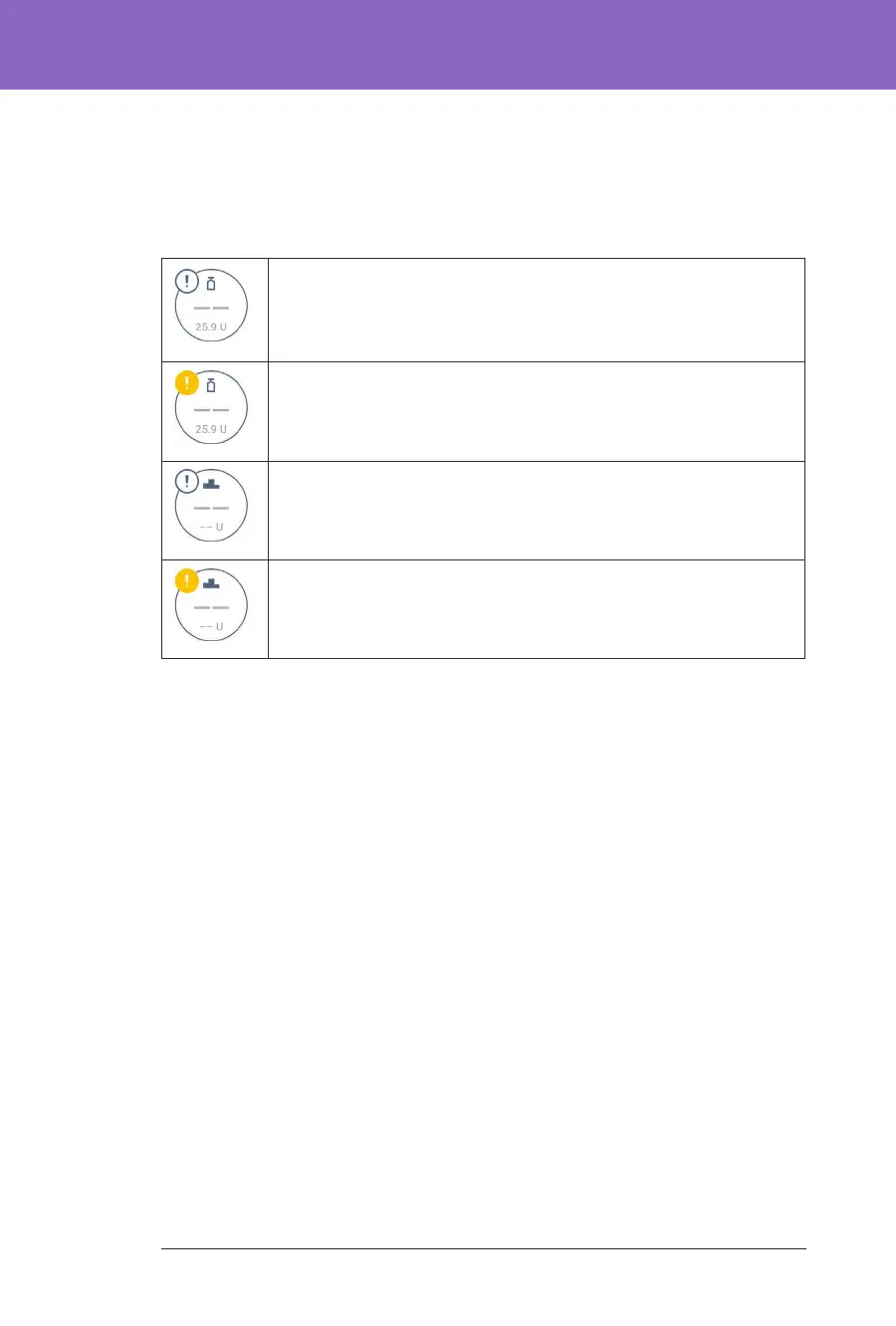
not been conrmed, the following icons will display:
Bolus Insulin amount for the day is displayed as dashes (- -) along
with a grey exclamation mark (!) icon if there are estimated bolus
deliveries. e greyed-out value displayed can consist of both
conrmed and scheduled amounts.
Bolus Insulin amount for the day is displayed as dashes (- -) along
with a yellow exclamation mark (!) icon when the Pod has been
discarded before it could conrm insulin delivery.
Basal Insulin amounts for the day are displayed as dashes (- -)
along with a grey exclamation mark (!) icon when there are
unconrmed insulin deliveries, either bolus or basal.
Basal Insulin amounts for the day are displayed as dashes (- -)
along with a yellow exclamation mark (!) icon when the Pod has
been discarded and there are lost insulin delivery records.



 To Next Page