R&S
®
ZVA / R&S
®
ZVB / R&S
®
ZVT GUI Reference
Trace Menu
Operating Manual 1145.1084.12 – 30 152
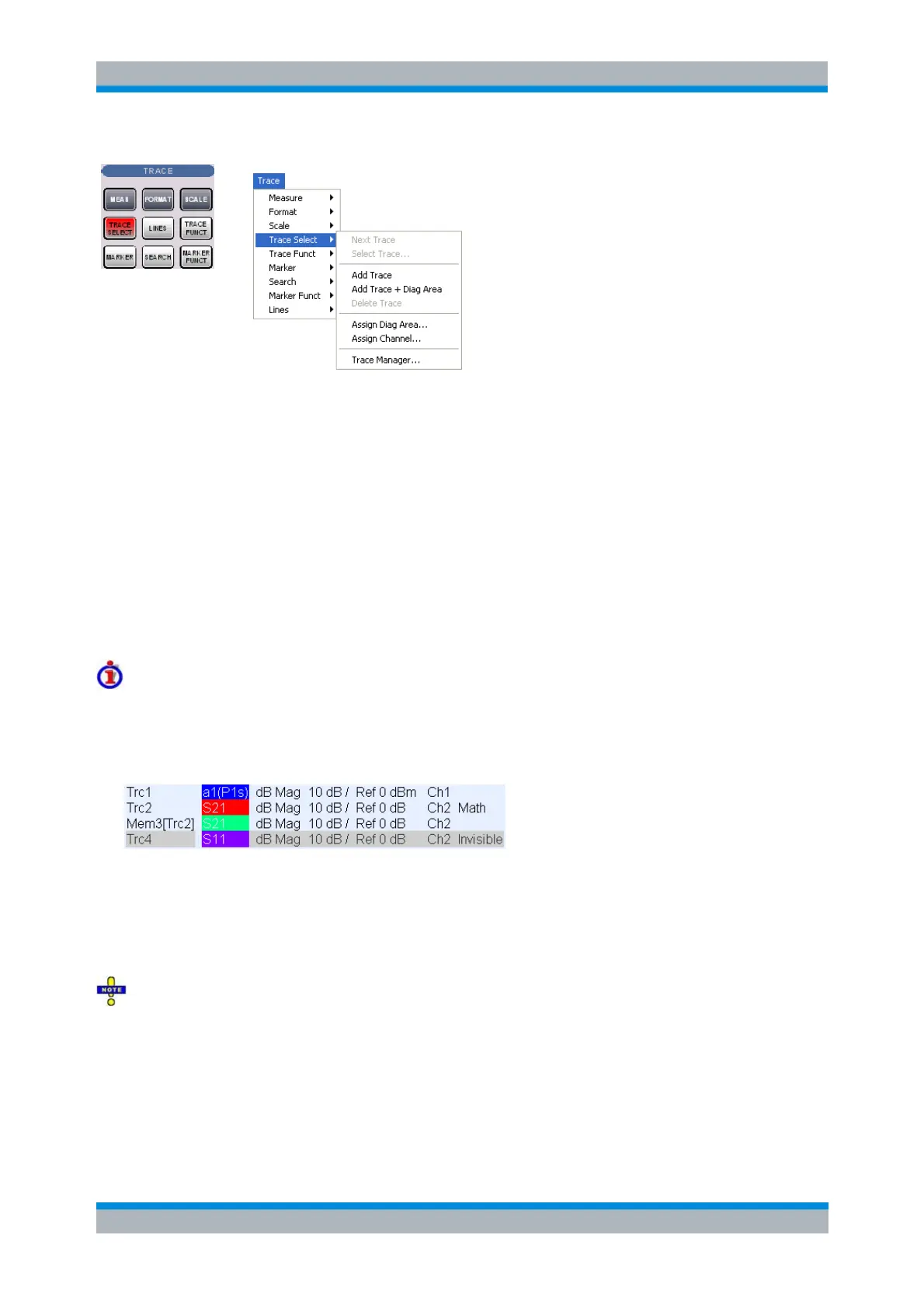
Next Trace selects the next trace as the active trace (disabled if only one trace is defined).
Select Trace opens a box to select an arbitrary trace of the active setup as the active trace
(disabled if only one trace is defined).
Add Trace creates a new trace in the current diagram area.
Add Trace + Diag. Area generates a new trace in a new diagram area.
Delete Trace deletes the active trace.
Assign Channel assigns the active trace to another channel.
Assign Diag. Area assigns the active trace to another diagram area.
Trace Manager opens a dialog to perform the previous actions systematically for all traces and
diagram areas.
Active and inactive traces
The screen can display several diagram areas simultaneously, each with a variable number of traces.
In an active diagram area one of these traces is the active trace. The active trace is highlighted in
the trace list on top of the diagram area (Trc 4 in the figure below):
If an inactive area is selected as the active area, the trace that was active last time when the area
was active will again become the active trace. It is highlighted in the trace list of the inactive
diagram area.
All settings in the Trace menu except the Trace Functions involving a memory trace apply to the active
trace in the active diagram area.
In remote control each channel can contain an active trace. The active remote traces and the active
manual trace are independent of each other; see Active Traces in Remote Control.
Next Trace
Selects the next trace in a series of displayed traces as the active trace. This function is disabled if only
one trace is defined.



 To Next Page