R&S
®
ZVA / R&S
®
ZVB / R&S
®
ZVT GUI Reference
Trace Menu
Operating Manual 1145.1084.12 – 30 161
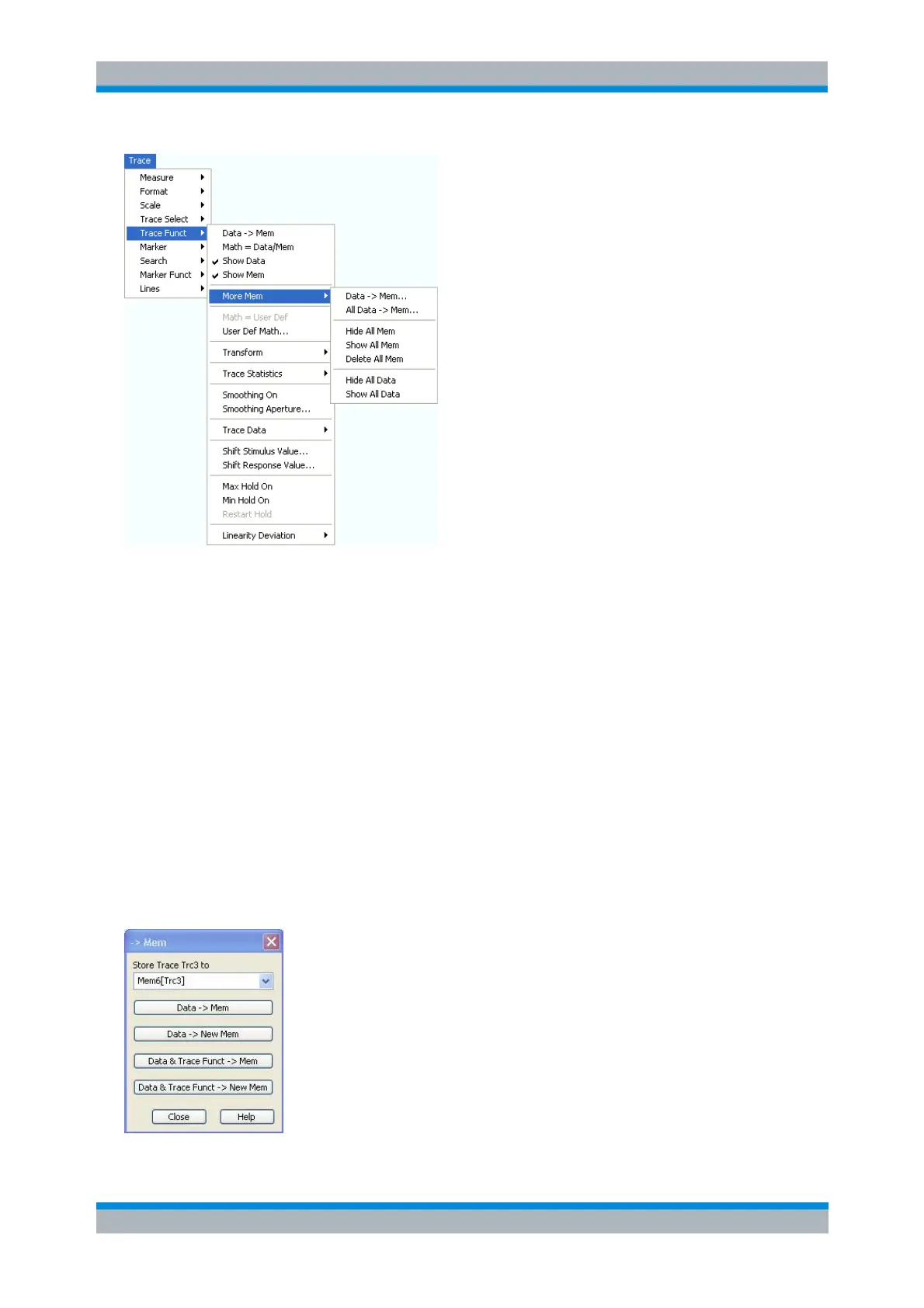
Data —> Mem opens a dialog to store the active trace to a memory trace.
All Data —> Mem opens a dialog to store all traces in the active setup to memory traces.
The remaining functions hide or show all data traces or memory traces. Moreover it is possible to
delete all memory traces in the active setup.
TRACe:COPY <memory_trc>, <data_trc> (copy data trace to memory trace)
DISPlay[:WINDow<Wnd>]:TRACe<WndTr>:SHOW DALL | MALL, ON | OFF (show
or hide all data or memory traces)
CALCulate<Ch>:PARameter:DELete <Trace Name> (delete single data or memory
trace)
CALCulate<Ch>:PARameter:DELete:ALL
CALCulate<Ch>:PARameter:DELete:CALL
Data -> Mem Dialog
The Data -> Mem dialog stores the active trace to a memory trace.



 To Next Page