R&S
®
ZVA / R&S
®
ZVB / R&S
®
ZVT GUI Reference
Trace Menu
Operating Manual 1145.1084.12 – 30 174
Frequency Domain
Selects the frequency domain representation for the active trace. The softkey is enabled if a linear
frequency sweep (Channel – Sweep – Sweep Type – Lin. Frequency) is active.
In frequency domain representation the diagram shows the measured trace as a function of the stimulus
frequency applied to the DUT. The trace corresponds to the results obtained during the frequency sweep,
however, the effect of a time gate is taken into account as long as the Time Gate function is active. The x-
axis corresponds to the sweep range (stimulus range) selected via Channel – Stimulus.
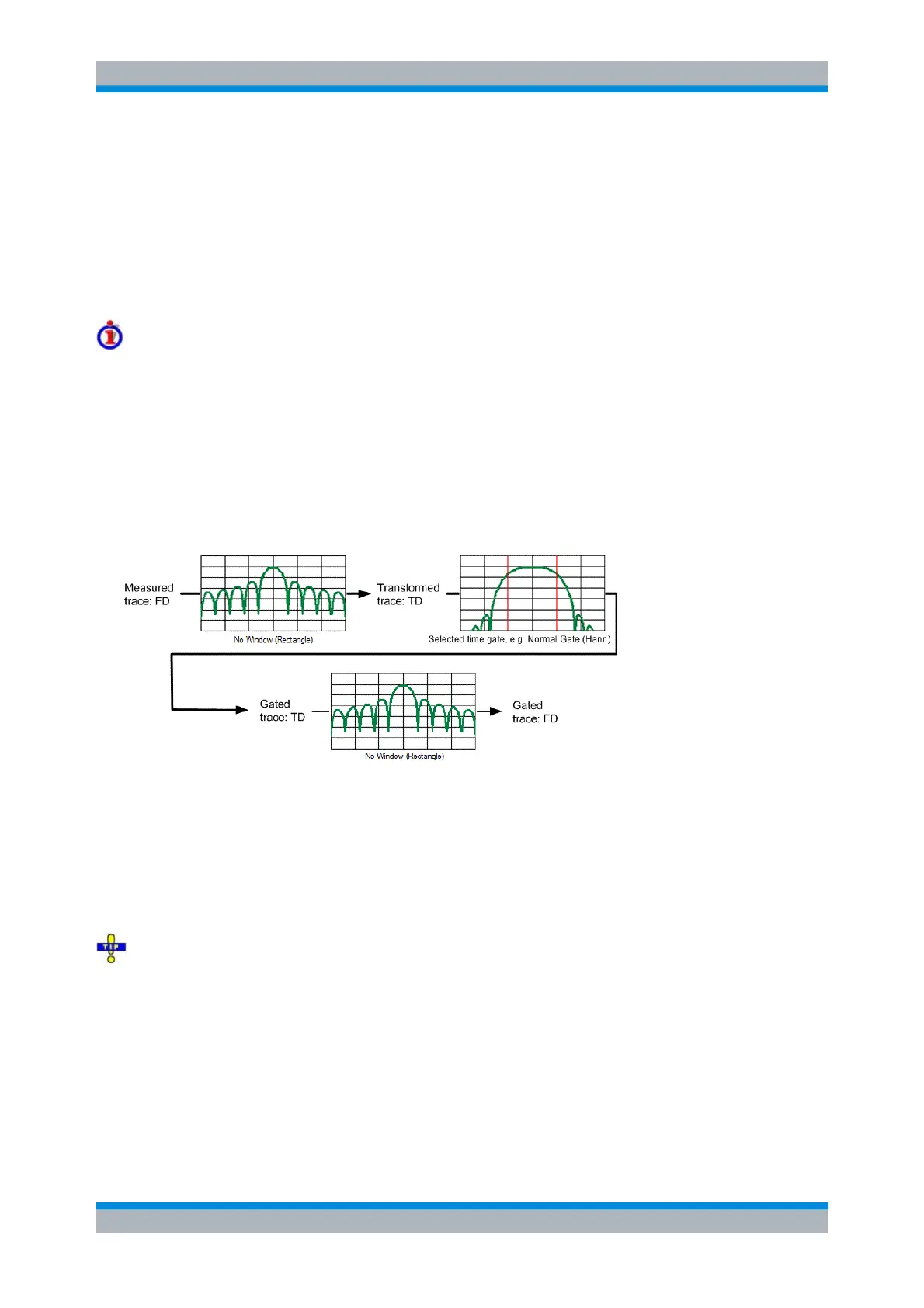
Gated and ungated state of the frequency domain representation
The trace in the frequency domain depends on the state of the Time Gate:
If the gate is disabled, the frequency domain (FD) trace corresponds to the sweep results prior to
the transformation.
If the gate is enabled, the frequency domain trace shown is calculated from the time domain (TD)
trace which is gated and transformed back into the frequency domain.
The analyzer uses fixed No Window (Rectangle) window settings to transform the measured trace into
time domain. The TD trace is gated using the selected time gate. The gated trace is transformed back into
frequency domain using a No Profiling (Rectangle) window.
The shape, width and position of the time gate affect the gated frequency domain trace. The window type
selection in the Define Transform dialog is ignored. The selected window is used again when the TD trace
is displayed (Time Domain: On).
The rectangular No Window (Rectangle) windows minimize numerical inaccuracies near the boundaries of
the measured frequency span.
In the limit where the effect of the time gate vanishes (e.g. a gate of type Notch and a very small width),
the time gated trace is equal to the original measured trace.
In time domain representation, you can use the Time Gate settings in order to eliminate unwanted
responses in your signal. After switching back to the frequency domain, you will receive the frequency
response of your DUT without the contribution of the unwanted responses.
CALCulate<Chn>:TRANsform:TIME:STATe OFF
Time Domain
Selects the time domain representation for the active diagram area. The softkey is enabled if a linear



 To Next Page