R&S
®
ZVA / R&S
®
ZVB / R&S
®
ZVT GUI Reference
Channel Menu
Operating Manual 1145.1084.12 – 30 279
Any trigger event may start an entire sweep or a part of it. Moreover, it is possible to switch off the RF
source between consecutive triggered measurement sequences, and to define a delay between trigger
events and the measurement sequences.
The trigger settings are also valid for calibration sweeps (see Measure Standards dialog). This means
that, in external trigger mode, the external trigger signal must be available during the system error
correction, too. To start the calibration sweeps without delay, use the Free Run trigger type.
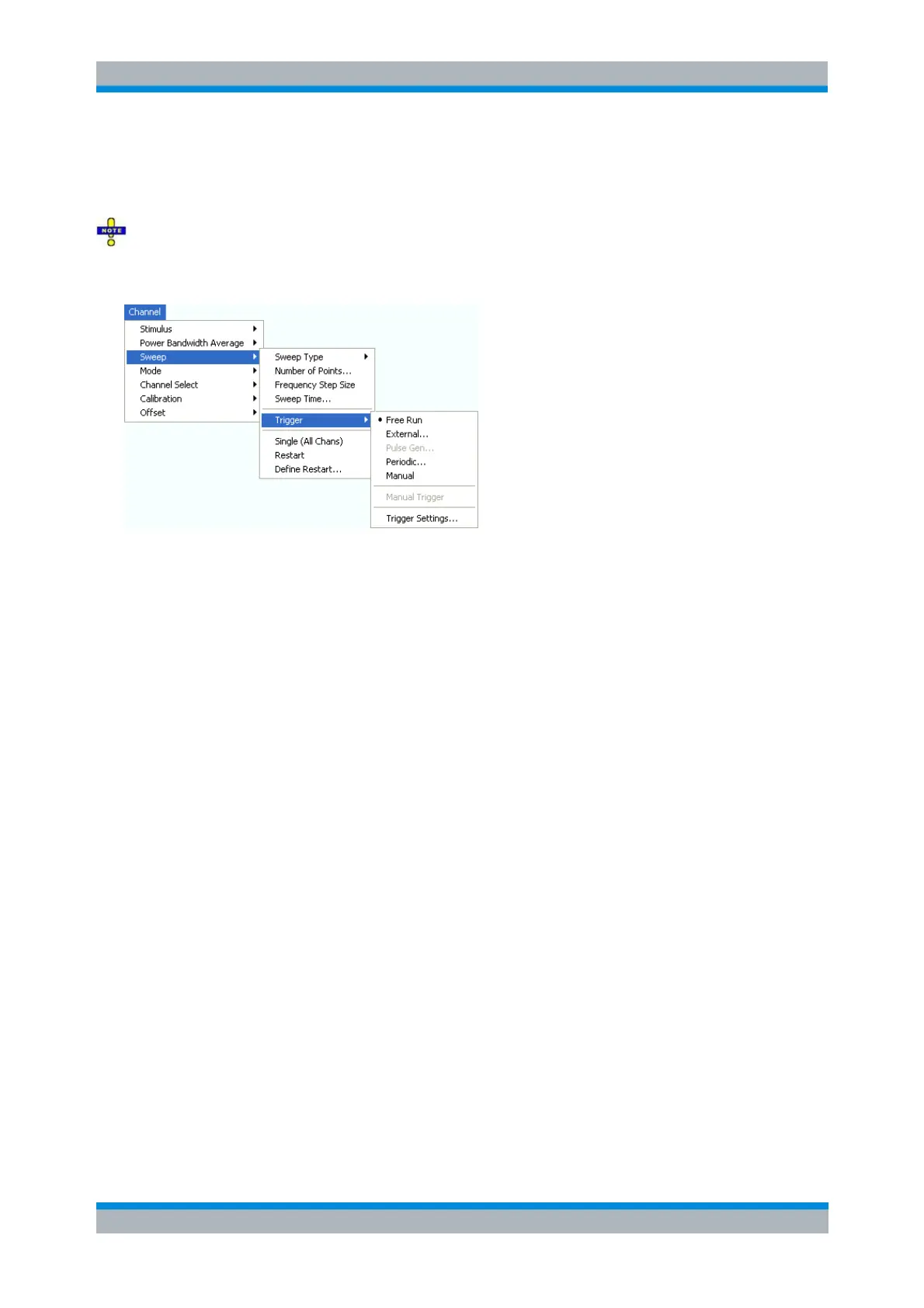
Free Run is the default trigger mode. A new measurement is started immediately without waiting
for a trigger signal and without fixed time reference.
The External trigger signal is applied to the EXT TRIGGER or USER CONTROL connector at the
rear panel.
The Pulse Gen trigger signal is generated by the internal pulse generator of the analyzer
The Periodic trigger signal is provided by an internal clock generator.
In Manual trigger mode, the trigger signal is generated on pressing the Manual Trigger softkey.
Trigger Settings opens a dialog to specify the operation that the analyzer carries out after
receiving a trigger event.
Free Run
In Free Run mode a new measurement is started immediately without waiting for a trigger event and
without fixed time reference.
Free Run means that a measurement in Continuous Sweep mode is repeated as fast as possible.
TRIGger[:SEQuence]:SOURce IMMediate
External
In External trigger mode the measurement is triggered by a low-voltage (3.3 V) external TTL signal applied
either to the BNC connector EXT TRIGGER or to pin 2 of the USER CONTROL connector at the rear
panel. The two trigger inputs are equivalent; no additional setting for signal routing is required.
Selecting External opens a dialog to select whether the rising or the falling edge of the external trigger
signal provides the trigger event.



 To Next Page