R&S
®
ZVA / R&S
®
ZVB / R&S
®
ZVT GUI Reference
Channel Menu
Operating Manual 1145.1084.12 – 30 278
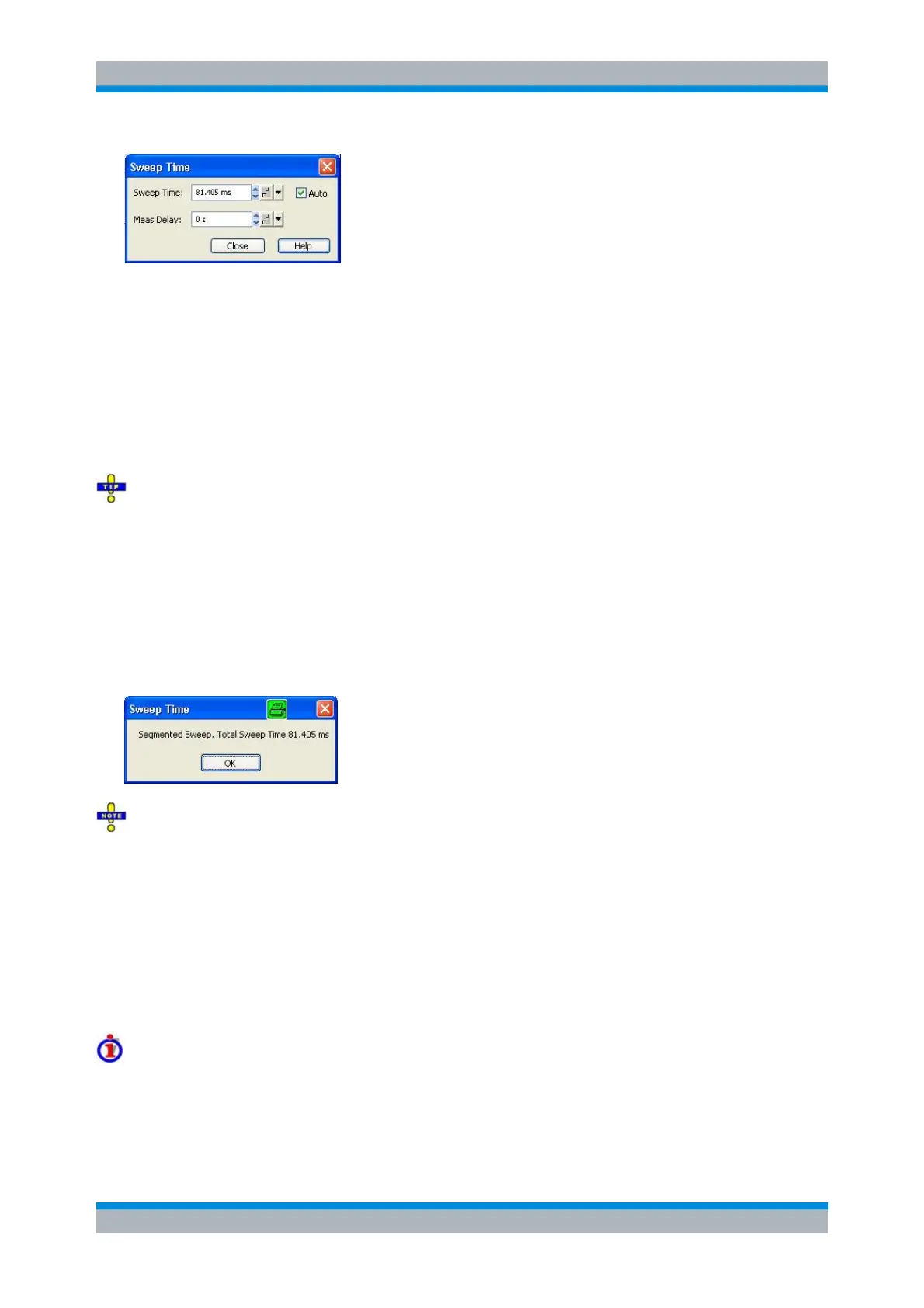
Auto minimizes the sweep time. If this option is checked, the input fields Sweep Time and Meas.
Delay can not be edited. Sweep Time indicates the estimated sweep time, taking into account the
current measurement settings, the Meas. Delay is 0 s. The Sweep Time and Meas. Delay values
are maintained until changed explicitly if Auto is switched off.
Sweep Time is the total measurement time for the sweep. The minimum sweep time to be set is
equal to the estimated value in the Auto mode. Setting a larger sweep time is equivalent to
defining a Meas. Delay before each partial measurement.
Meas. Delay sets a delay time allowing the DUT to settle before the hardware settings of the
analyzer are changed and a new partial measurement is started.
Meas. Delay
A delay time before the start of each partial measurement increases the accuracy, in particular in
measurements on DUTs with long settling times (e.g. quartz oscillators, SAW filters). As an alternative to
increasing the delay (and thus the total sweep time), it is possible to select Alternate sweep.
The Auto and Sweep Time settings are not active in the Time and CW Mode sweep types. The Meas.
Delay is taken into account for all sweep types.
In Segmented Frequency sweeps, the sweep time parameters can be set independently for each
segment; see Define Segments. Sweep Time opens a message box indicating to total sweep time, i.e. the
sum of the individual sweep segment times.
In general, the system error correction is no longer valid after a change of the sweep time. The
message Cal? appears in the trace list.
[SENSe<Ch>:]SWEep:TIME:AUTO
[SENSe<Ch>:]SWEep:TIME
[SENSe<Ch>:]SWEep:DWELl
Trigger
The Trigger submenu selects the source of the trigger signal and provides additional Trigger Settings.
Trigger system of the analyzer
The trigger system is used to synchronize the analyzer's actions with events that can be provided by an
internal or external signal or user-generated (Manual Trigger). Triggered measurements are an alternative
to the default mode (Free Run, Continuous Sweep), where the measurement is continuously repeated
without fixed time reference.



 To Next Page