R&S
®
ZVA / R&S
®
ZVB / R&S
®
ZVT GUI Reference
Channel Menu
Operating Manual 1145.1084.12 – 30 295
Relation between channel frequency and port frequencies
The stimulus frequency f
b
is defined by the following sweep settings:
For a frequency sweep or segmented frequency sweep, the channel frequency is equal to the
stimulus range.
For a power, time or CW Mode sweep, the channel frequency is equal to the fixed CW Frequency.
This linear frequency conversion formula has been modeled according to the needs of a typical frequency-
converting measurement where mixer products and harmonics occur (see also the special Mixer Mode
and Harmonic Distortion measurements). The port frequencies f (source frequency f
s
or receiver
frequency for the reference channel and the measurement channel fra/frb) are related to the stimulus
frequency as follows:
k and m must be integer numbers, l and n nonzero positive integers. c must a multiple of 1 Hz. Moreover
the total port frequency is rounded to an integer Hz-value.
A port frequency that is used as a reference frequency must be a function of the channel base
frequency f
b
. The analyzer prevents inconsistent settings: E.g. if the source frequency at port 1 is selected
as a reference frequency (Stimulus dialog, Frequency – Enter & Display: Port 1 Source), the 0 Hz radio
button in the Port 1 Source Frequency dialog becomes unavailable.
Use the Stimulus dialog to change all port frequencies based on an arbitrary reference frequency.
SOURce<Ch>:FREQuency<Pt>:CONVersion:ARBitrary:IFRequency
SOURce<Ch>:FREQuency<Pt>:CONVersion:ARBitrary:EFRequency<Gen>
[SENSe<Ch>:]FREQuency:CONVersion:ARBitrary
[SENSe<Ch>:]FREQuency:CONVersion:ARBitrary:PMETer<Meter>
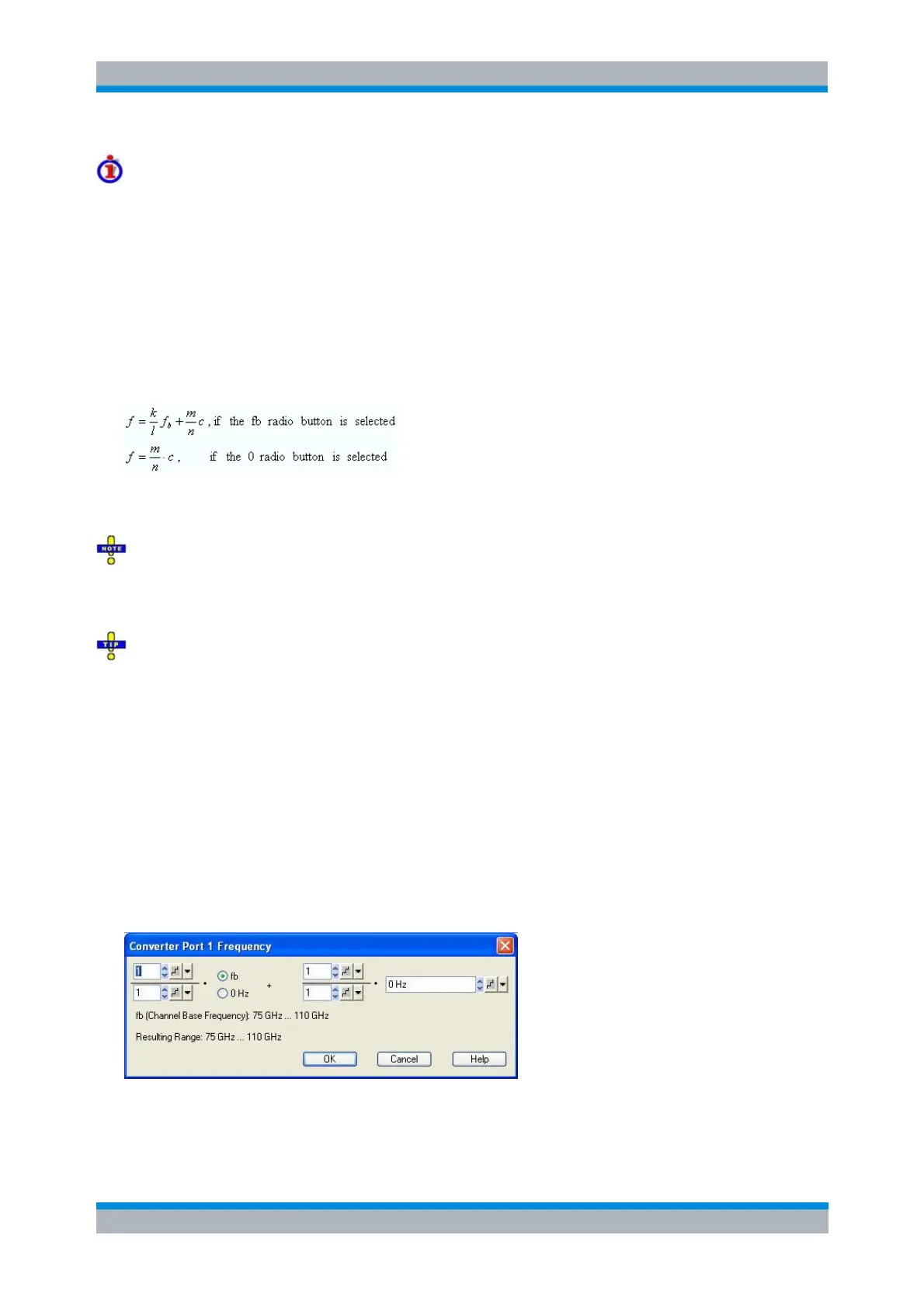
Converted Frequencies for Frequency Converters (R&S ZVA and R&S ZVT)
The Converter Port <n> Frequency dialog defines the frequency axis for the source power calibration; it
does not actually affect the converter output frequency. The dialog is similar to the Port <n> Frequency
dialog (for network analyzer ports). It can be opened from the Source section of the Port Configuration
dialog if a frequency converter test setup is active.
For more information and an example refer to section Power and Frequency Settings.



 To Next Page