R&S
®
ZVA / R&S
®
ZVB / R&S
®
ZVT GUI Reference
Channel Menu
Operating Manual 1145.1084.12 – 30 427
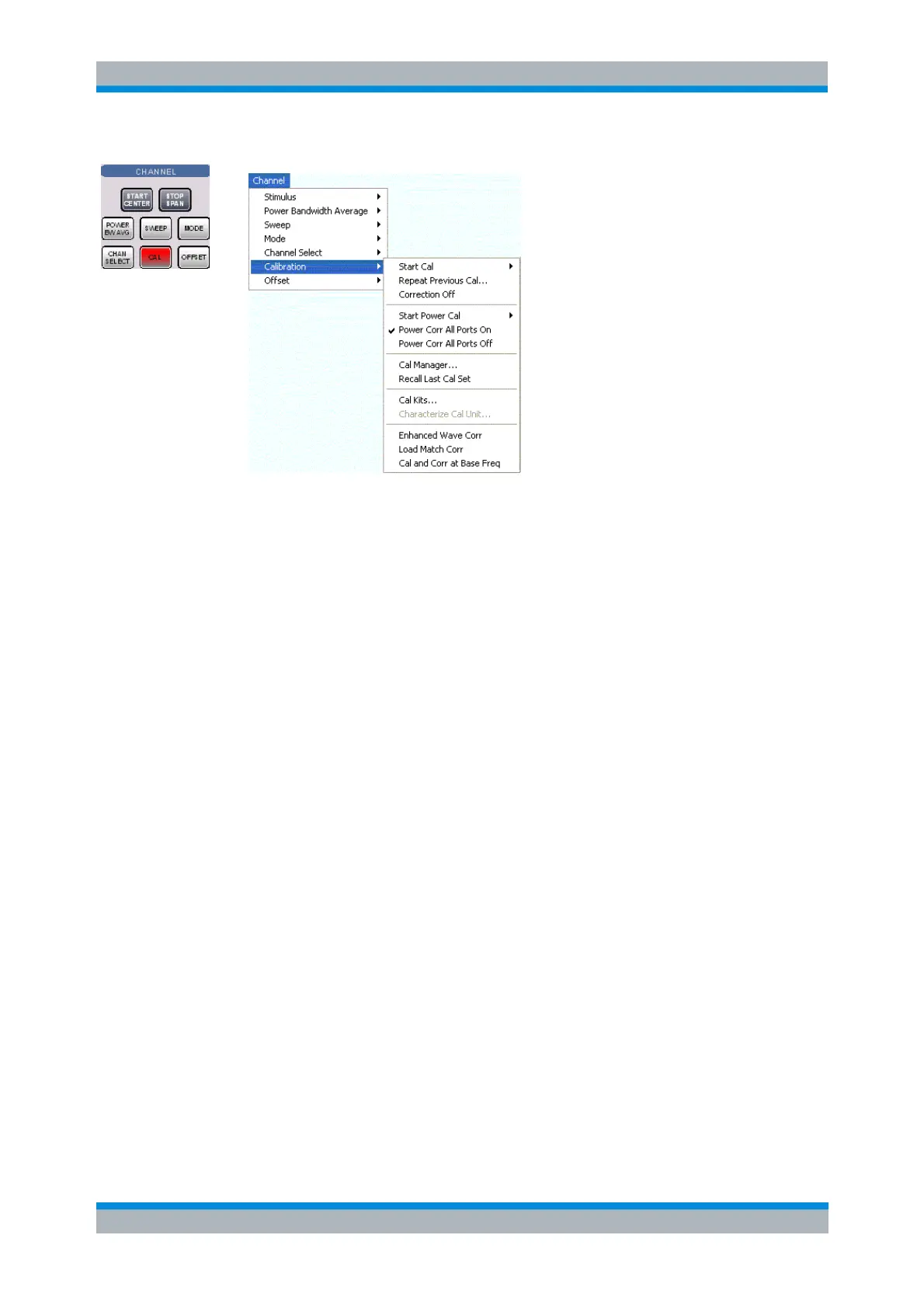
Start Cal opens a submenu to select a new calibration and start the calibration wizard.
Repeat Previous Cal reopens the wizard to repeat and optimize the previous calibration.
Correction Off activates or deactivates the system error correction in the active channel.
Start Power Cal opens a submenu controlling the source and receiver power calibration.
Power Corr All Ports On (re-)applies the current power calibration to the active channel.
Power Corr All Ports Off disables the power calibration in the active channel.
Cal Manager opens a dialog to store system error correction data to a Cal Pool and to assign
correction data to channels.
Recall Last Cal Set loads and activates the setup for which the last calibration was performed.
Cal Kits opens a dialog to manage the calibration kits in use, add new kits and import or export
kits.
Characterize Cal Unit... opens a dialog to select a characterization file for a calibration unit or start
a new characterization of the cal unit.
Enhanced Wave Corr activates or deactivates the system error correction of all a- and b-waves
which are related to the ports of the active calibration.
Load Match Corr activates or deactivates a load match correction (after previous enhanced wave
correction).
Cal and Corr at Base Freq forces power calibrations and system error corrections to be performed
at the channel base frequency.
Start Cal
The Start Cal submenu selects the calibrated ports and the calibration type.



 To Next Page