R&S
®
ZVA / R&S
®
ZVB / R&S
®
ZVT GUI Reference
Channel Menu
Operating Manual 1145.1084.12 – 30 428
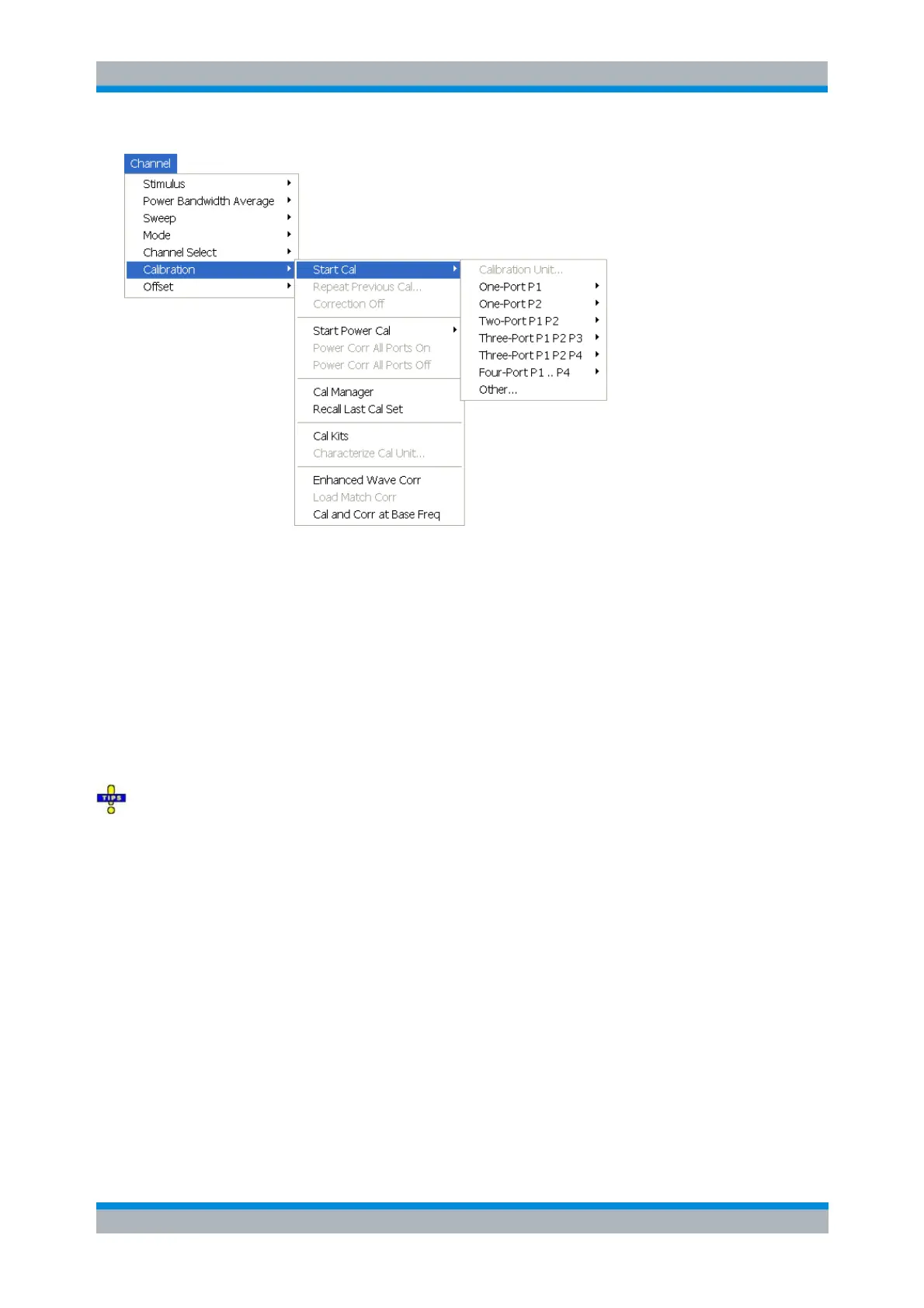
The calibration types depend on the number of test ports of the analyzer. For a four-port unit:
Calibration Unit opens the dialog for automatic one-port or multi-port calibration using a calibration
unit.
One-Port P1 and One Port P2 open submenus to select a one-port calibration at test ports PORT
1 and PORT 2, respectively.
Two-Port P1 P2 opens a submenu to select a two-port calibration at test ports PORT 1 and PORT
2.
Three-Port P1 P2 P3, Three-Port P1 P2 P4 and Four-Port P1 ... P4 open submenus to select a
three- or four-port calibration at the respective test ports.
Other... opens the calibration wizard to select a calibration type for an arbitrary number of ports.
Use Other... if you wish to perform several calibrations in a single measurement sequence and with a
minimum of effort. The Other... calibration wizard allows you to measure a particular standard and reuse
the results for different calibration types.
[SENSe<Ch>:]CORRection:COLLect:METHod:DEFine '<cal_name>', REFL |
RSHort | FOPort | FRTRans | OPTPort | TOSM | TOM | TRM | TRL | NMTRl
| TNA | UOSM, <port_no>[,<port_no>][,<port_no>][,<port_no>]
One Port P1, One Port P2
Opens a submenu to select a one-port calibration at test ports PORT 1 or PORT 2. The two submenus are
identical:



 To Next Page