R&S
®
ZVA / R&S
®
ZVB / R&S
®
ZVT GUI Reference
System Menu
Operating Manual 1145.1084.12 – 30 519
External Generators
Frequency Converter
LXI Configuration
Matrix Configuration
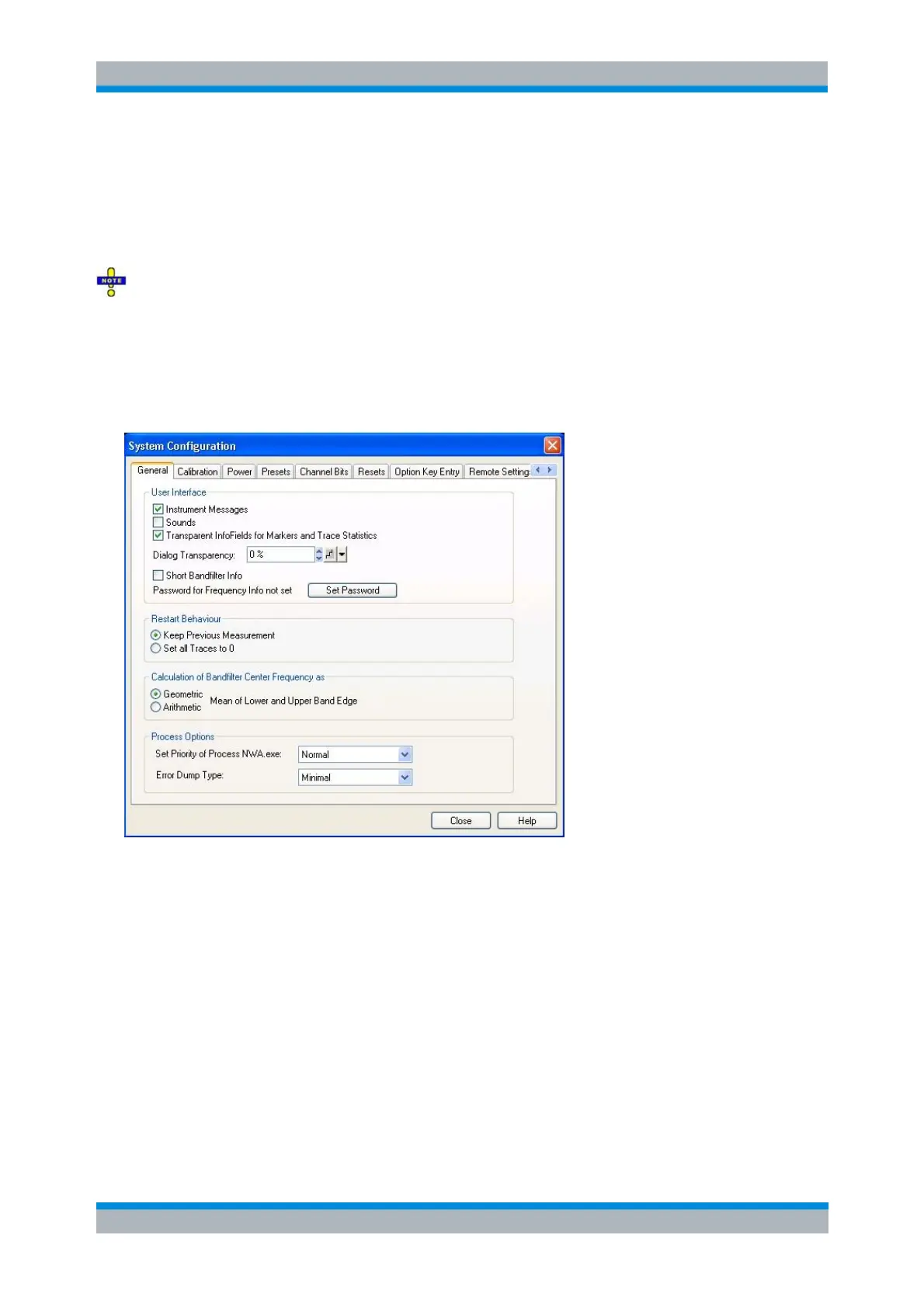
The System Configuration comprises global settings that are not affected by a preset of the
instrument (Preset or *RST).
General
Provides user interface configurations and other general settings.
The settings in the General tab are arranged in several panels.
The check boxes in the User Interface panel switch the instrument messages, acoustic messages,
or transparent info fields for markers and trace statistics on or off. Sounds are generated when the
analyzer generates a notice/status message or a warning (alarm sounds) or during calibration.
The settings are also valid if the instrument is remote-controlled. Transparent info fields do not
hide an underlying trace.
Dialog Transparency varies the transparency of all dialogs on a scale between 0% and 100%. 0%
transparency means that dialogs completely hide the diagram area in the background. With a
maximum transparency of 100%, the dialogs are still visible but clearly show the underlying traces
and display elements.
Short Bandfilter Info reduces the size and contents of the bandfilter info field; see Search Markers
and Result Off: Results are described in abbreviated form; values are rounded to 5 decimal
places.
Password for Frequency Info allows you to enter a password to permanently suppress all



 To Next Page