R&S
®
ZVA / R&S
®
ZVB / R&S
®
ZVT GUI Reference
System Menu
Operating Manual 1145.1084.12 – 30 524
SOURce<Ch>:POWer<Pt>:GENerator<Gen>:LLIMit[:STATe]
SOURce<Ch>:POWer<Pt>:GENerator<Gen>:LLIMit:VALue
SOURce<Ch>:TDIF:WAVes SENDed | DCMode
OUTPut:STATe:TYPE
SOURce<Ch>:POWer<Pt>:REDuce
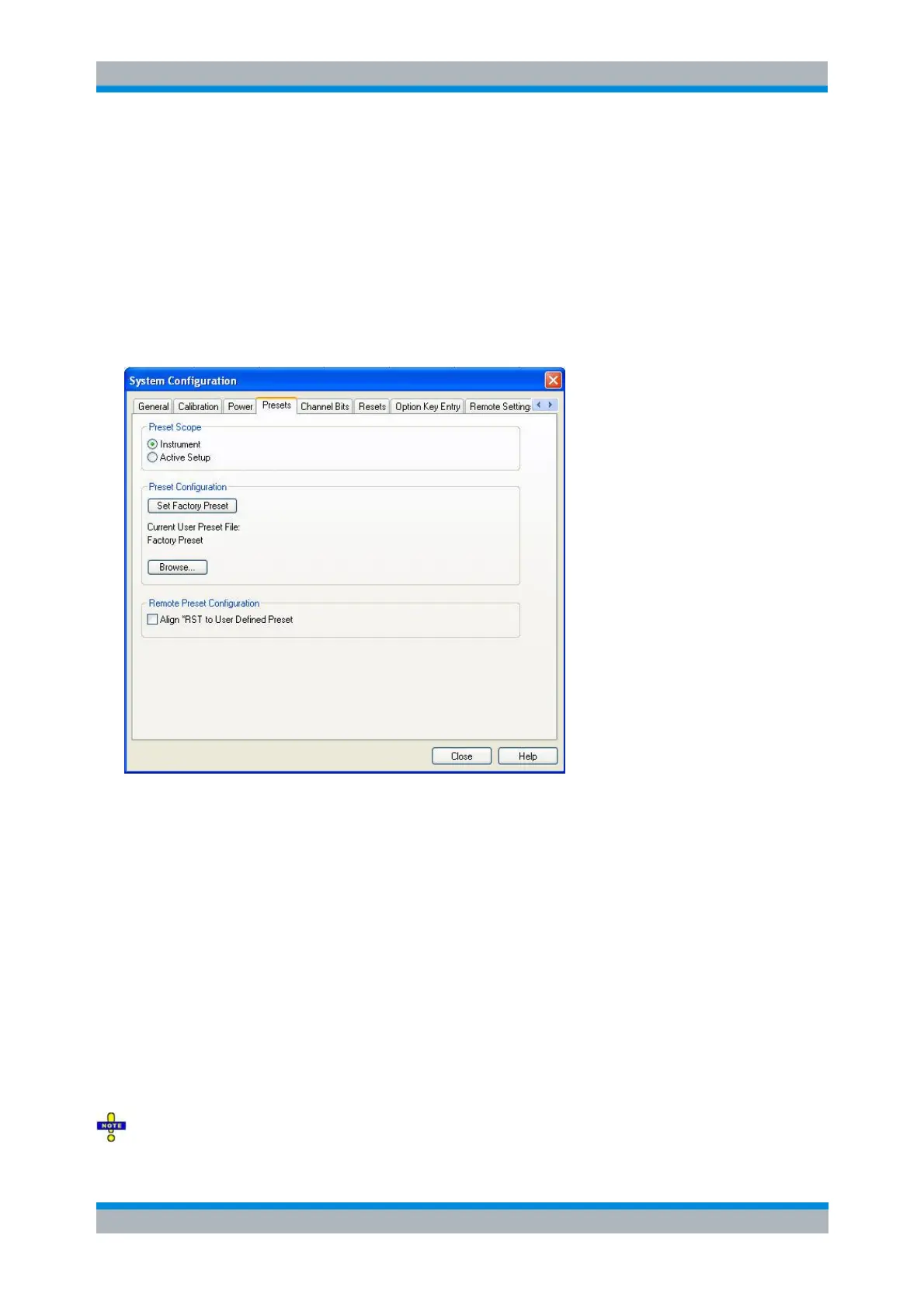
Presets
This tab specifies the preset behavior of the network analyzer.
The Preset Scope defines whether a Preset should restore default settings for the Active Setup only, or if
it should preset the Instrument by closing all open setups and creating a single setup "Set1" with default
settings.
The Preset Configuration panel allows to specify the default setup to be used for new setups (File > New)
or as Preset: press Set Factory Preset to use the factory-defined setup or press Browse... to select a user-
defined setup file (User Preset File).
If the selected User Preset File cannot be accessed (e.g. because it was deleted or moved) or cannot be
loaded (e.g. because it contains mismatching frequency converter settings), the Factory Preset is used as
a fall-back.
Note that a Preset does not affect the global settings of the System Configuration dialog.
The Remote Preset Configuration pane allows to define how the remote commands *RST and
SYSTem:PRESet restore default settings:
If Align *RST to User Defined Preset is not selected, they always restore the Factory Preset
If Align *RST to User Defined Preset is selected, they restore the same settings (Factory Preset
or User Preset File) as a Preset would do
The scope of the *RST command is always the Instrument, while the scope of the SYSTem:PRESet



 To Next Page