R&S
®
ZVA / R&S
®
ZVB / R&S
®
ZVT GUI Reference
System Menu
Operating Manual 1145.1084.12 – 30 551
where knowledge of the absolute powers of wave quantities a and b is required. Proceed as follows:
1. Ensure that the output power of the frequency converter is not attenuated (adjust the knurled knob
at the top of the converter to 2 mm). For R&S ZCxxx converters, rotate the knob counter-
clockwise until the stop is reached.
2. Connect an appropriate external waveguide power meter to the waveguide flange and open the
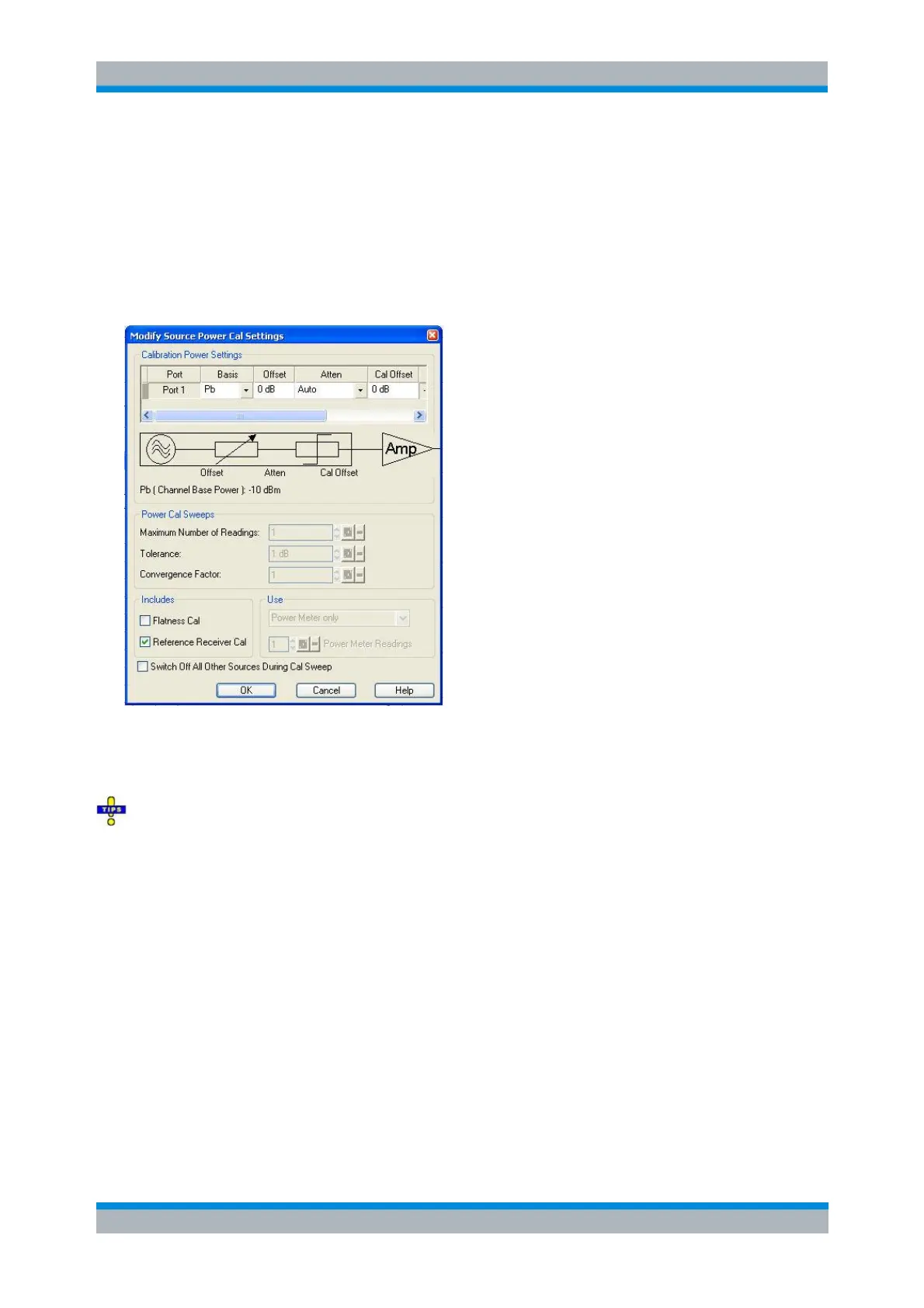
Channel – Calibration – Start Power Cal – Source Power Cal dialog (see Source Power Cal).
3. Click Modify Settings and disable Flatness Cal, leaving Reference Receiver Cal checked.
4. Start the calibration sweep.
This power calibration procedure ensures a reasonable accuracy of the reference power readings over a
wide range of converter output powers (i.e. even if the adjusting knob is used to reduce the powers).
A receiver power calibration of the b waves (without external power meter) is possible after
completion of the power calibration of an a wave. Use a through connection in order to calibrate the b
wave of a second converter, or a short circuit to calibrate b on the same converter. Having performed a
receiver power calibration for the a wave allows one to adjust the mechanical attenuator and to observe
the effect on the power-calibrated a trace on the screen in real time.
SOURce:POWer:CORRection:COLLect:FLATness OFF
SOURce:POWer:CORRection:COLLect:RRECeicver ON
SOURce<Ch>:POWer<Pt>:CORRection[:ACQuire]
[SENSe<Ch>:]CORRection:POWer:ACQuire
Power Calibration for Converters with Electronic Attenuators
A source power calibration for a frequency converter requires an appropriate external power meter, to be
connected to the converter's waveguide flange. Waveguide power meters are configured in the usual way
using the System Configuration – External Power Meters tab.



 To Next Page