7.3
Date Code 20100129 Instruction Manual SEL-751A Relay
Communications
Communications Interfaces
Fiber-Optic Serial
Port
Use the optional fiber-optic port for safety and large (500 m to 8 km)
communications distances.
Ethernet Port
Use the Ethernet port for interfacing with an Ethernet network environment.
SEL-751A Ethernet port choices include single or dual copper or fiber-optic
configurations. With dual Ethernet ports the unit has an unmanaged Ethernet
switch. Redundant configurations support automatic failover switching from
primary to backup network if a failure in the primary network is detected. In
addition to failover mode, the unit can operate in a “fixed connection (to
netport) mode” or in a “switched mode” (as an unmanaged switch).
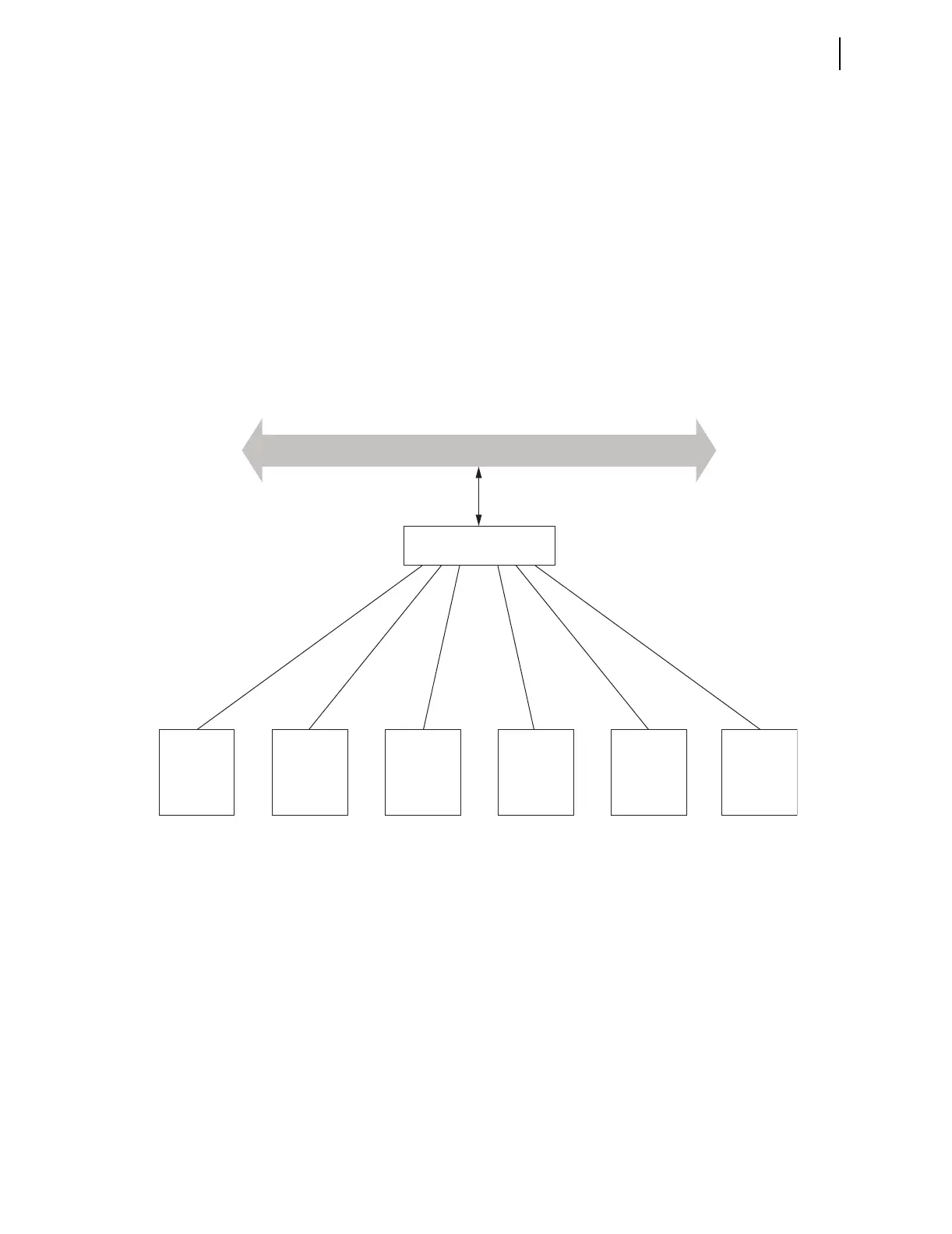
Figure 7.1 shows an example of a Simple Ethernet Network Configuration,
Figure 7.2 shows an example of an Ethernet Network Configuration with Dual
Redundant Connections, and Figure 7.3 shows an example of an Ethernet
Network Configuration with Ring Structure.
Figure 7.1 Simple Ethernet Network Configuration
SEL-710
SEL-787SEL-710SEL-751A SEL-751A SEL-751A
Ethernet Switch
NETWORK
CAT 5 shielded twisted pair (STP) cables with
RJ-45 connectors (SEL-C627/C628) for
copper Ethernet ports
OR
Fiber-optic Ethernet cables with
LC connectors (SEL-C807) for
fiber-optic Ethernet ports
Set Port 1 (Ethernet) settings in each relay. For relays with
single Ethernet ports, specify copper or fiber-optic network.
Port 1 Port 1Port 1Port 1Port 1Port 1



 To Next Page