3.8
SEL-751A Relay Instruction Manual Date Code 20100129
PC Software
Settings
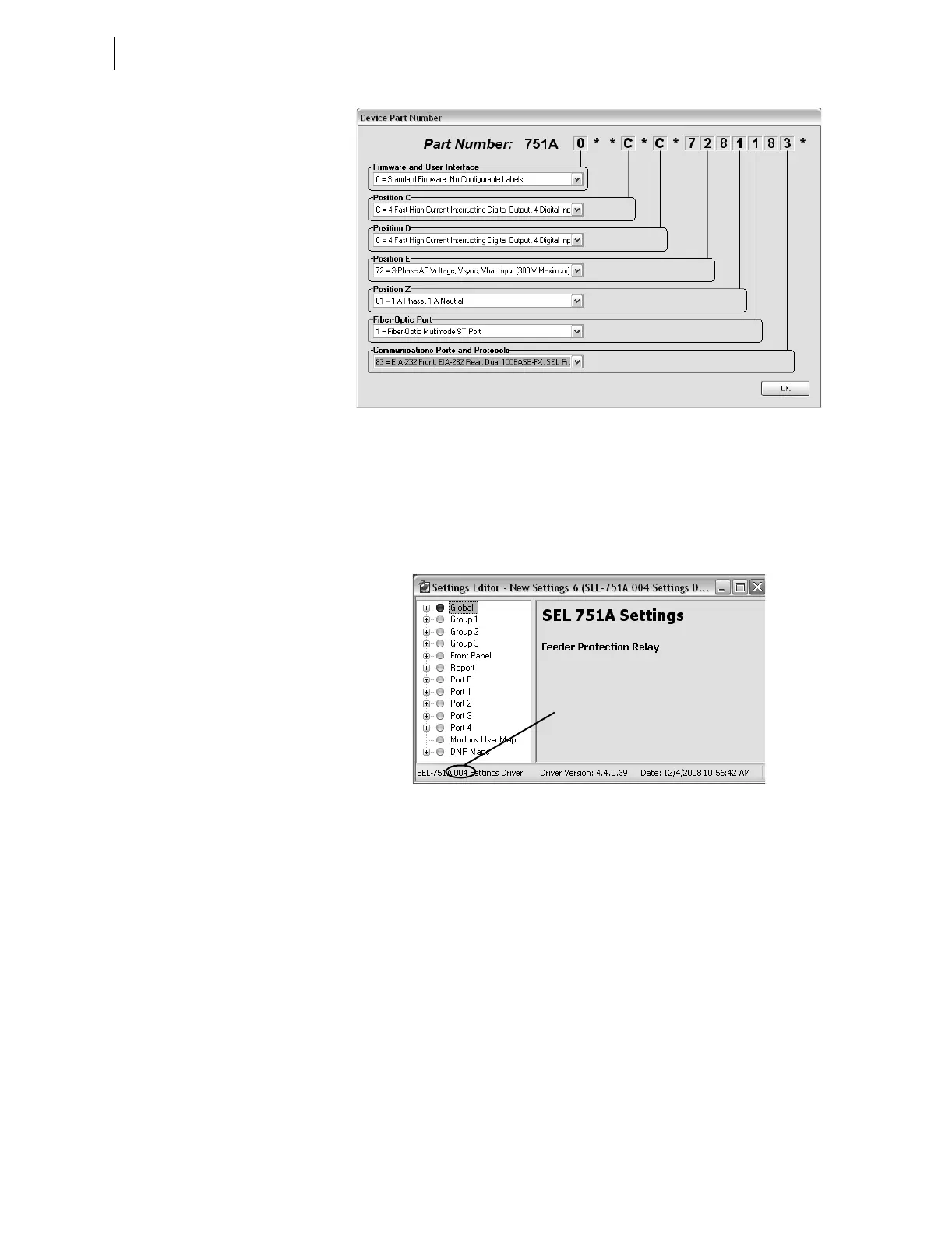
Figure 3.7 Update Part Number
Figure 3.8 shows the Settings Editor screen. View the bottom of the Settings
Editor window to check the Settings Driver number. Compare the
ACSELERATOR QuickSet Settings Driver number and the first portion of the
Z number in the FID string (select Tools > HMI > HMI > Status). These
numbers must match.
ACSELERATOR QuickSet uses this first portion of the Z
number to determine the correct Settings Editor to display.
Figure 3.8 New Setting Screen
File > Open
The Open menu item opens an existing device from the active database folder.
ACSELERATOR QuickSet prompts for a device to load into the Settings
Editor.
File > Read
When the Read menu item is selected, ACSELERATOR QuickSet reads the
device settings from a connected device. As
ACSELERATOR QuickSet reads
the device, a Transfer Status window appears.
ACSELERATOR QuickSet uses
serial protocols to read settings from SEL devices.



 To Next Page