D.18
SEL-751A Relay Instruction Manual Date Code 20100129
DNP3 Communications
DNP3 in the SEL-751A
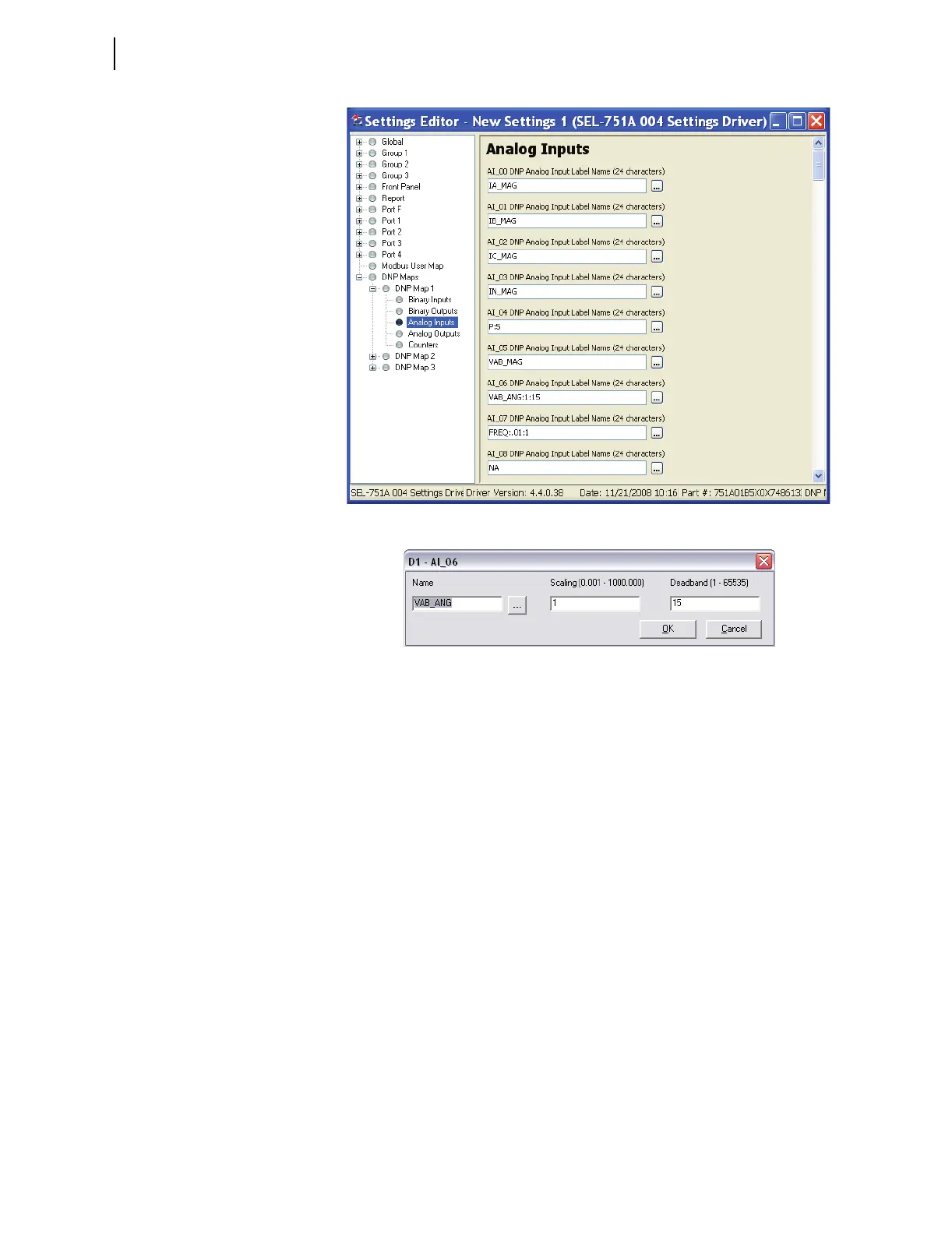
Figure D.6 Analog Input Map Entry in ACSELERATOR QuickSet Software
Figure D.7 AI Point Label, Scaling and Deadband in
ACSELERATOR QuickSet
Software
The SET DNP x CO_00 <Enter> command allows you to populate the DNP
counter map with per-point dead bands. Entering these settings is similar to
defining the analog input map settings.
You can use the command SET DNP x BO_00 TERSE <Enter> to change
the binary output map x as shown in Figure D.8. You may populate the custom
BO map with any of the 32 remote bits (RB01–RB32). You can define bit
pairs in BO maps by including a colon (:) between the bit labels.



 To Next Page