3.14
SEL-751A Relay Instruction Manual Date Code 20100129
PC Software
Meter and Control
Click on the Targets button to view the status of all the Relay Word bits.
When a Relay Word bit has a value of 1 (ENABLED = 1), the Relay Word bit
is asserted. Similarly, when a Relay Word bit has a value of 0 (RB02 = 0), the
Relay Word bit is deasserted.
The Status and SER screens display the same information as the ASCII STA
and SER commands.
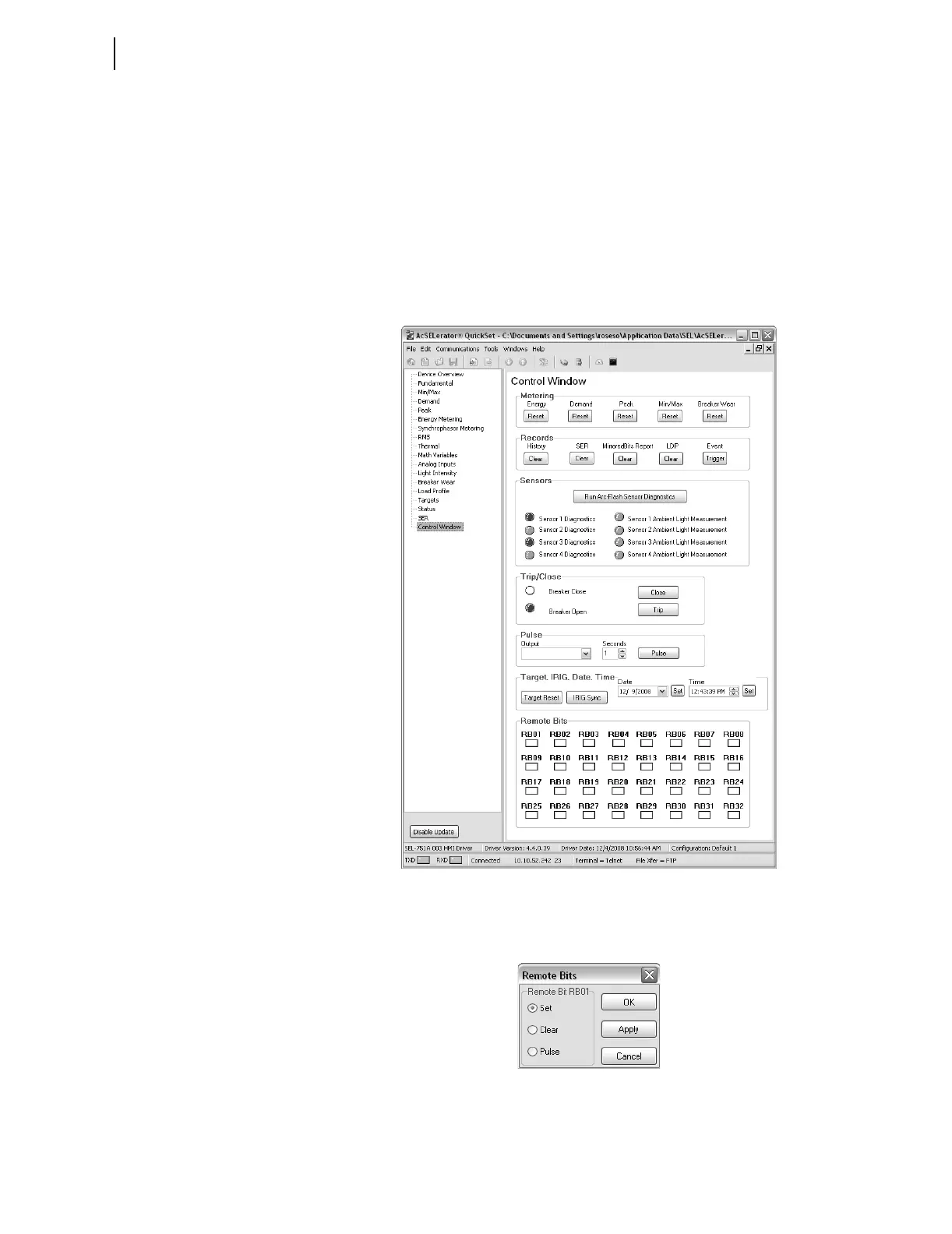
Figure 3.13 shows the control screen. From here you can reset metering data
clear the Event History, SER, M
IRRORED BITS report, LDP, or trigger events.
You can also reset the targets, synchronize with IRIG, and set the time and
date. If supported, you can run arc-flash sensor diagnostic tests.
Figure 3.13 Control Screen
To control the Remote bits, click on the appropriate square, then select the
operation from the box shown in Figure 3.14.
Figure 3.14 Remote Operation Selection



 To Next Page