166
Key Setting Operations Using Menus
Chapter 4 Keys
The Type menu appears.
2
In the <Key Fill> group, select either of the following for use as key fill.
Key Bus: signal selected on the key 1 fill bus
Matte: signal from the dedicated color matte generator
3
If you selected [Key Bus] in step 2, press the key delegation button
[KEY1] in the cross-point control block and select the key fill signal in the
key row.
4
If you selected [Matte] in step 2, in the same Type menu, press the [Matte
Adjust] button to display the Matte Adjust menu, then adjust the single-
color or two-color combination color matte. Select whether to use a single-
color matte or a two-color combination in the <Fill Matte> group.
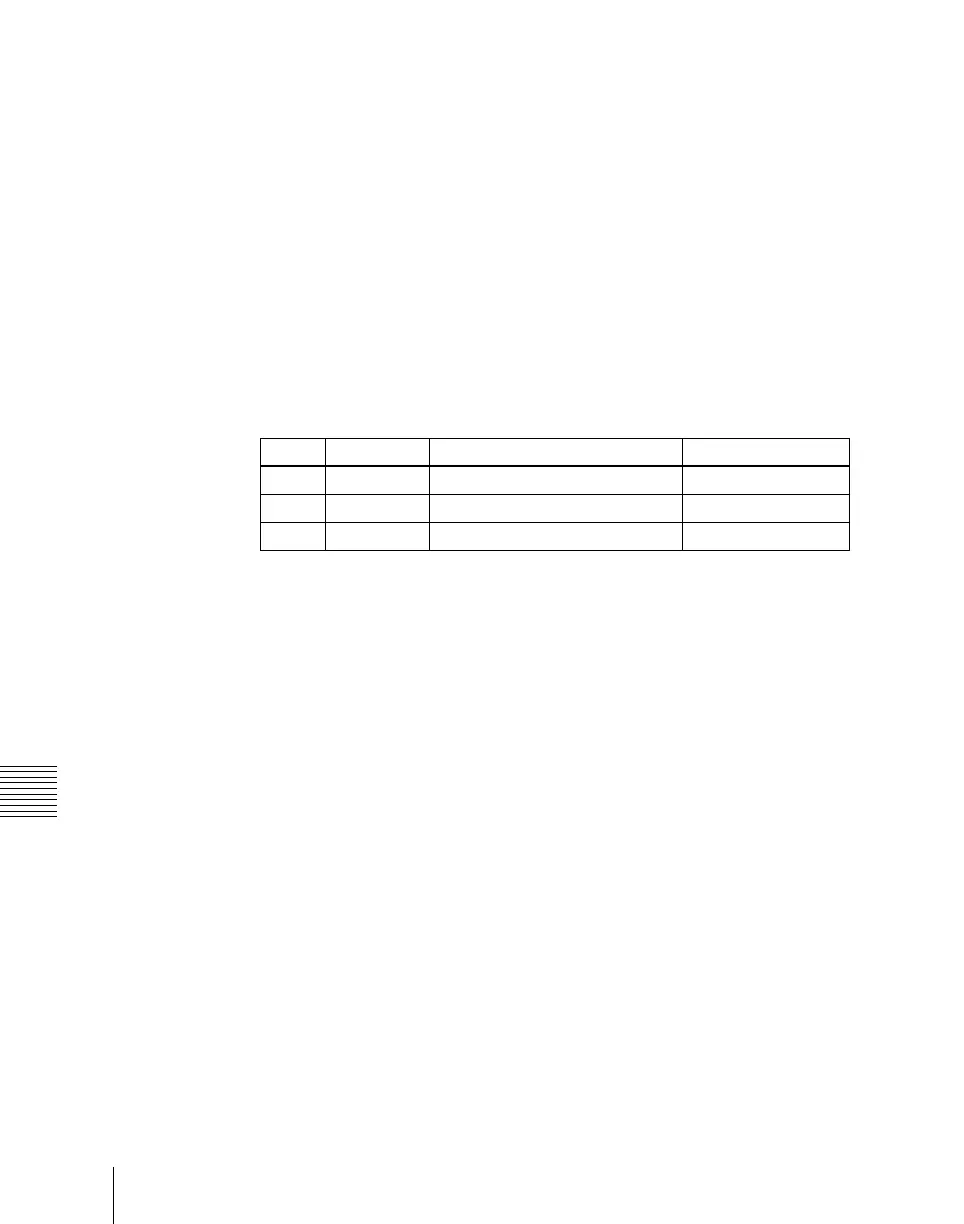
Flat Color: Adjust color 1 with the following parameters.
Mix Color: Carry out a color mix. Adjust color 1 and color 2, and select a
mix pattern (see the next section).
5
In the <Key Source> group, specify the key source selection mode.
Self: The key fill bus signal is automatically selected as the key source.
When the key type is selected as chroma key, select [Self].
Auto Select: The signal allocated, being paired with the key fill bus signal,
to a cross-point button is automatically selected as the key source. The
setting of key fill and key source pairs is carried out in the Setup menu.
(See “Cross-Point Settings (Xpt Assign Menu)” in Chapter 19
(Volume 3).)
Split: You can select a key source signal independently of the key source
automatically selected in Auto Select mode.
6
When [Split] was selected in step 5, hold down the [KEY1] button and
press the appropriate button in the key row to select the key source signal.
To select the video signal assigned to the button, turn off the [KEY] button
in the AUX bus control block, and to select the key signal, turn on the
[KEY] button before pressing the button in the key row.
Knob Parameter Adjustment Setting values
1 Luminance Luminance 0.00 to 100.00
2 Saturation Saturation 0.00 to 100.00
3 Hue Hue 359.99 to 0.00













 To Next Page