Chapter 9 Color Corrector
348
Color Corrector Functions
RGB Clip Operations
For each of the R, G, and B signals, you can make dark clip and white clip
adjustments.
Making RGB clip adjustments
1
In the CCR menu, press VF1 ‘CCR1’ and HF4 ‘RGB Clip.’
The RGB Clip menu appears.
2
In the <RGB Clip> group, press [RGB Clip], turning it on.
3
In the <RGB Clip Adjust> group, select the item you want to adjust.
Dark: dark clip adjustment
White: white clip adjustment
4
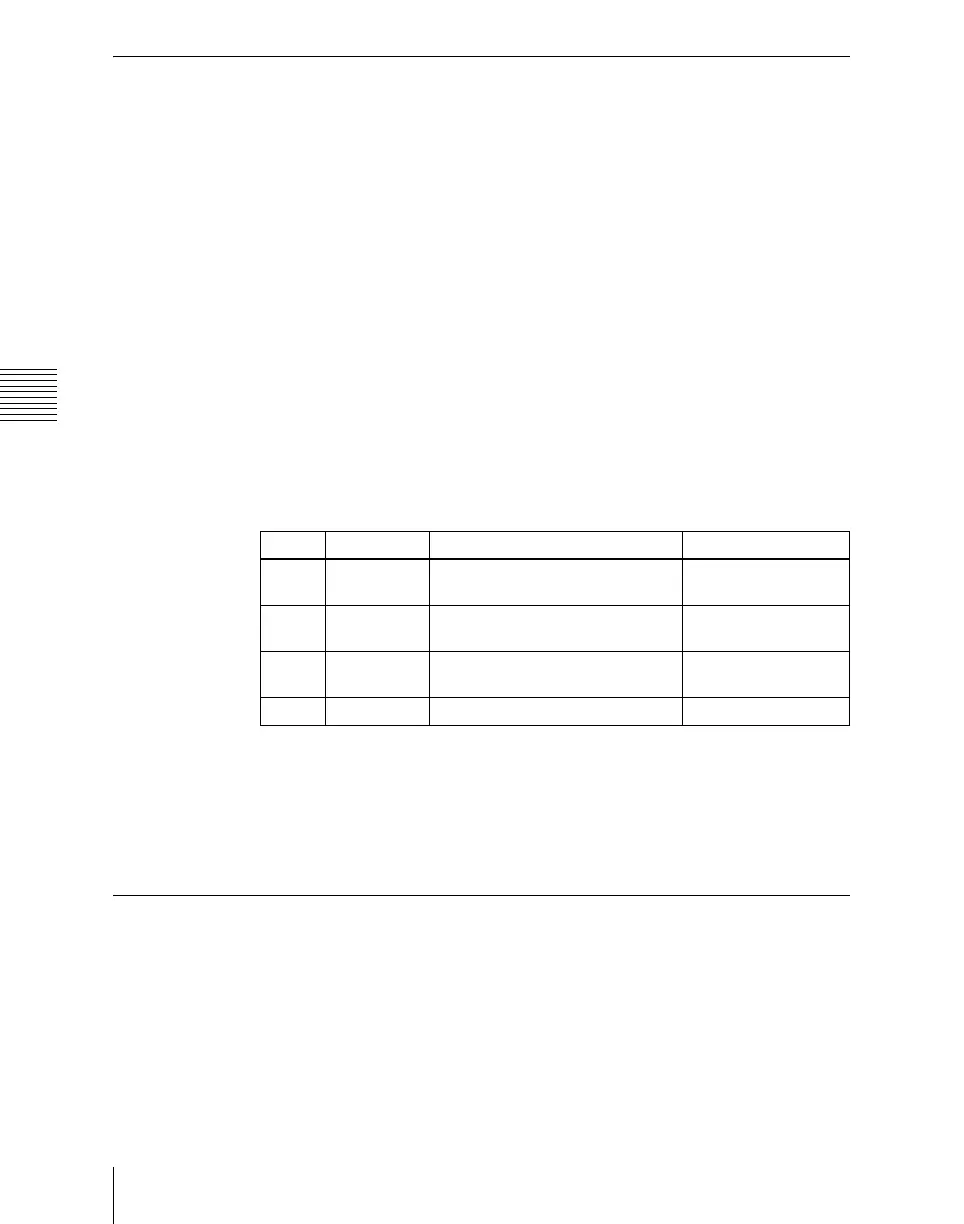
Adjust the following parameters.
a) When Dark is selected
b) When White is selected
To return the parameters to their default settings
In the <RGB Clip> group, press [Unity].
Luminance Processing Operations
After converting a signal to which RGB color correction has been applied to a
YUV signal, divide the luminance levels into three regions, referred to as Dark,
Middle, and Bright, and apply video signal adjustments to these regions.
Knob Parameter Adjustment Setting values
1 Red Red signal adjustment –50.00 to +149.99
a)
–49.99 to +150.00
b)
2 Green Green signal adjustment –50.00 to +149.99
a)
–49.99 to +150.00
b)
3 Blue Blue signal adjustment –50.00 to +149.99
a)
–49.99 to +150.00
b)
4 All Simultaneous RGB adjustment Red value is shown













 To Next Page