Chapter 20 Switcher Setup (Switcher)
958
Settings Relating to Keys, Wipes, Frame Memory and Color Correction (Key/Wipe/FM/CCR Menu)
Settings for the Show Key Function
1
In the Switcher >Key/Wipe/FM/CCR menu, press [Show Key].
The Show Key menu appears.
2
In the <Show Key Enable> group, press the signal for which “show key”
is enabled, turning it on.
3
To set the time for which “show key” is held, press [Hold Time].
4
Adjust the following parameter.
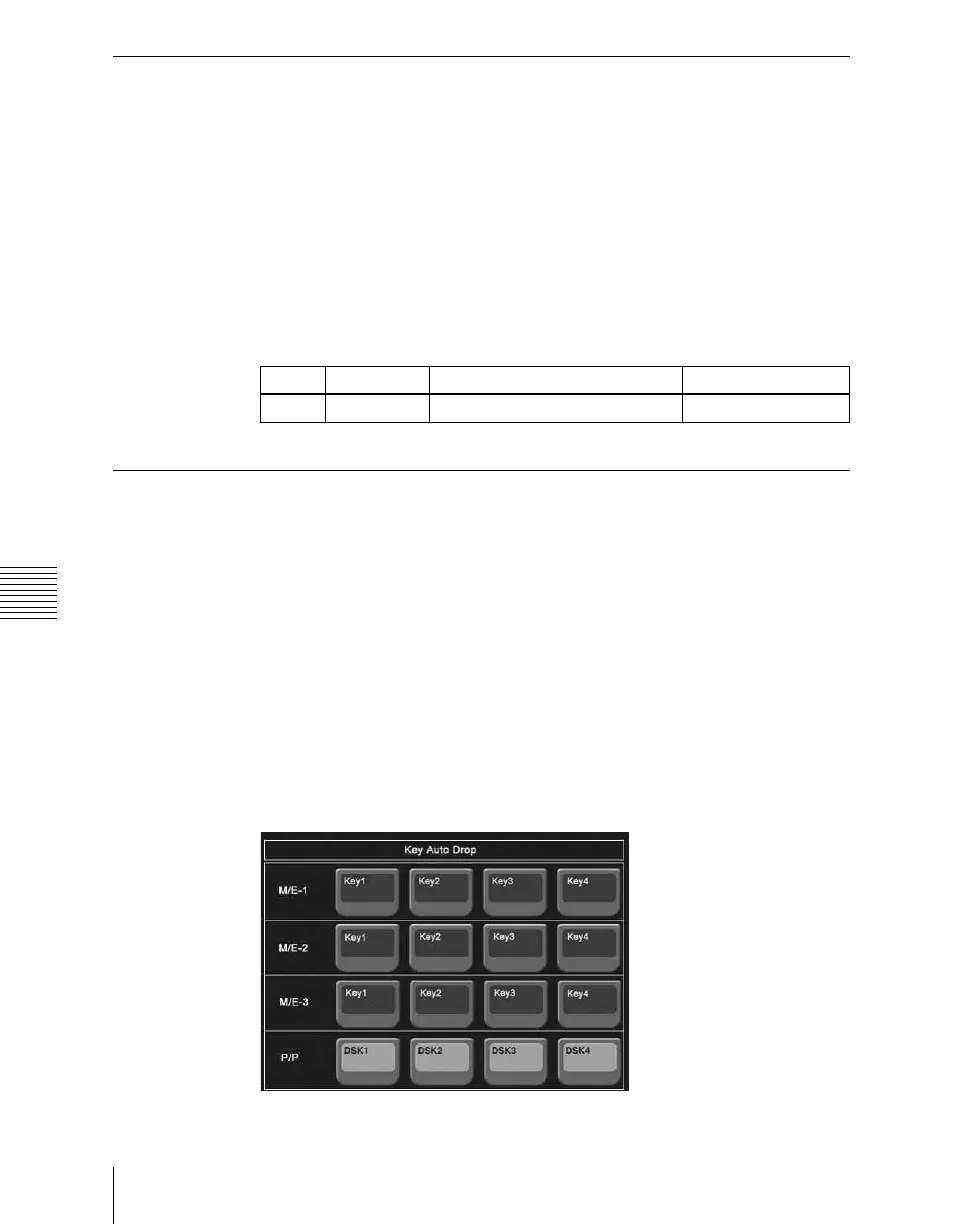
Settings for Key Auto Drop Function
The “key auto drop” function automatically switches off a particular key when
you press a cross-point button in a bus that outputs the background on the
particular switcher bank (PGM/PST, or M/E-1 to M/E-3).
When the background output bus is in flip-flop mode, this is always the A bus.
In bus-fixed mode, it is either the A bus or the B bus depending on the fader
lever position.
For details of bus-fixed mode, see “Executing a Transition” in Chapter 3
(Volume 1).
1
In the Switcher >Key/Wipe/FM/CCR menu, press [Key Auto Drop].
The Key Auto Drop menu appears.
Knob Parameter Adjustment Setting values
1 Hold Time Show key hold time 0 to 999 (frames)













 To Next Page