58
Names and Functions of Parts of the Control Panel
Chapter 2 Menus and Control Panel
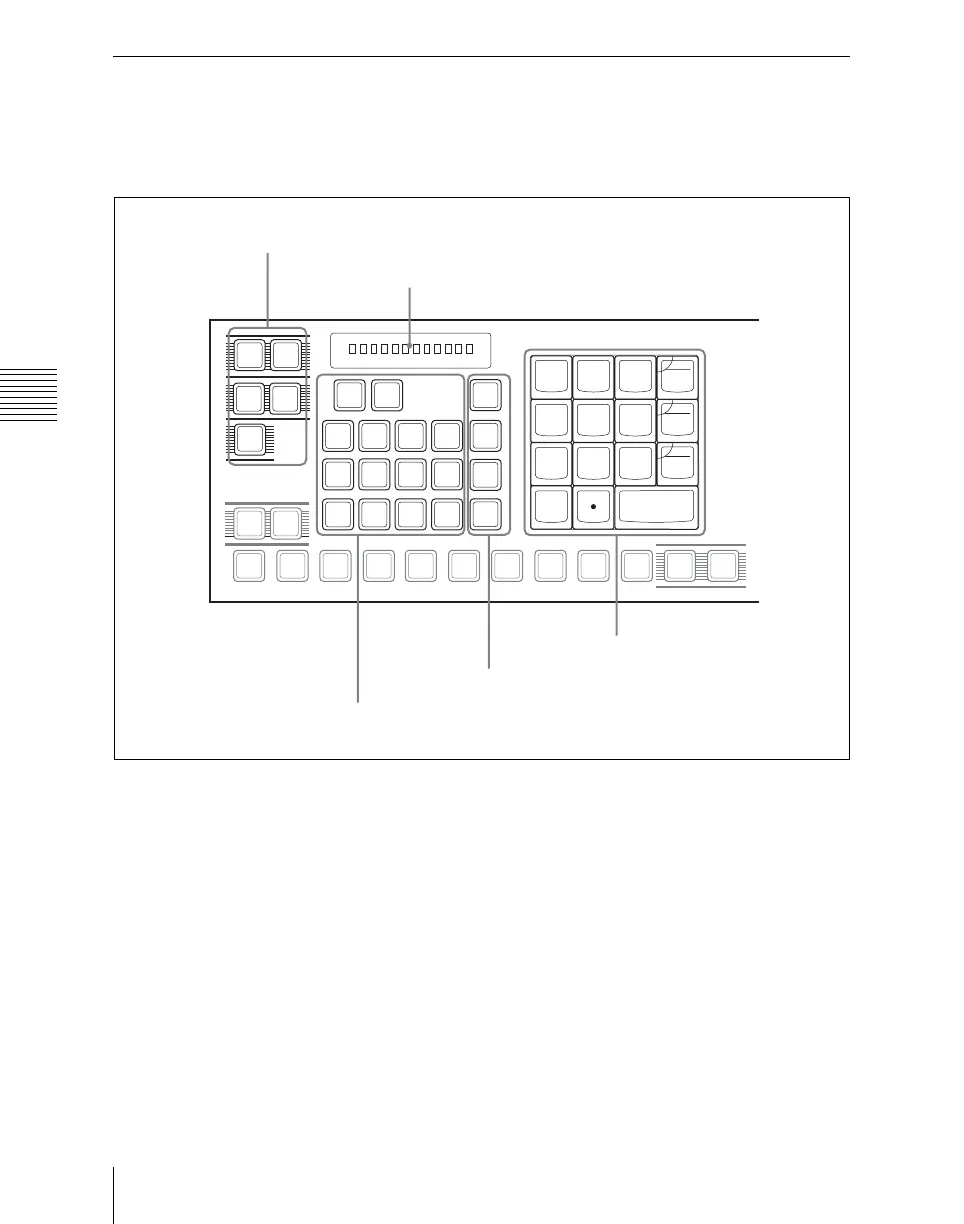
Numeric Keypad Control Block
The numeric keypad control block is used
for region selection, for saving and
recalling snapshots, effects and shotboxes,
for entering numeric values for trackball
operation and keyframe operation, and for
transition rate entry.
a Mode selection buttons
EFF (effect): Press to save or recall an
effect.
SNAPSHOT: Press to save or recall a
snapshot.
SHOTBOX: Press to save or recall a
shotbox.
MCRO (macro): Press to save, recall or
edit a macro.
TRANS RATE (transition rate): Press to
set the transition rate.
Hold down this button, and press one of
the key row delegation buttons [KEY1]
to [KEY4] in the cross-point control
block to set an independent key
transition rate.
b Region selection buttons
These select the functional block (“region”)
of the control panel to which operations
apply.
You can select more than one region at the
same time.
The first button you press is taken as the
reference region, and lights green, while the
next pressed button lights amber.
With the exception of the [MASTER] and
[ALL] buttons, you can change the region
EFF
SNAP
SHOT
SHOT
BOX
MCRO
TRANS
RATE
UNDO
STORE
STATS
MASTR ALL
P-BUS
GP1
STORE
RCALL
7
8
9
4
5
6
1
2
3
0
+/-
EFF
TRIM
CLR
AUTO
DISS
TRANS
ENBL
GPI
ENTER
DME
1
DME
2
DME
3
DME
4
M/E
1
USER
1
USER
2
P/P
P/P
M/E
1
AUX
1
AUX
2
AUX
3
AUX
4
AUX
5
AUX
6
AUX
7
FMS
1
FMS
2
EDIT
PVW
KEY SHIFT
1 Mode selection buttons
5 Display
2 Region selection buttons
3 Function selection buttons
4 Numeric keypad













 To Next Page