49Names and Functions of Parts of the Control Panel
Chapter 2 Menus and Control Panel
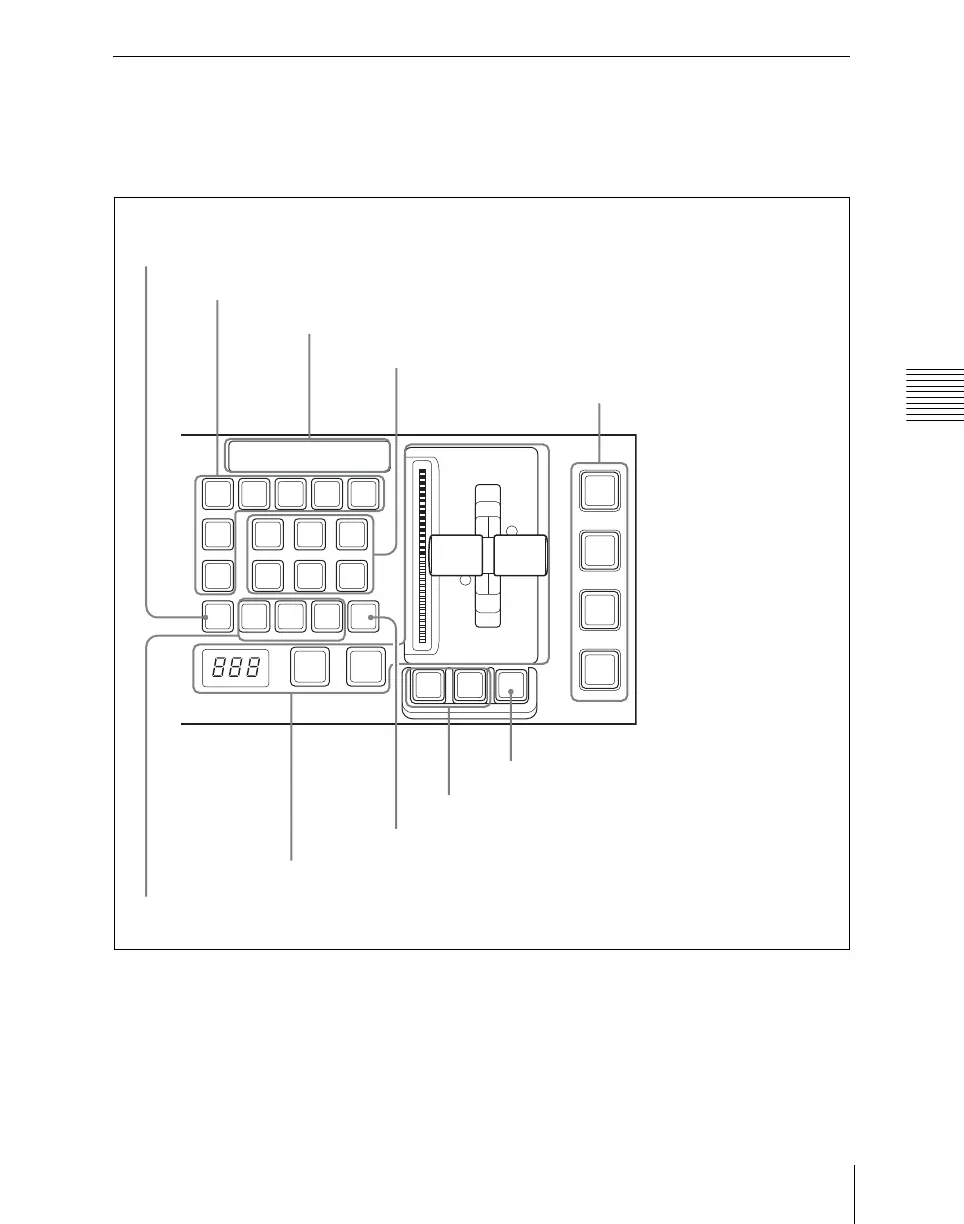
Transition Control Block
In the transition control block, you can
modify the output of the M/E bank or PGM/
PST bank, and perform transitions. Both
common transition and independent key
transition operations are possible.
a Next transition selection buttons
Press these buttons, turning them on, to
determine what the next transition will
apply to.
BKGD: Next transition changes the
background.
KEY1 to KEY4 (DSK1 to DSK4 in the
PGM/PST bank): Press this button,
turning it on, to make the next
transition insert or remove the
corresponding key (keys 1 to 4). If a
BKGD KEY1 KEY2 KEY3 KEY4
KEY
PRIOR
MIX
ALL
PST
COLOR
MIX
NAM
WIPE
SUPER
MIX
DME
PRIOR
SET
NORM
NORM
/REV
REV
TRANS
PVW
PTN
LIMIT
LIMIT
SET
KF
AUTO
TRANS
CUT
ON
1 2 3 4
ON
1 2 3 4
ON
1 2 3 4
ON
1 2 3 4
DSK1
TRANS
DSK2
TRANS
DSK3
TRANS
DSK4
TRANS
9 PRIOR SET button
1 Next transition selection buttons
8 Key status display
2 Transition type selection buttons
7 KF button
6 Pattern limit buttons
5 TRANS PVW button
3 Transition execution section
4 Wipe direction selection buttons
0 Independent key/downstream
key transition execution section













 To Next Page