Chapter 21 DME Setup (DME)
988
Interfacing With External Devices (Device Interface Menu)
3
To apply the selection made in step 2 when the input is high, press [H Set].
To apply the selection made in step 2 when the input is low, press [L Set].
This confirms the setting, which appears in the status area.
Making DME GPI Output Settings
1
In the DME >Device Interface menu, press [DME1 GPI Output].
The DME1 GPI Output menu appears.
The output port selection is fixed at 1.
2
In the <Trigger Type> group, select the trigger polarity.
Status: Depending on the status, the relay contacts are closed or opened,
or the output is switched between high and low.
No Operation: The trigger has no effect on the relay state or output level.
3
Using any of the following methods, select the action you want to set.
• Press directly on the list in the status area.
• Press the arrow keys to scroll the reverse video cursor.
• Turn the knob.
a) Error Make, Error Break, No Action
4
Press [Action Set] to confirm the action selection.
The selected setting appears in the status area.
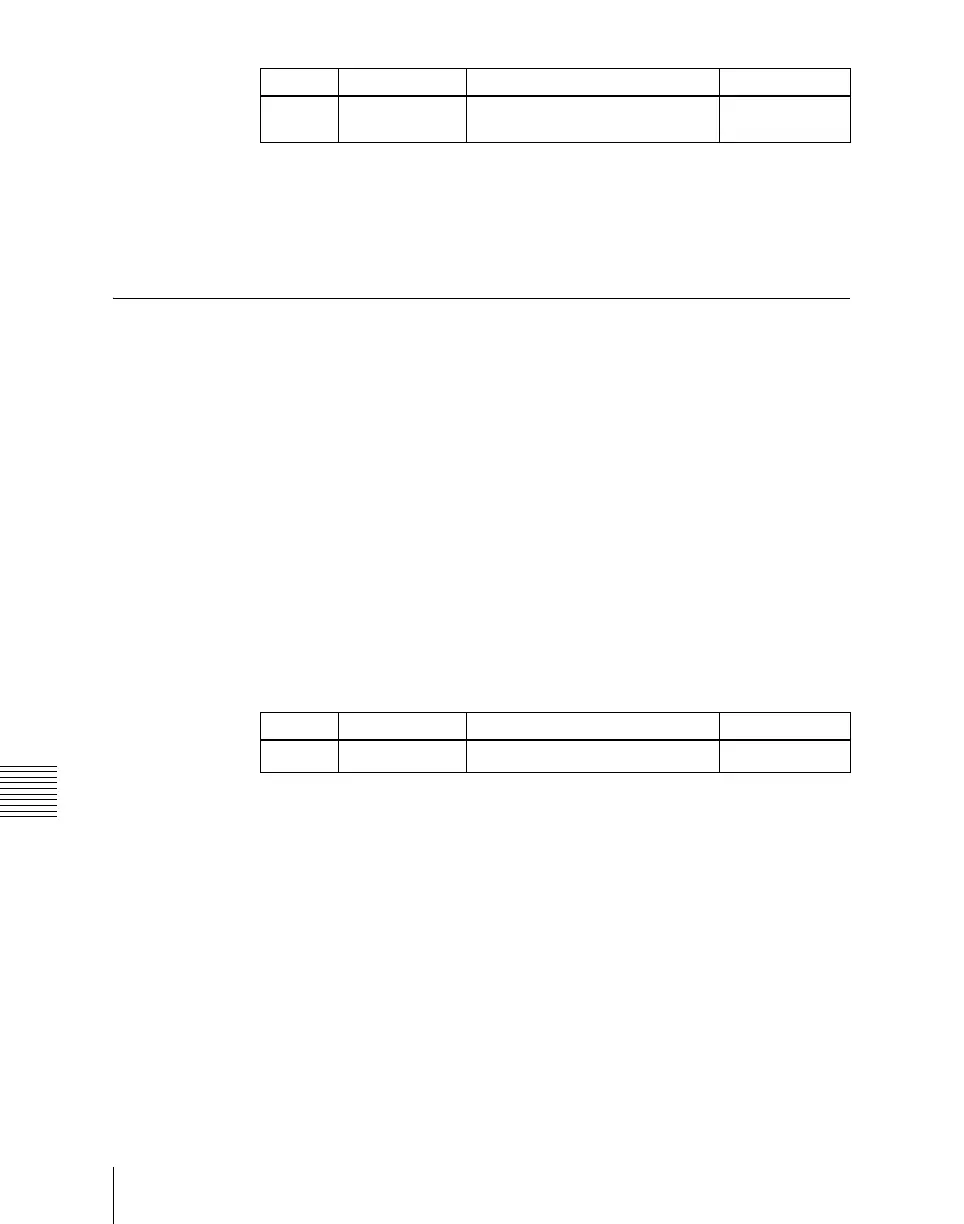
Knob Parameter Adjustment Setting values
1 No Signal format/screen aspect ratio
selection
1 and upwards
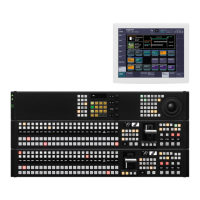
Knob Parameter Adjustment Setting values
2 Action Action selection
1 to 3
a)





 To Next Page