84
Basic Menu Operations
Chapter 2 Menus and Control Panel
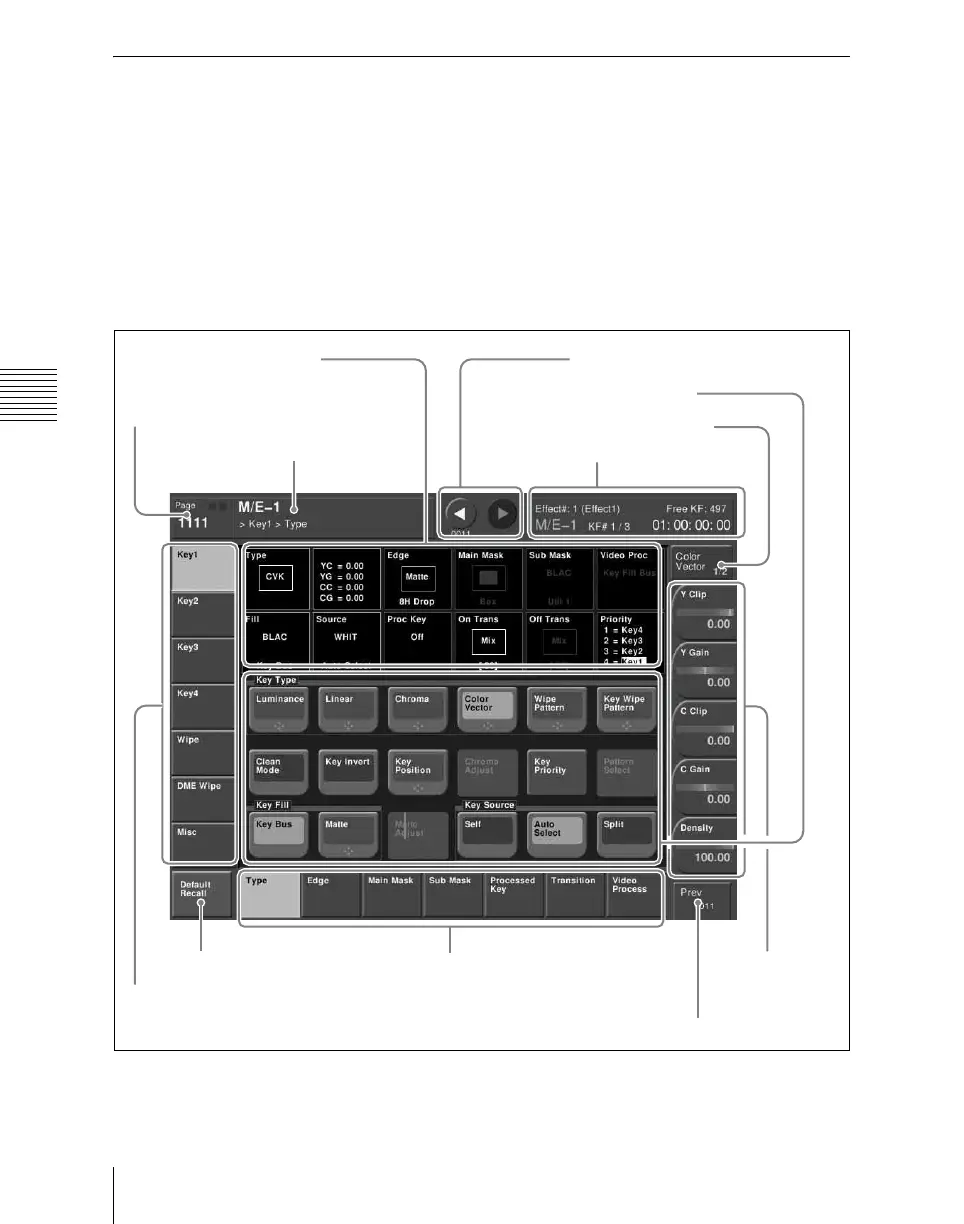
Displaying a Menu
To display, for example, the M/E-1 >Key1
>Type menu, use either of the following
operations.
• Press the top menu selection button [M/E
1], then press the VF1 ‘Key1’ button and
the HF1 ‘Type’ button in that order.
• Press the menu page number button in the
upper left corner of the menu screen to
display the top menu window, then enter
the page number of the M/E-1 >Key1
>Type menu, which is 1111, and press
the [Enter] button. (For details of the
menu page numbers, see “Menu Tree”
(page 383).)
The M/E-1 >Key1 >Type menu appears in
the menu display as follows.
M/E-1 >Key1 >Type menu
2 Menu page number button
1 Menu title
button
6 Function button area
7 Parameter group button
8 Knob
parameter
buttons
3 VF buttons
4 HF buttons
9 Previous page button
5 Status area
0 Keyframe status
qa Default recall button
qs b (previous) button and B (next)
button













 To Next Page