535DME Special Effect Operations
Chapter 11 DME Operations
Select one of the following in the <Combine Process> group.
Combine –> KF STRB: Add the Keyframe Strobe effect after the combine.
As parameters, the data for the channel with the lowest number among the
channels being combined is enabled.
KF STRB –> Combine: Add the Keyframe Strobe effect before the combine.
Parameters can be set independently for each channel.
Wind Settings
Notes
• The wind function is not supported on the MVE-8000A.
• When wind is turned on, any of the following effects that are on are turned
off.
–Trail
– Motion decay
– Keyframe strobe
Applying the wind effect
1
In the DME menu, select VF5 ‘Light/Trail’ and HF5 ‘Wind.’
The Wind menu appears.
2
Press [Wind], turning it on.
This enables the wind, and you can now adjust the parameters with the
knobs.
3
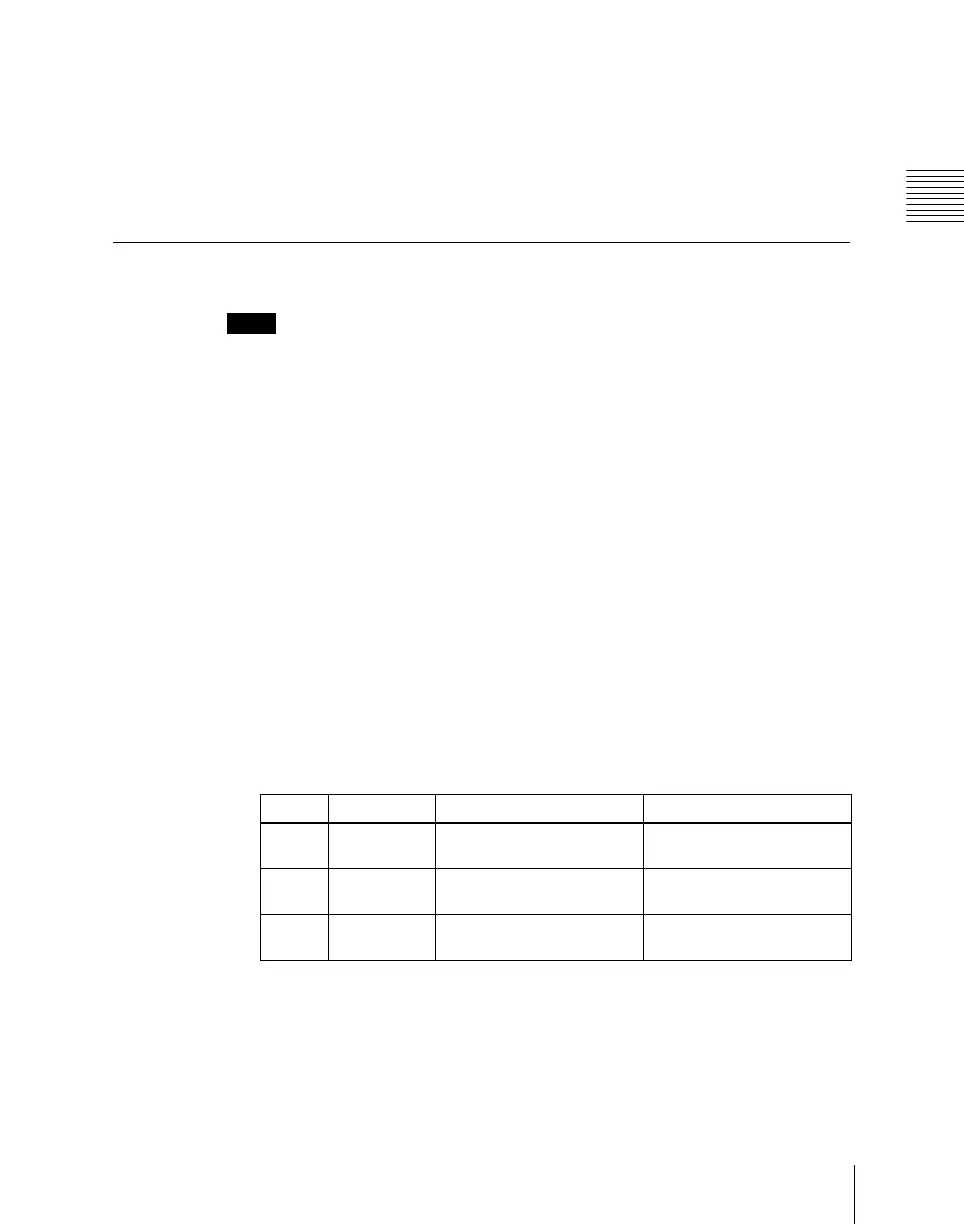
Set the following parameters.
a) 0.00 represents no afterimage, and 100.00 represents no decay in the afterimage.
4
To erase the afterimages, press [Wind Eraser], turning it on.
Knob Parameter Adjustment Setting values
1 Decay Amount of afterimage
displayed
0.00 to 100.00
a)
2 Shift H Extension in the horizontal
direction
–100.00 to +100.00
3 Shift V Extension in the vertical
direction
–100.00 to +100.00













 To Next Page