569Global Effect Operations
Chapter 11 DME Operations
Crossing images from channels 1 and 2, and channels 3 and 4 in
three dimensions
Note
The three-dimensional crossing function is not supported on the MVE-8000A.
1
In the Combiner Priority menu, press [Combiner1 Depth], turning it on.
2
Set the following parameter.
3
Press [Combiner2 Depth], turning it on.
4
Set the following parameter.
Brick Settings
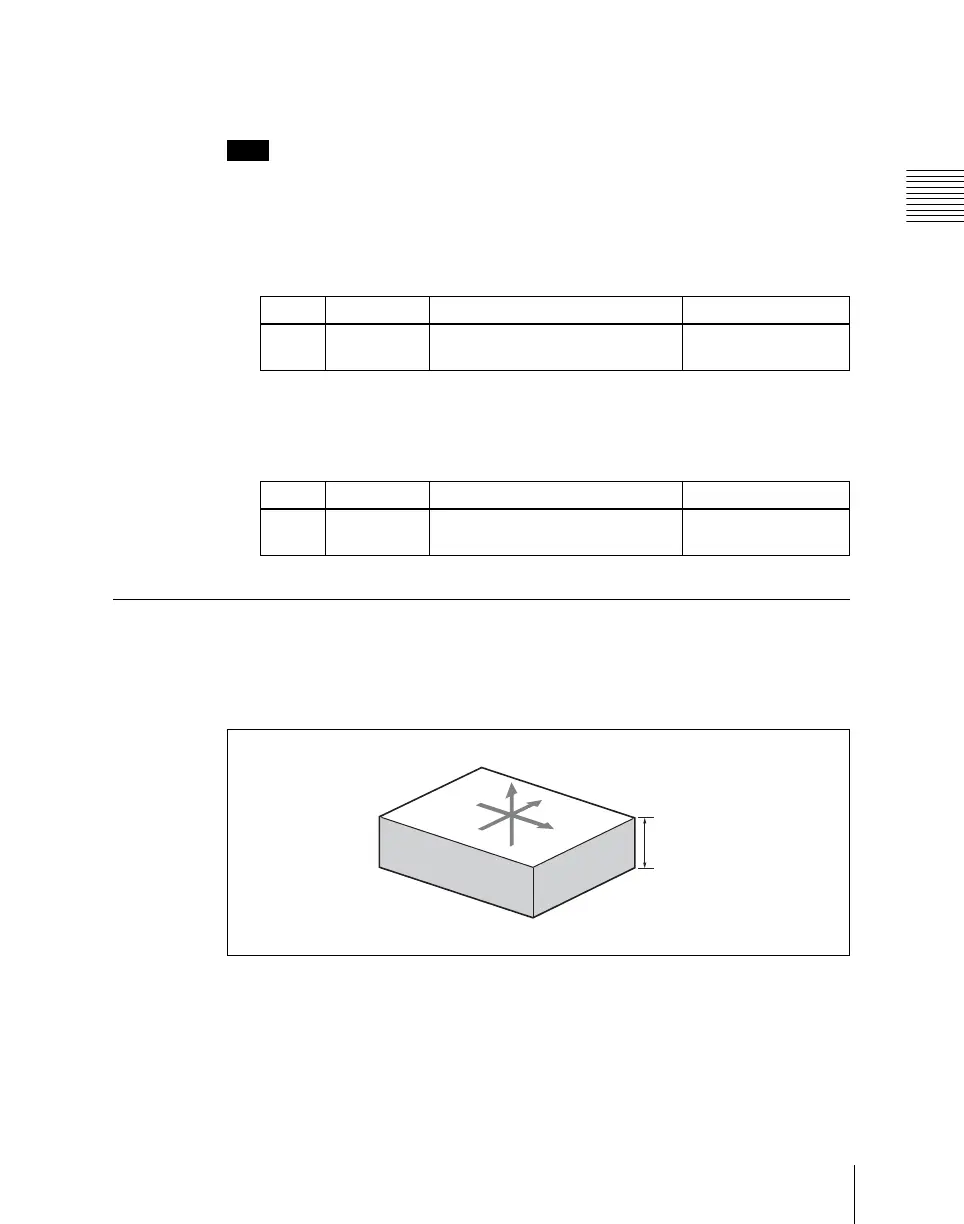
The Brick effect can combine Ch1, Ch2, and Ch3, or combine Ch2, Ch3, and
Ch4. The three images are displayed as shown in the following figure.
Combinations of Ch1, Ch2, and Ch3
Upper side: Ch1 image
Side V: Ch2 image
Side H: Ch3 image
Knob Parameter Adjustment Setting values
1 Soft1 Softness of edges of channel 1
and channel 2 crossed section
0.00 to 100.00
Knob Parameter Adjustment Setting values
1 Soft2 Softness of edges of channel 3
and channel 4 crossed section
0.00 to 100.00
X
Y
Z
Side V Side H
Height













 To Next Page