Appendix (Volume 2)
814
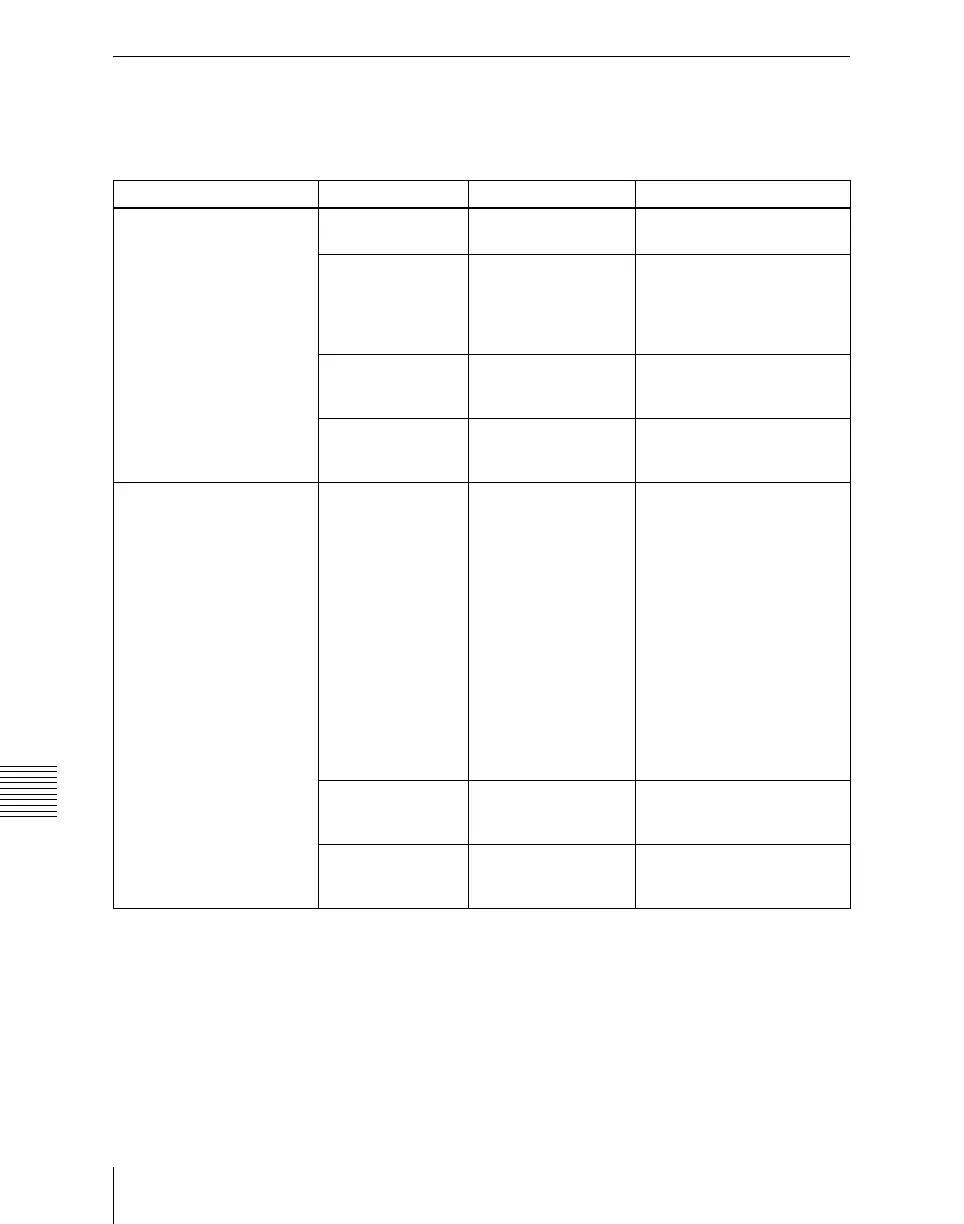
Macro File Editing Rules
Symbols and Parameters
n: indicates a numeral 0 to 9.
x: indicates an alphanumeric character.
Symbol Parameter name Arguments Description
MEXpt ME? ME1 to ME3, PP Control blocks on the
applicable bank
MEBus? A, B, Key1 to Key4,
Key1Source to
Key4Source, Utility1,
Utility2,
DMEExternalVideo
Applicable bus
Xpt? 1 to 128 Main table cross-point
button number set in the Xpt
Assign menu
VideoKey? Video, Key Signal type selected on the
applicable bus (video signal
or key signal)
AuxXpt AuxBus? EditPreview, AUX1 to
AUX48, Monitor1 to
Monitor8,
FrameMemory1,
FrameMemory2,
DME1Video to
DME8Video,
DME1Key to
DME8Key,
DME1Video2nd to
DME8Video2nd (a),
DME1Key2nd to
DME8Key2nd (b),
DMEUtility1,
DMEUtility2, CCR1,
CCR2
Applicable AUX bus
(a): DMEnVideo2nd= Bus for
selecting back video signal
of DMEn channel (n=1 to 8),
(b): DMEnKey2nd= Bus for
selecting back key signal of
DMEn channel (n=1 to 8)
Xpt? 1 to 128 Cross-point button number
in the main table set in the
Xpt Assign menu
VideoKey? Video, Key Type of signal (video signal
or key signal) to be selected
on the applicable bus













 To Next Page