72
Names and Functions of Parts of the Control Panel
Chapter 2 Menus and Control Panel
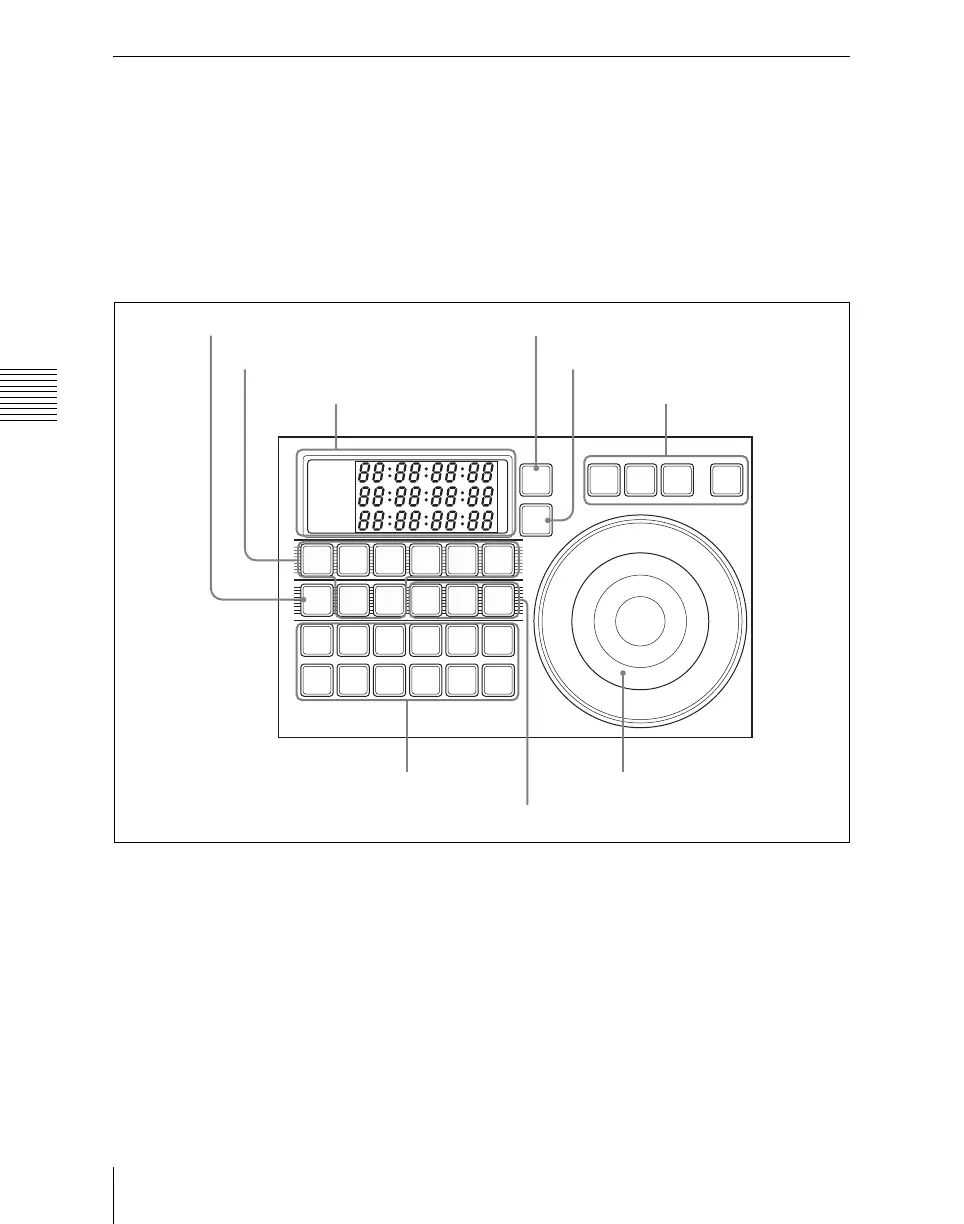
Device Control Block (MKS-8036A Search Dial Module,
Option)
Using the device control block (MKS-
8036A search dial module
1)
, option), you
can directly operate an XDCAM, disk
recorder, VTR or other external device,
frame memory clip, or shotbox. The device
control block (MKS-8031TB track ball
module, option) can be used together.
1) The product name of the MKS-8036A is “device
control module,” but in this manual it is referred to
as “search dial module” to distinguish it from the
MKS-8031TB trackball module.
a Timecode display
This shows the current time (CURRENT)
and the start and stop point timecode values
for the current reference device (START
TC, STOP TC). When you press a device
selection button, the button lights, selecting
the assigned device as the reference device,
and displaying its setting value.
In the case of the [SBOX] buttons, the
display does not change. The displayed
setting value depends on whether the
[TIMELINE] button is on or off, as follows.
When the [TIMELINE] button is on:
Displays the start and stop points of the
last set keyframe on the timeline. When
the keyframe number is changed and
the last register and keyframe change,
the display also changes. (timeline
setting mode)
TIME
LINE
DEV
1
CURRENT
START TC
STOP TC
DEV
2
DEV
3
DEV
4
DEV
5
DEV
6
FM1
CLIP
FM2
CLIP
SBOX
1
SBOX
2
SBOX
3
START
TC
STOP
TC
SET
START
TC
SET
STOP
TC
SET
DUR
STB
OFF
ALL
STOP
STOP
REC
PLAY FFREWCUE
DELAY
SHTL JOG VA R ENBL
1 Timecode display
2 Device selection buttons
4 DELAY button
5 Editing
buttons
6 External device
operation buttons
7 TIMELINE button
8 STOP button
9 Search dial
3 SBOX buttons













 To Next Page