489DME Special Effect Operations
Chapter 11 DME Operations
4
In the <Metal Mode> group, select the type of metallic gloss.
Gold: Give a gold gloss to the input video.
Silver: Give a silver gloss to the input video.
Rainbow: Give a rainbow color gloss to the input video.
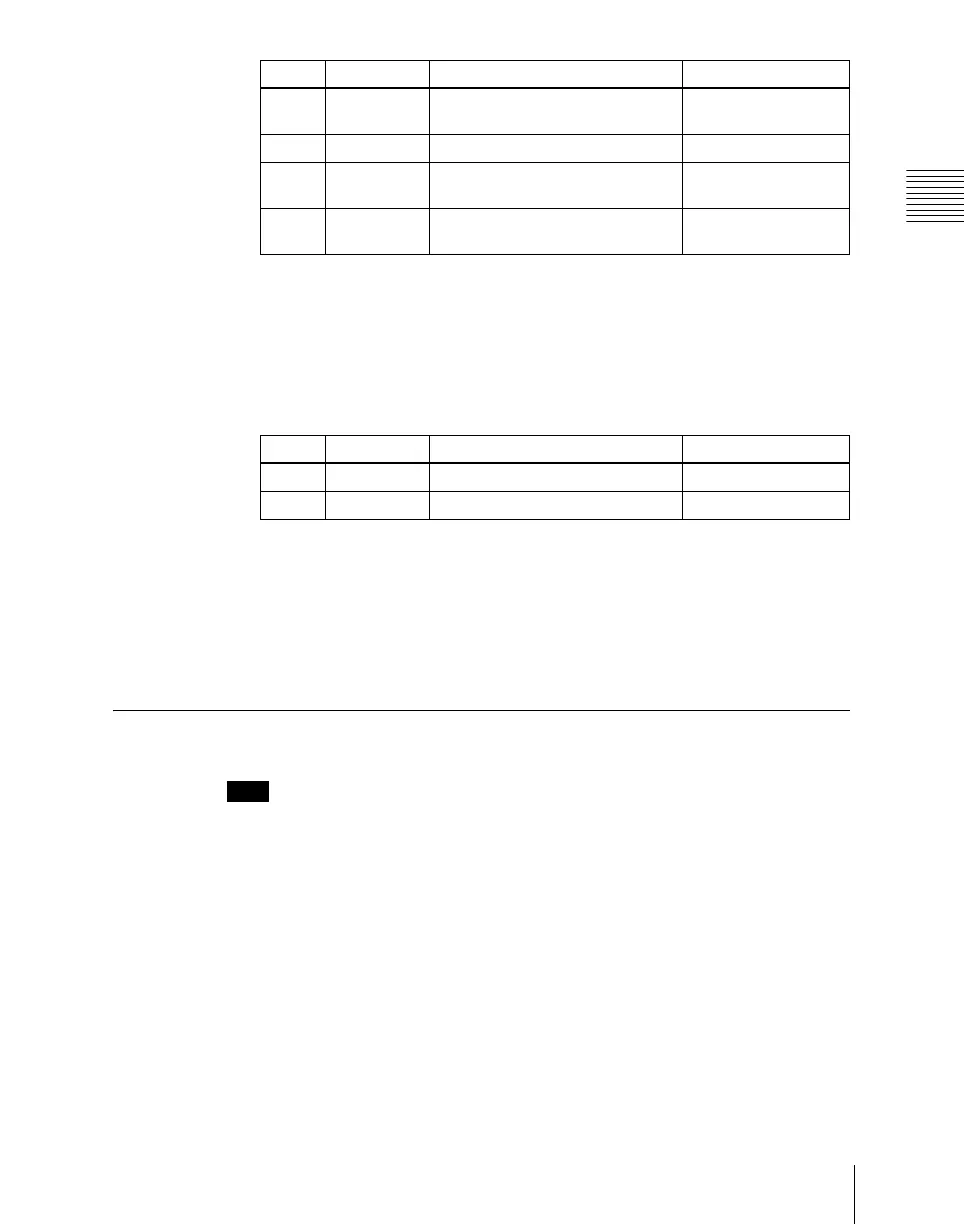
Variable: Give a metallic gloss to the input video in any color by adjusting
the following parameters.
Masking the Metal effect with a selected pattern
Press [Mask] to display the Mask menu and set the type of pattern and
modifiers.
For details, see “Mask Settings” (page 491).
Dim and Fade Settings
Note
The Dim and Fade function are not supported on the MVE-8000A.
Applying the Dim effect
1
In the DME menu, select VF7 ‘Enhanced Video Modify’ and HF3 ‘Dim &
Fade.’
The Dim & Fade menu appears.
2
Press [Dim], turning it on.
This enables the Dim effect.
Knob Parameter Adjustment Setting values
1 Mix Ratio Mix amount for Metal video and
input video
0.00 to 100.00
2 Y Clip Clip level of input signal Y level 0.00 to 100.00
3 Y Gain Amount of gain for clip adjusted
input signal Y level
–100.00 to +100.00
4 Y Offset Offset added to clip and gain
adjusted input Y signal
0.00 to 100.00
Knob Parameter Adjustment Setting values
2 Saturation Saturation 0.00 to 100.00
3 Hue Hue 359.99 to 0.00













 To Next Page