61Names and Functions of Parts of the Control Panel
Chapter 2 Menus and Control Panel
• The button does not take effect even
when pressed.
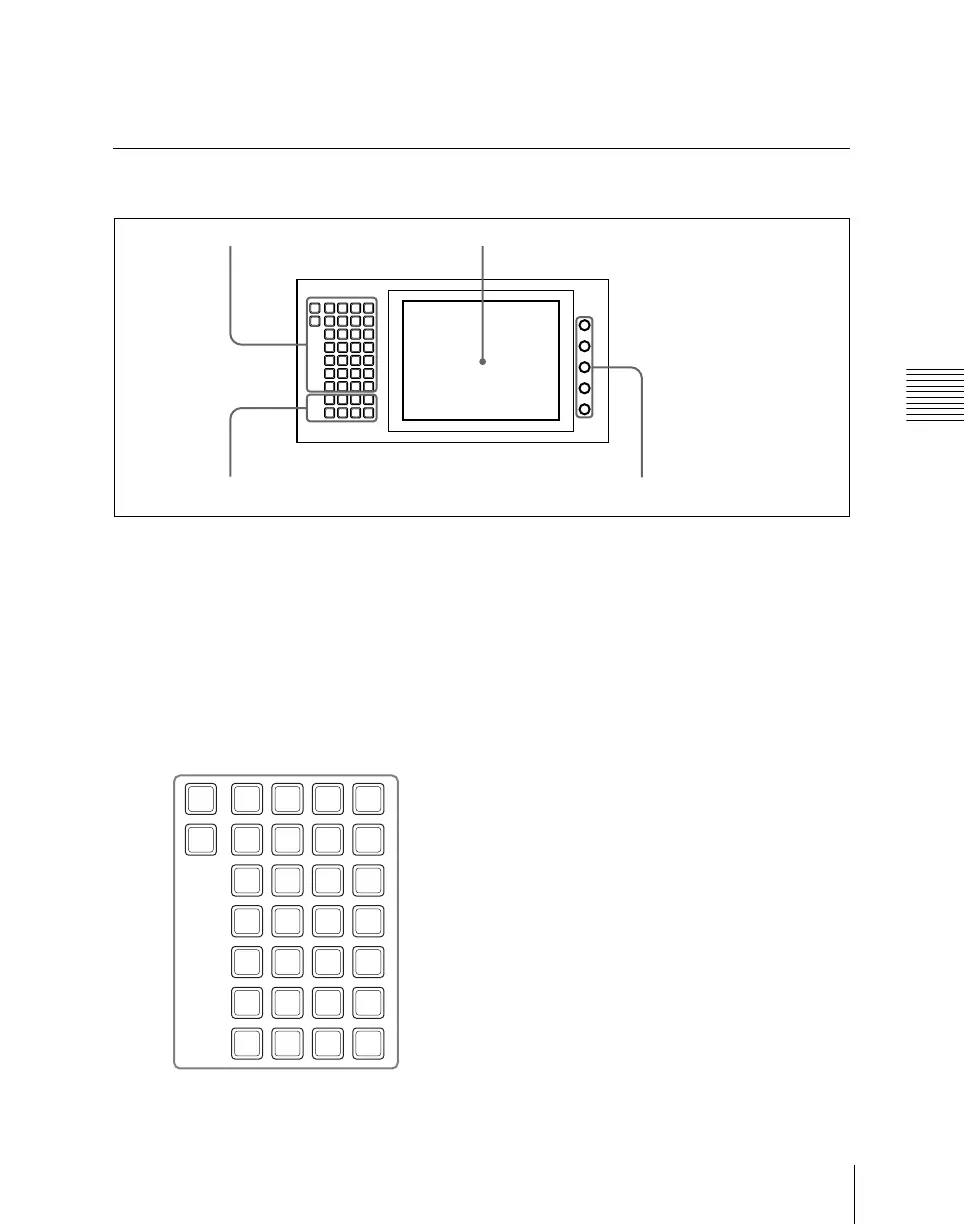
Menu Control Block
a Top menu selection buttons
These select the menu appearing in the
menu display.
It is also possible to change the assignment
of these buttons in setup.
For details, see “Overall Control Panel
Settings (Config Menu)” in Chapter 19
(Volume 3).
b Menu display
This shows the menu currently in use.
c Knobs
These adjust the parameter values
appearing in the menu.
d User preference buttons
These recall the functions or menus
assigned to them in the Setup menu.
In the default setup, nothing is assigned to
the [PREFS 1] to [PREFS 7] buttons.
It is also possible to change the assignment
of these buttons in setup.
For details, see “Overall Control Panel
Settings (Config Menu)” in Chapter 19
(Volume 3).
PREFS 8 button: When this button is on,
control of an editor from the Remote1
port on the rear panel of the switcher is
possible. However, even when it is off,
control of the Edit PVW bus is always
possible.
M/E
1
M/E
2
M/E
3
P/P
FRAME
MEM
COLOR
BKGD
AUX
/MON
COPY
SWAP
MISC
DME
GLB
EFF
RTR DEV
KEY
FRAME
SHOT
BOX
SNAP
SHOT
EFF
MCRO
FILE
USER
SETUP
ENG
SETUP
DIAG
PREFS
1
PREFS
2
PREFS
3
PREFS
4
PREFS
5
PREFS
6
PREFS
7
PREFS
8
HOME
SUB
MENU
SITE
2 Menu display1 Top menu selection buttons
3 Knobs4 User preference buttons
M/E
1
P/P
FRAME
MEM
COLOR
BKGD
AUX
/MON
COPY
SWAP
MISC
DME
GLB
EFF
RTR DEV
KEY
FRAME
SHOT
BOX
SNAP
SHOT
EFF
MCRO
FILE
USER
SETUP
ENG
SETUP
DIAG
CCR
STATS
HOME
SUB
MENU
SITE













 To Next Page